6
3. INGREDIENT PACK (RE)PLACEMENT
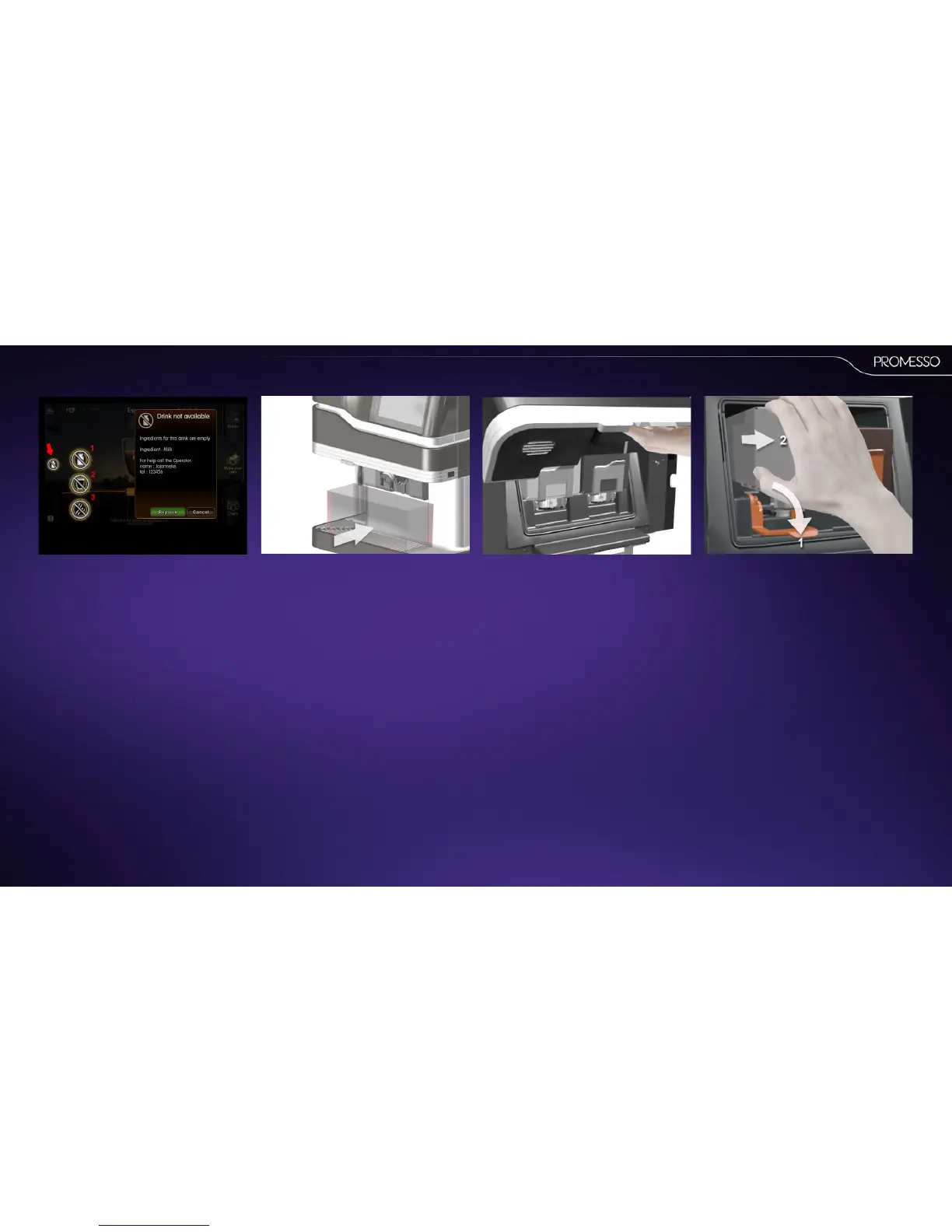
The empty pack icon appears in the display
indicang that a product pack is empty or not
present.
Depending on the product pack a dierent icon is
shown;
1. The milk pack is empty
2. Both packs are empty (no products can be dis-
pensed)
3. The coee pack is empty.
Click on an icon for more informaon as shown
in the illustraon
2. Open the door.
3. Remove the ingredient pack.
• Move the orange pack retaining lever down
(1).
• Li the pack upwards and take the empty
pack(s) out of the cooling compartment
(2).
1. Place the included container under the
coee outlet.
• The dispenser requires ushing aer a
product pack has been replaced.



 To Next Page