11
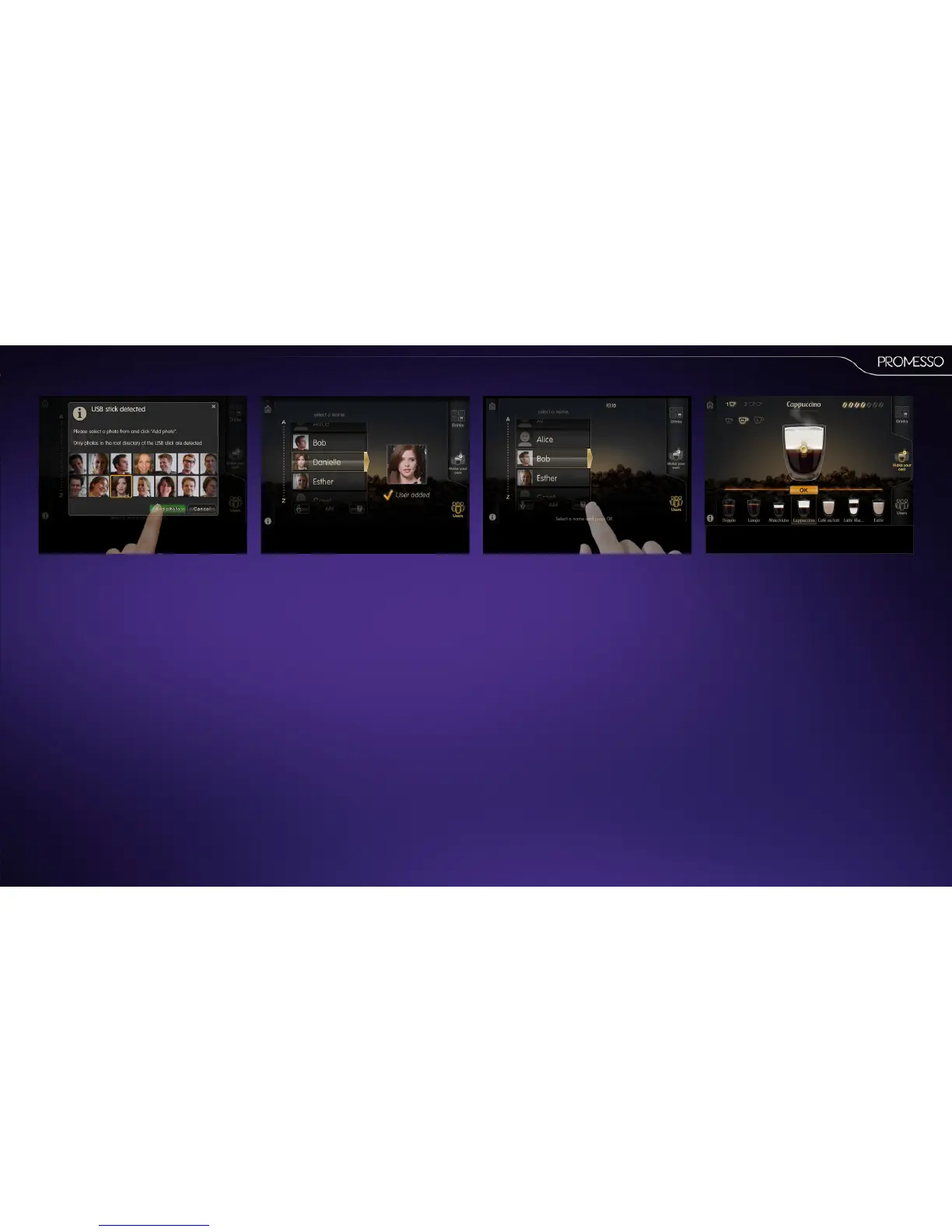
6. Select the image stored on the USB key.
• The image must be stored in the root of
the USB key, sub-folders are not read.
• The following image extensions can be
used : BMP, JPG,PNG.
Howtoadda(customized)drinktoaprole:
• Select your prole name in the list (you have to
enter the passcode if you have set one)
• Press the add drink icon.
• Select the drink of your choice and customize it
if necessary.
Your prole has been created.



 To Next Page