12
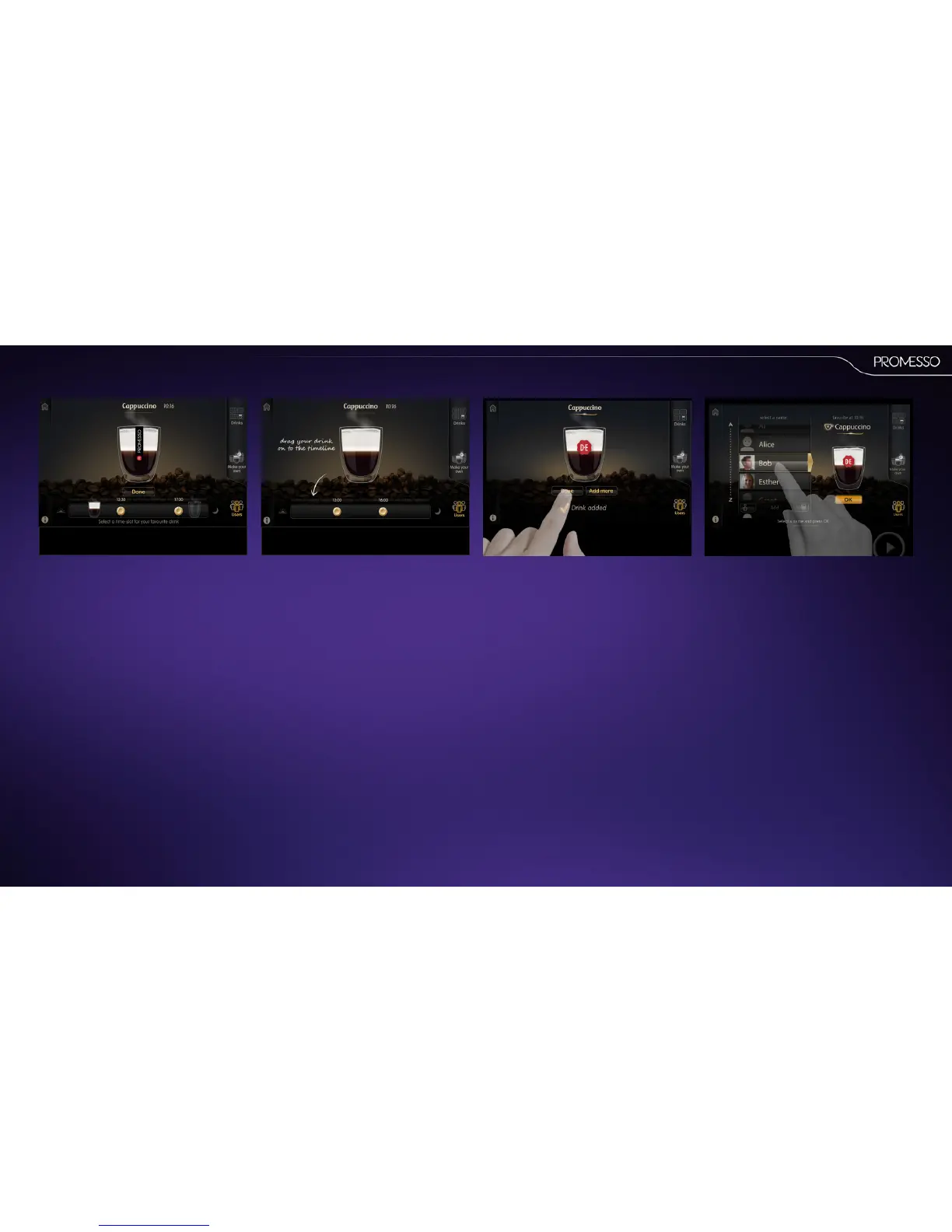
The display shows a meline in which you can
insert up to 3 drinks of your choice in 3 me slots
over 1 day.
• You can move the markers in the meline to
change the start- and stop-mes of these me
slots. (in steps of 0,5 hr)
• Drag and drop the drink onto the meline in
the me slot of your choice.
• Press done to close the screen or addmoreto
select another drink.
If you select another drink, you can drag and drop
the drink in another me slot, or a me slot for
which you already selected a drink. It will replace
that drink.
When you access your prole you will see your
drink of choice for that parcular me of the day.
• Press start to deliver this drink. You can also
choose to select another drink in one of the
other drink modes.)



 To Next Page