13. OIR
+:
Touch to view the next folder
14.
Touch to access the direct entry screen
15.
~:
Touch to view the SETUP menu
16.
Touch for quick access
to
Equalizer level settings
17. Touch to view the SOURCE MENU and select a new playback source
18. Folder name
Using a USB Device
or
SD Card
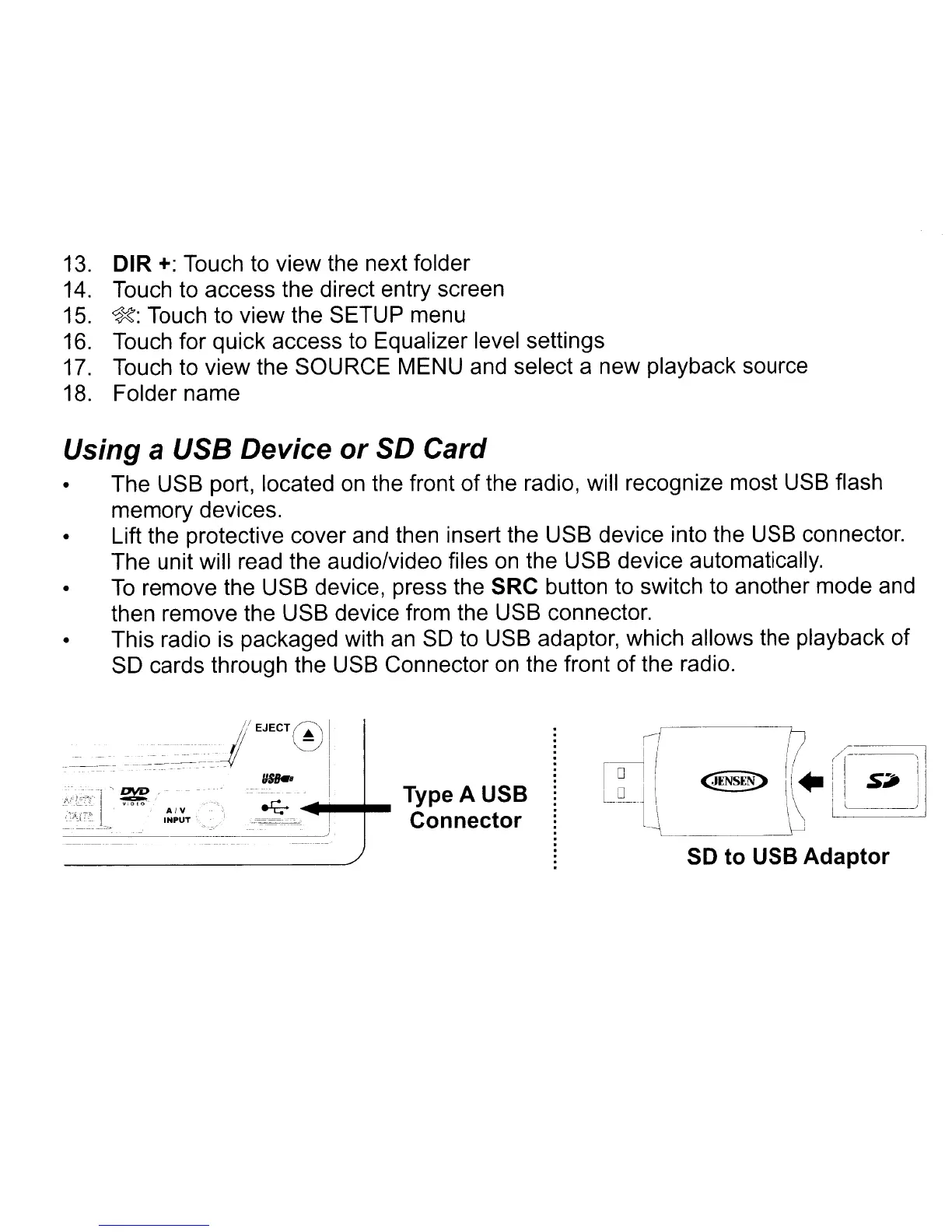
• The USB port, located on the front
of
the radio, will recognize most USB flash
memory devices.
• Lift the protective cover and then insert the USB device into the USB connector.
The unit will read the audio/video files
on
the USB device automatically.
•
To
remove the USB device, press the SRC button to switch to another mode and
then remove the USB device from the USB connector.
• This radio is packaged with an
SO
to USB adaptor, which allows the playback
of
SO cards through the USB Connector
on
the front of the radio.
__
___-
1/ EJECT 0
._.--_._---_.-
._._-_.~=~---_-~--:~I
/JSk.
Type A USB
-;::=~c-.:.,~-"'"
Connector
if
/1)
----J
I I
((--
11
1°
! I
~NSEE>
II.'
I
S~
'j
L
D J \\ I I 1
---l-L
JJ
l_
\ J
SO
to USB Adaptor



 To Next Page