c.
Measure from the right side of the stock 20 inches to the opposite side. Mark the 20"
spot with a
faint line.
d. Repeat step b. off the 20" mark.
e.
Using a 5/16 drill bit, drill the center mark of both locations and use a countersink to allow the (2)
¼-20 x 1-1/8
"
Phillips Flat Head Screw (Part #58
) to sit flush or below with the fence face.
f.
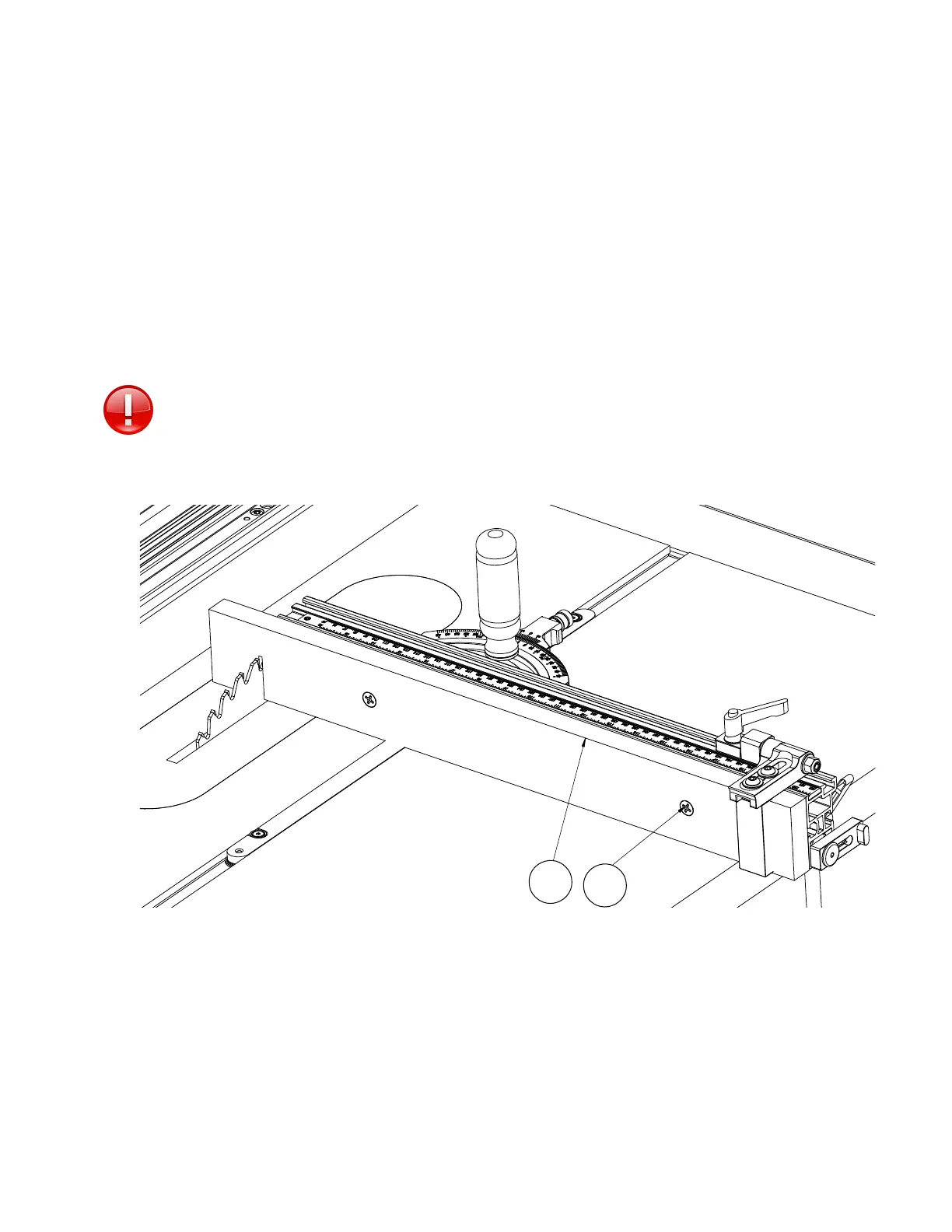
Using the (2) ¼-20 square nuts (Part # 57) provided, attach the sacrificial fence (Part D) into the
front T-Slot on the fence extrusion. See Figure 22
** The Flip Stop on the Mite-R-Excel II™ was designed to adjust up to ¾". Be sure to
adjust the Flip Stop so that you can still use the stop with the sacrificial fence.
Figure 21
19
D
5 8


 To Next Page
 Loading...