7.4 Motor parameters’ detection and commissioning
7.4.1 Motor parameters’ detection
7.4.1.1 Motor parameters’ detection
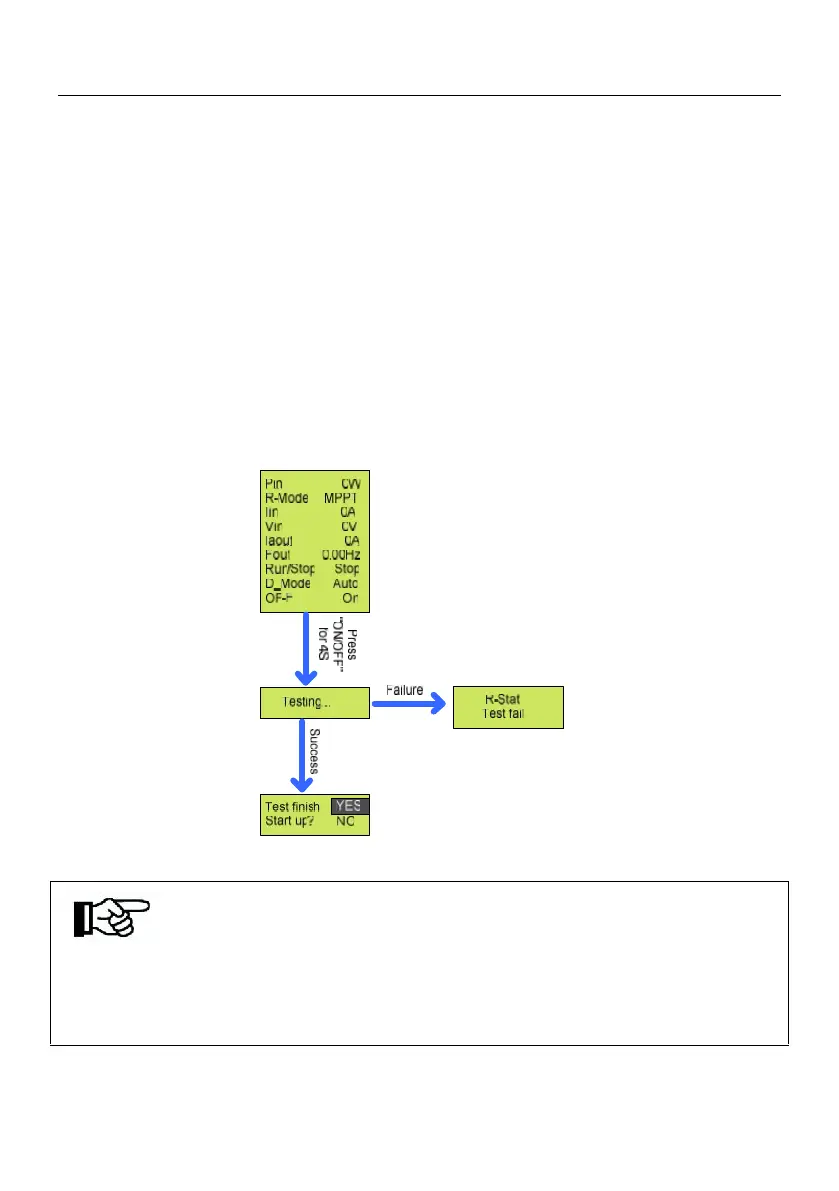
After finishing the modification, press “ENTER” & “DOWN” at the same time to return to
the first screen, long-press “ON/OFF” for 4S, and inverter begin motor parameters’
detection, if success, it will indicate “Test finish Start up? YES/NO”; If failed, it will
indicate” R-Stat Test fail”, then please refer to “9.1 Trouble Shooting ”, figure 9-1 for
reason.
Figure 7-1 Motor Parameters’ Detection Interface
Note!
In some special occasion, re-detection of motor parameters is required, such as
change pump, the “DebugMode” should be changed to 6, then press “DOWN”
and “ENTER” at the same time to return to the first screen, and begin detect.



 To Next Page