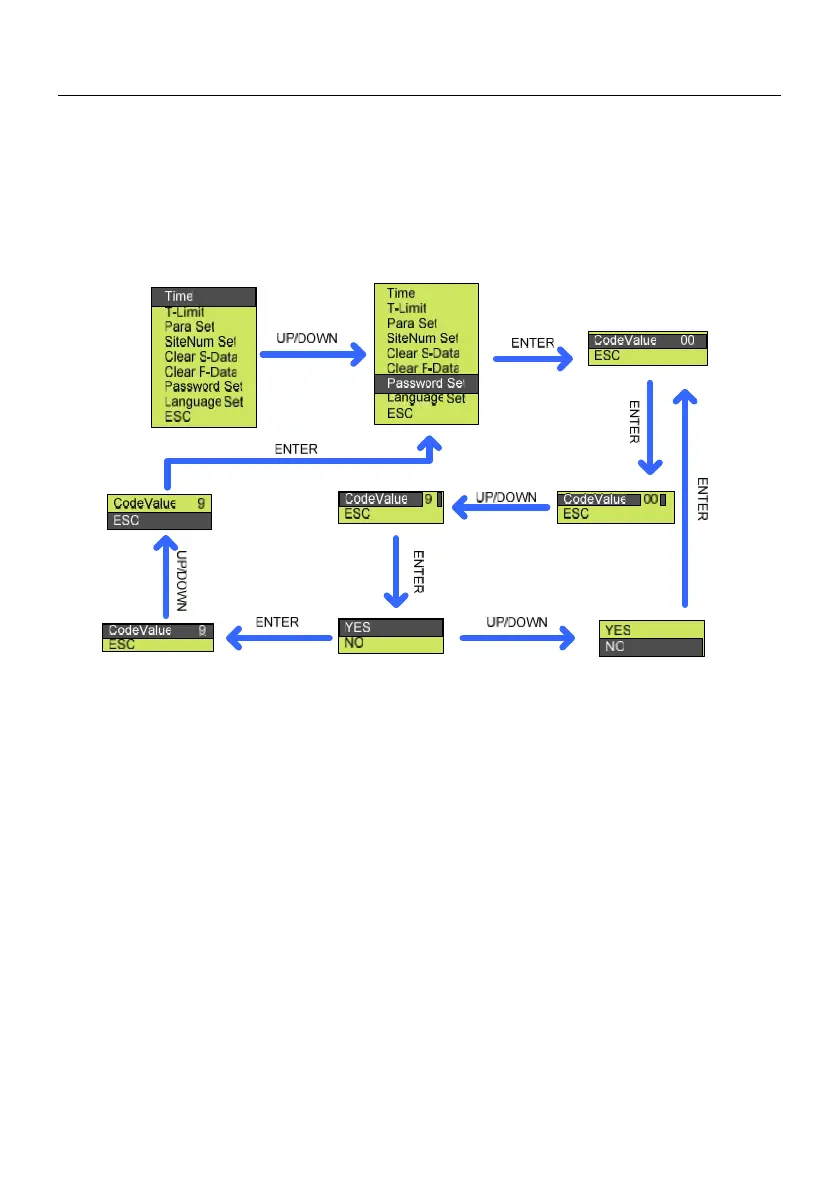
8.3.5.7 Password Set
Password Set, to set the password to enter set menu, please refer to the figure
below.
Figure8-17 Procedure of password set
8.3.5.8 Language Set
Language set, to set the man-machine interface language category, please
refer to the following steps to operate.



 To Next Page