5407935-UUM-D-1119
40 Johnson Controls Ducted Systems
On the Edit Schedule screen, the Up/Down arrows change color based
on the selected option:
• Red for heat
• Blue for cool
• Green for time
To access the Fan screen, tap the Fan icon.
The following options are available on the Schedule screen:
• Default: Allows you to reset the schedule to the default schedule.
See Figure 49.
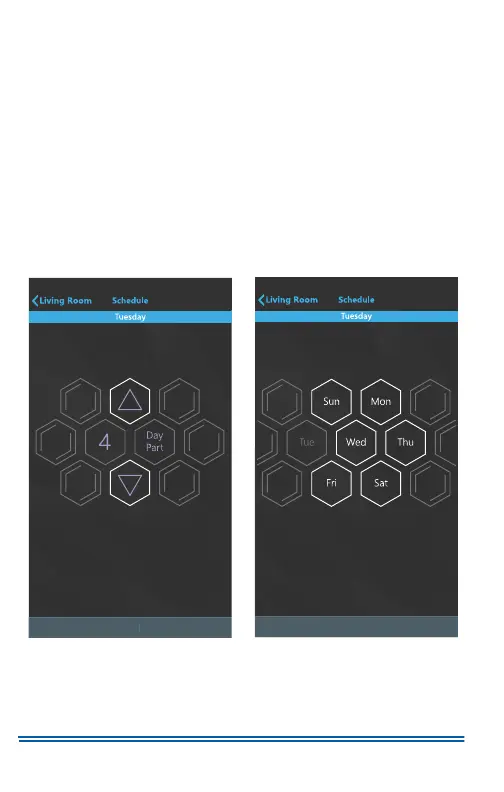
• Events: Allows you to choose whether the schedule contains 4
day parts or 2 day parts. The default is 4 day parts. See Figure 51.
• Copy: Allows you to copy the scheduled day to any other day of
the week. See Figure 52.
Figure 51:
4 Day Part Option Figure 52: Copy Option
A1223-001
Save
v
A1224-001
Save
v


 To Next Page
 Loading...