5407935-UUM-D-1119
8 Johnson Controls Ducted Systems
Secondary Home Screen
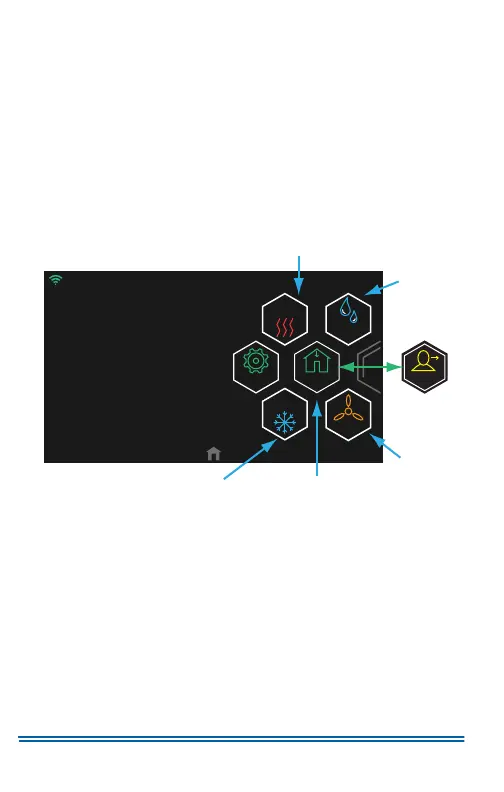
On the Home screen, swipe left to reach the Secondary Home screen.
The Secondary Home screen allows you to do the following:
• Access the Settings screen.
• Activate Max Heat mode or Max Cool mode.
• View and edit Humidity settings if enabled.
• Choose Home mode or Away mode.
For a quick reference guide to the Secondary Home screen, see
Figure 6.
To return to the Home screen, swipe right or tap Home.
Figure 6:
Secondary Home Screen
A1192-001
Away
Away
.
12/31/17 11:14AM
º
72
Fan
Humidity
MAX
MAX
Settings
Max Cool
Set Point
Max Heat Set Point
Humidity
Fan
Home
Home


 To Next Page
 Loading...