
 Need help?
Do you have a question about the Johnson Controls Hx3 S1-THXU430W and is the answer not in the manual?
Lists items included in the thermostat box.
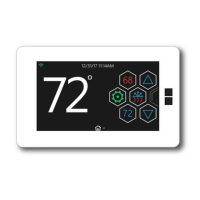
Describes the main functionalities and capabilities of the Hx3 Touch Screen Thermostat.
Details the primary display screen of the thermostat, showing current temperature and setpoints.
Describes the alternative display screen for accessing settings, humidity, and mode selection.
Explains the different operational modes like Heat, Cool, Auto, and Off.
Covers humidity and fan adjustments, accessible via the Comfort icon.
Includes advanced settings, clean screen, PIN, time/date, and banner configuration.
Manages status, logs, filters, and software updates for the thermostat.
Allows setting specific temperature setpoints for periods when the user is not home.
Explains how to adjust humidity control in auto and manual modes.
Details how to view and change fan operation settings like run time.
Describes how to set a PIN to prevent unauthorized access or tampering.
Explains how to configure information displayed in the thermostat's banner.
Overview of advanced settings like sync time, screen timeout, and proximity.
Details how to adjust thermostat sound options like beep or click.
Covers programmable and non-programmable modes for managing heating and cooling schedules.
Provides information on connecting the thermostat to a Wi-Fi network and checking status.
Guides users through creating an account and logging into the Hx Thermostat app.
Explains the email verification process for confirming the Hx Thermostat app account.
Details the steps for logging into the Hx Thermostat app after registration.
Covers the process of connecting the thermostat to a Wi-Fi network via the app.
Explains using a QR code to complete the wireless setup for the thermostat.
Provides instructions for manual Wi-Fi setup if QR code scanning fails.
Describes the final steps to connect the thermostat to a Wi-Fi network.
Manages thermostats by location, allowing access to menus and app home screens.
Details available options in the app menu, including Locations, Tutorial, and Dealer Access.
How to navigate to the thermostat's main control screen within the app.
Guides on adding and managing multiple thermostats across different locations.
Manages thermostats within an existing location, allowing editing or deletion.
Explains the behavior and navigation of the app's main control screens.
Allows granting and revoking dealer access for system viewing and diagnosis.
Details the process of removing previously granted dealer access.
Helps understand role permissions, access duration, and icons for dealer access.
Guides on approving dealer access requests, setting roles, duration, and locations.
Enables or disables the programmable schedule functionality in the app.
Allows adjustment of heating and cooling schedules via the app.
Selects schedule override options like Until Cancelled, Next Event, or Hours.
Renames locations, rooms, or edits dealer information within the app.
Details how to enable and manage Away mode setpoints via the app.
Enables automatic Home/Away mode based on smart device proximity.
Manages service reminders, fault alerts, and temperature/humidity thresholds.
Guides on enabling the Hx Thermostat skill and linking accounts with Alexa.
Explains how to set Celsius as the preferred temperature unit in Alexa.
Provides examples of voice commands for controlling the thermostat with Alexa.
Steps to pair the Apple Watch with the Hx Thermostat app on an iPhone.
Tips on navigating and using the Hx Thermostat app on the Apple Watch.
Details Johnson Controls' warranty coverage, exclusions, and registration requirements.
Instructions on how to obtain warranty service or repair for the thermostat.
Lists items and conditions not covered by the thermostat's limited warranty.
 General
| Type | Programmable Thermostat |
|---|---|
| Connectivity | Wi-Fi |
| Mobile App | Yes |
| Voltage | 24V |
| Programming | 7-Day Programmable |
| Wi-Fi Capable | Yes |
| Color | White |
| Compatibility | Heat Pump |
| Display | Touchscreen |
| Power Source | Hardwired |
| Stages | 2 Heat/2 Cool |




 To Next Page