EasyManua.ls Logo

Johnson Controls TEC3000 Series - User Manual

Johnson Controls TEC3000 Series
32 pages
Print Icon
To Next Page IconTo Next Page
Loading...
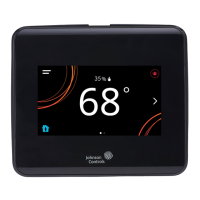
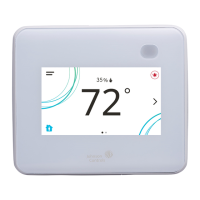
TEC3000 Series Networked and Wireless Proportional Fan Coil and
Individual Zone Thermostat Controllers with Dehumidification Capability
Quick Start Guide
1
Refer to the QuickLIT website for the most up-to-date version of this document.
North American emissions compliance
United States
Canada
Installation
Parts included
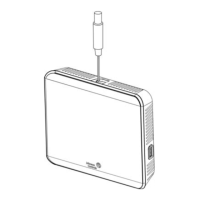
One TEC3000 Series Thermostat Controller with integral mounting base
One installation instructions sheet
Location considerations
For networked models, locate the TEC3000 Series Thermostat Controller:
On a partitioning wall, approximately 5 ft (1.5 m) above the floor in a location of average temperature, allowing
for vertical air circulation to the TEC
Away from direct sunlight, radiant heat, outside walls, outside doors, air discharge grills, stairwells, and
from
b
ehind doors
Away from steam or water pipes, warm air stacks, unconditioned areas (not heated or cooled), or sources of
electrical interference
In a clear path between the integrated passive infrared (PIR) occupancy sensor (if equipped) and the spac
e
be
ing monitored
This equipment has been tested and found to comply with the limits for a Class B digital device, pursuant to Part
15 of the FCC Rules. These limits are designed to provide reasonable protection against harmful interference in
a residential installation. This equipment generates, uses and can radiate radio frequency energy and, if not
installed and used in accordance with the instructions, may cause harmful interference to radio communications.
However, there is no guarantee that interference will not occur in a particular installation. If this equipment does
cause harmful interference to radio or television reception, which can be determined by turning the equipment off
and on, the user is encouraged to try to correct the interference by one or more of the following measures:
Reorient or relocate the receiving antenna.
Increase the separation between the equipment and receiver.
Connect the equipment into an outlet on a circuit different from that to which the receiver is connected.
Consult the dealer or an experienced radio/TV technician for help.
This Class (B) digital apparatus meets all the requirements of the Canadian Interference-Causing Equipment
Regulations.
Cet appareil numérique de la Classe (B) respecte toutes les exigences du Règlement sur le matériel brouilleur
du Canada.
TEC3000 Series Networked and Wireless Proportional Fan
Coil and Individual Zone Thermostat Controllers with
Dehumidification Capability
Quick Start Guide
TEC3322-1x-xxx, TEC3323-1x-xxx, TEC3622-1x-xxx, TEC3623-1x-xxx, TEC3022-1x-xxx, TEC3023-1x-xxx
Part No. 24-11353-00028, Rev.
C
Issued May 2019
(barcode for factory use only)
24-11353-00028, Rev. C
*241135300028C*

Other manuals for Johnson Controls TEC3000 Series

Questions and Answers

  • M
    mgarciaSep 13, 2025
    What to do for 'USB Malfunction' on Johnson Controls Controller?
    • N
      nperrySep 13, 2025
      If the Johnson Controls Controller displays 'USB Malfunction', try inserting and using the USB drive again. If that doesn't work, try a new USB drive. If problems persist, order replacement units and return the affected devices to Johnson Controls under the RMA program. This issue occurs when a USB drive has malfunctioned and drawn more than the maximum allowed current.
  • T
    Travis LaraSep 13, 2025
    Why is my Johnson Controls Controller showing 'Zone Temperature Too Hot'?
    • J
      Jeffrey WolfeSep 13, 2025
      If the Johnson Controls Controller shows 'Zone Temperature Too Hot', verify that the TEC and the RTU cooling are enabled and functioning. This issue occurs when the zone temperature increases above the configured Zone Temp High Limit.
  • L
    Lisa JohnsonSep 13, 2025
    What causes the 'Zone Temperature Too Cold' error on a Johnson Controls Controller?
    • L
      Leah BartlettSep 13, 2025
      If the Johnson Controls Controller displays 'Zone Temperature Too Cold', verify that the TEC and the RTU heating are enabled and functioning. The problem is that the zone temperature decreased below the configured Zone Temp Low Limit.
  • C
    calvindavisSep 14, 2025
    How to troubleshoot 'Supply Fan Fault' on Johnson Controls Controller?
    • J
      Jose ScottSep 14, 2025
      If the Johnson Controls Controller displays 'Supply Fan Fault', verify that the supply fan is operating when turned on. Also, verify that the supply fan status wiring is connected correctly. This issue occurs when the supply fan status configured for either BI1 or BI2 has not proved within the configured Fan Alarm Delay.
  • D
    Dana YatesSep 14, 2025
    Why is my Johnson Controls Controller showing 'Cooling Ineffective'?
    • E
      Erin WhiteheadSep 14, 2025
      If the Johnson Controls Controller displays 'Cooling Ineffective', verify that the cooling elements on the rooftop are functioning correctly. The cause is that the supply air temperature has not decreased below the configured Supply Air Temperature Alarm Offset while cooling has been active for at least the Supply Air Temperature Alarm Delay.
  • K
    Kelly OrtegaSep 14, 2025
    What does 'Heating Ineffective' mean on my Johnson Controls Controller?
    • D
      Dr. Andrew AliSep 14, 2025
      If the Johnson Controls Controller displays 'Heating Ineffective', verify that the heating elements on the rooftop are functioning correctly. This happens because the supply air temperature has not increased above the configured Supply Air Temperature Alarm Offset while heating has been active for at least the Supply Air Temperature Alarm Delay.
  • A
    alexmiddletonSep 14, 2025
    How do I fix 'Supply Fan Runtime Limit Extended' on my Johnson Controls Controller?
    • D
      Debra ByrdSep 14, 2025
      If the Johnson Controls Controller displays 'Supply Fan Runtime Limit Extended', service the supply fan and reset the supply fan runtime. This occurs because the supply fan runtime exceeds the configured supply fan runtime limit.
  • D
    Diane WalkerSep 14, 2025
    Why is the temperature displayed lower than actual on Johnson Controls Controller?
    • A
      angela65Sep 14, 2025
      If the Johnson Controls Controller displays 'The temperature displayed is lower than the actual room temperature', seal any holes behind the TEC to reduce drafts. If air is being forced through the TEC from a nearby vent, move the location of the TEC or change the venting to prevent air from being forced through the TEC. This issue can happen because cold air drafts enter the back of the TEC, or air is being forced through the TEC from a nearby vent.
  • W
    Walter PorterSep 14, 2025
    What to do if Johnson Controls Controller shows 'Internal Sensor Fail'?
    • C
      Chelsey SaundersSep 14, 2025
      Order replacement units and return the affected devices to Johnson Controls under the RMA program. This is due to an internal sensor failure on the TEC.
  • R
    Robert SparksSep 14, 2025
    What does 'Dehum Unavailable' mean on a Johnson Controls Controller?
    • T
      Thomas LeSep 14, 2025
      If the Johnson Controls Controller displays 'Dehum Unavailable', order replacement units and return the affected devices to Johnson Controls under the RMA program. This is because dehumidification is unavailable due to a failed zone humidity sensor or an unreliable humidity reading.

Summary

Installation Procedures

Optimal Location Considerations

Guidelines for selecting the best placement for controller performance.

Mounting and Securing the Controller

Step-by-step guide for physically installing the thermostat controller.

Wiring Procedures and Safety

Electrical Safety and Precautions

Warnings about shock hazards, property damage, and ESD during wiring.

Terminal Connections and EOL Setup

Instructions for wiring terminals and setting the bus end-of-line switch.

Setup and Display Customization

User Interface and Operational Features

USB Port for Firmware and Backups

Guide for using the USB port for upgrades, backups, and restoring settings.

Controller Configuration and Modes

Scheduling and Occupancy Control

Troubleshooting Common Issues

Diagnosing and Resolving Faults

Lists common faults, their causes, and recommended solutions.

Symptom-Based Troubleshooting Guide

Detailed steps to diagnose and fix specific operational problems.

Johnson Controls TEC3000 Series Specifications

General IconGeneral
BrandJohnson Controls
ModelTEC3000 Series
CategoryThermostat
LanguageEnglish

Related product manuals