EasyManua.ls Logo

Johnson Controls TEC3000 Series - User Manual

Johnson Controls TEC3000 Series
32 pages
Print Icon
To Next Page IconTo Next Page
Loading...
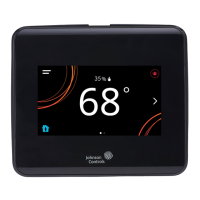
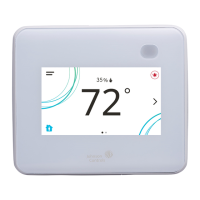
TEC3000 Series Networked and Wireless Proportional Fan Coil and
Individual Zone Thermostat Controllers with Dehumidification Capability
Quick Start Guide
1
Refer to the QuickLIT website for the most up-to-date version of this document.
North American emissions compliance
United States
Canada
Installation
Parts included
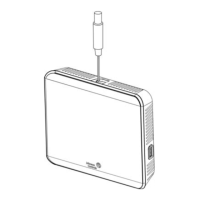
One TEC3000 Series Thermostat Controller with integral mounting base
One installation instructions sheet
Location considerations
For networked models, locate the TEC3000 Series Thermostat Controller:
On a partitioning wall, approximately 5 ft (1.5 m) above the floor in a location of average temperature, allowing
for vertical air circulation to the TEC
Away from direct sunlight, radiant heat, outside walls, outside doors, air discharge grills, stairwells, and
from
b
ehind doors
Away from steam or water pipes, warm air stacks, unconditioned areas (not heated or cooled), or sources of
electrical interference
In a clear path between the integrated passive infrared (PIR) occupancy sensor (if equipped) and the spac
e
be
ing monitored
This equipment has been tested and found to comply with the limits for a Class B digital device, pursuant to Part
15 of the FCC Rules. These limits are designed to provide reasonable protection against harmful interference in
a residential installation. This equipment generates, uses and can radiate radio frequency energy and, if not
installed and used in accordance with the instructions, may cause harmful interference to radio communications.
However, there is no guarantee that interference will not occur in a particular installation. If this equipment does
cause harmful interference to radio or television reception, which can be determined by turning the equipment off
and on, the user is encouraged to try to correct the interference by one or more of the following measures:
Reorient or relocate the receiving antenna.
Increase the separation between the equipment and receiver.
Connect the equipment into an outlet on a circuit different from that to which the receiver is connected.
Consult the dealer or an experienced radio/TV technician for help.
This Class (B) digital apparatus meets all the requirements of the Canadian Interference-Causing Equipment
Regulations.
Cet appareil numérique de la Classe (B) respecte toutes les exigences du Règlement sur le matériel brouilleur
du Canada.
TEC3000 Series Networked and Wireless Proportional Fan
Coil and Individual Zone Thermostat Controllers with
Dehumidification Capability
Quick Start Guide
TEC3322-1x-xxx, TEC3323-1x-xxx, TEC3622-1x-xxx, TEC3623-1x-xxx, TEC3022-1x-xxx, TEC3023-1x-xxx
Part No. 24-11353-00028, Rev.
C
Issued May 2019
(barcode for factory use only)
24-11353-00028, Rev. C
*241135300028C*

Other manuals for Johnson Controls TEC3000 Series

Questions and Answers

  • G
    Gina EvansSep 17, 2025
    Why does my staged equipment shut off early with PID control on my Johnson Controls Controller?
    • M
      Michael AndersonSep 18, 2025
      If the staged equipment on your Johnson Controls Controller shuts off above the cooling setpoint or below the heating setpoint when the PID is running (but not in On/Off Control mode), it is expected behavior. The PID control algorithm minimizes overshoot and energy usage, which may cause the equipment to cycle before reaching the setpoint.
  • C
    Christopher WiseSep 18, 2025
    Why does my staged equipment cycle too fast or slow with PID on my Johnson Controls Controller?
    • M
      Ms. Angela DeleonSep 18, 2025
      If the staged equipment on your Johnson Controls Controller cycles too rapidly or slowly when the PID is running, the control band around the setpoint is likely set incorrectly for your equipment, zone, or preference. Verify that the equipment's minimum on/off times are set correctly. If the default deadband doesn't provide the desired temperature control, set Temp Control Setup to Deadband Override and adjust the Deadband parameter to your preferred value.
  • M
    Monica YoungSep 18, 2025
    What to check if the zone temperature is too cold on my Johnson Controls Controller?
    • T
      Travis CookSep 18, 2025
      If your Johnson Controls Controller displays 'Zone Temperature Too Cold', it means the zone temperature has dropped below the configured Zone Temp Low Limit. To address this, verify that the TEC and the RTU heating are enabled and functioning correctly.
  • E
    Edward WillisSep 18, 2025
    What to check if the zone temperature is too hot on my Johnson Controls Controller?
    • K
      Karen WagnerSep 18, 2025
      If your Johnson Controls Controller displays 'Zone Temperature Too Hot', it means the zone temperature has exceeded the configured Zone Temp High Limit. To resolve this, verify that the TEC and the RTU cooling are enabled and functioning properly.
  • J
    John SmithSep 18, 2025
    What does 'Cooling Ineffective' mean on my Johnson Controls Controller?
    • B
      Benjamin OrtizSep 18, 2025
      If your Johnson Controls Controller displays 'Cooling Ineffective', it means the supply air temperature hasn't decreased enough while cooling has been active for the specified delay. To resolve this, verify that the cooling elements on the rooftop are functioning properly.
  • C
    carlkirkSep 18, 2025
    What does 'Supply Fan Fault' indicate on my Johnson Controls Controller?
    • T
      Tommy HicksSep 18, 2025
      If your Johnson Controls Controller displays 'Supply Fan Fault', it means the Supply Fan Status configured for either BI1 or BI2 hasn't been proven within the configured Fan Alarm Delay. Verify that the supply fan is operating when turned on, and check that the Supply Fan Status wiring is connected correctly.
  • K
    Kristy HamiltonSep 18, 2025
    Why is my Johnson Controls Controller displaying 'Cooling Unavailable' or 'Heating Unavailable' due to Control Mode?
    • K
      Kelly WebbSep 18, 2025
      If your Johnson Controls Controller displays Idle with a Unit Status of Cooling Unavailable (despite being above the cooling setpoint) or Heating Unavailable (despite being below the setpoint) due to Control Mode, it means the Control Mode is set incorrectly. If it's in Cooling Mode while requesting heating, change the Control Mode to Auto or Heating. If it's in Heating Mode while requesting cooling, change it to Auto or Cooling.
  • J
    Jesse Hunter Jr.Sep 18, 2025
    What does 'Calibration Corrupt' mean on my Johnson Controls Controller?
    • T
      Tommy SimmonsSep 18, 2025
      If your Johnson Controls Controller displays 'Calibration Corrupt', the factory calibration data is lost or not installed. You will need to order replacement units and return the affected devices to Johnson Controls under the RMA program.
  • J
    jon97Sep 18, 2025
    Why does my Johnson Controls Controller show an error when restoring settings from a backup?
    • R
      Rebecca RobinsonSep 18, 2025
      If the controller provides an error when trying to restore settings from a backup on your Johnson Controls Controller, the USB drive may be defective, the restore file may be corrupt, or the restore file may be from an incompatible model TEC. Try a different USB drive, try restoring a different backup file, and ensure that the backup file being restored was from the same model TEC.
  • K
    karenrangelSep 18, 2025
    Why am I getting an error when upgrading firmware on my Johnson Controls Controller?
    • A
      arnoldbeckySep 18, 2025
      If the controller provides an error when trying to upgrade firmware on your Johnson Controls Controller, it means the firmware on the USB drive is below the minimum required version. Use firmware version 3.0.2.xxxx or higher. A reboot is required to clear the Firmware Mismatch fault that occurs.

Summary

Installation Procedures

Optimal Location Considerations

Guidelines for selecting the best placement for controller performance.

Mounting and Securing the Controller

Step-by-step guide for physically installing the thermostat controller.

Wiring Procedures and Safety

Electrical Safety and Precautions

Warnings about shock hazards, property damage, and ESD during wiring.

Terminal Connections and EOL Setup

Instructions for wiring terminals and setting the bus end-of-line switch.

Setup and Display Customization

User Interface and Operational Features

USB Port for Firmware and Backups

Guide for using the USB port for upgrades, backups, and restoring settings.

Controller Configuration and Modes

Scheduling and Occupancy Control

Troubleshooting Common Issues

Diagnosing and Resolving Faults

Lists common faults, their causes, and recommended solutions.

Symptom-Based Troubleshooting Guide

Detailed steps to diagnose and fix specific operational problems.

Johnson Controls TEC3000 Series Specifications

General IconGeneral
BrandJohnson Controls
ModelTEC3000 Series
CategoryThermostat
LanguageEnglish

Related product manuals