JET-7000 (Old) Console Engineering Mode Guide
I.
To set up the
system
parameters:
II.
To calibrate
the elevation .
u (from 0 to 15%)
1 Press Slow, Down, and RESET keys
simultaneously to enter Engineering Mode.
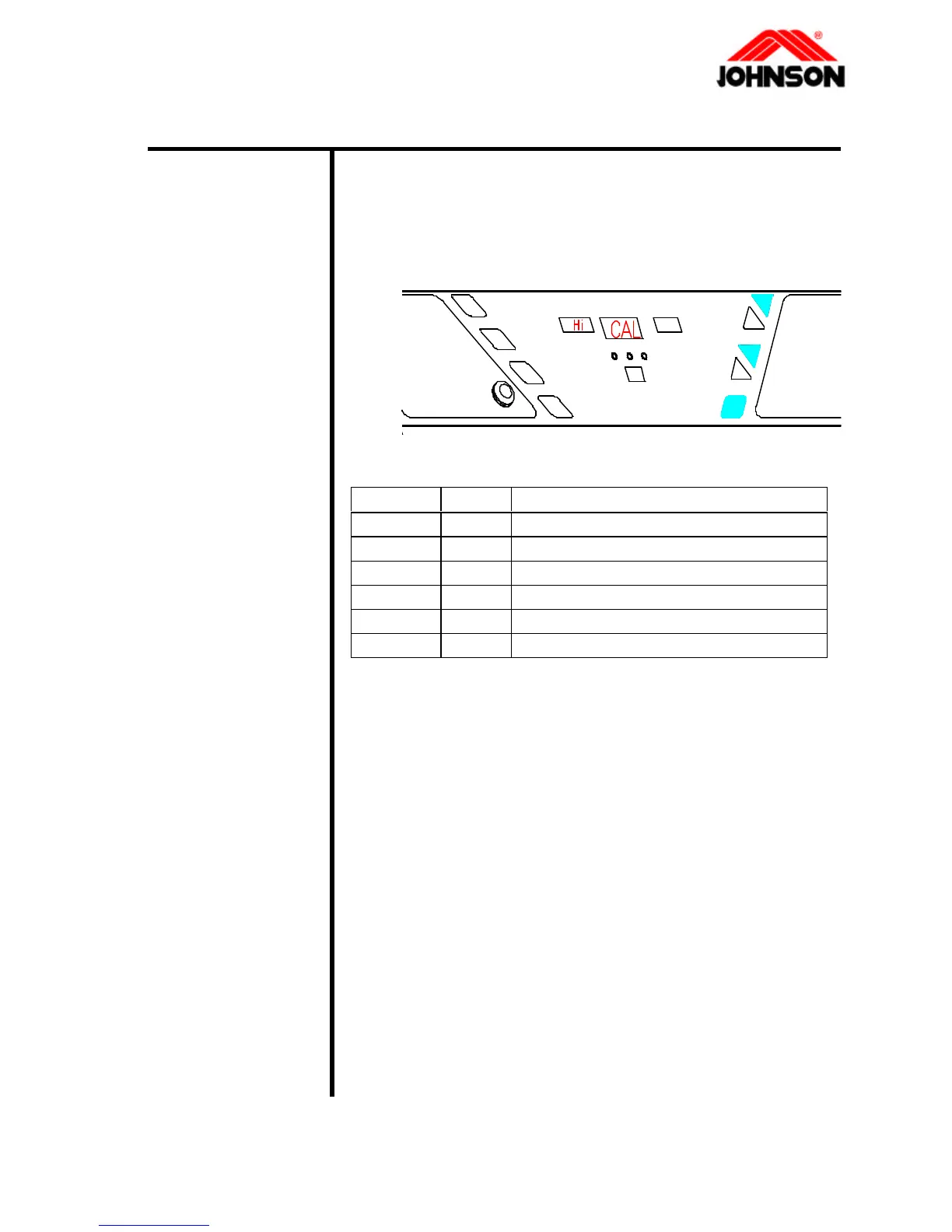
2 While the display read "CAL-HI", press PROGRAM
INTERVAL. The display will show C1. Please
press Fast or Slow keys to set C1, and then press
Up key to set C2-C6.(refer to table 1)
parameter value memo
C1 35 For ver0.3 35(British) 51(metric)
C2 125
C3 66
C4 50
C5 4
C6 1-89 Only for ver 0.3 max time
Table 1
3 Press POWER key to save.
1. Press Slow , Down, and RESET keys
simultaneously. And the display reads "CAL-HI".
2. While the treadmill raises to the maximum incline,
verify the grade should be 15% (30cm).
3. Press the START/STOP key, and the display reads
"CAL-LO".
4. While the treadmill lower to the minimum incline,
verify the grade should be 0% (8~9cm). Press the
START/STOP key to store.
4-1 Revision: 1.0 Date: 2001-06-01



 To Next Page