Console Engineering Mode Guide JET-7000E
1
Press
“SLOW”
,
“STOP”
keys simultaneously about 5 seconds to enter Engineering
Mode.
2
The Display will be showed
"P6"
. Press
“SELECT”
key then press
“SLOW”
or
“FAST”
to set
metric(kph)
or
British(mph)
. Press
“SELECT”
key to store. Press
“STOP”
key for next parameter setting
3
Press
“SLOW”
key to reach the
“P0”
address. Then press
“SELECT”
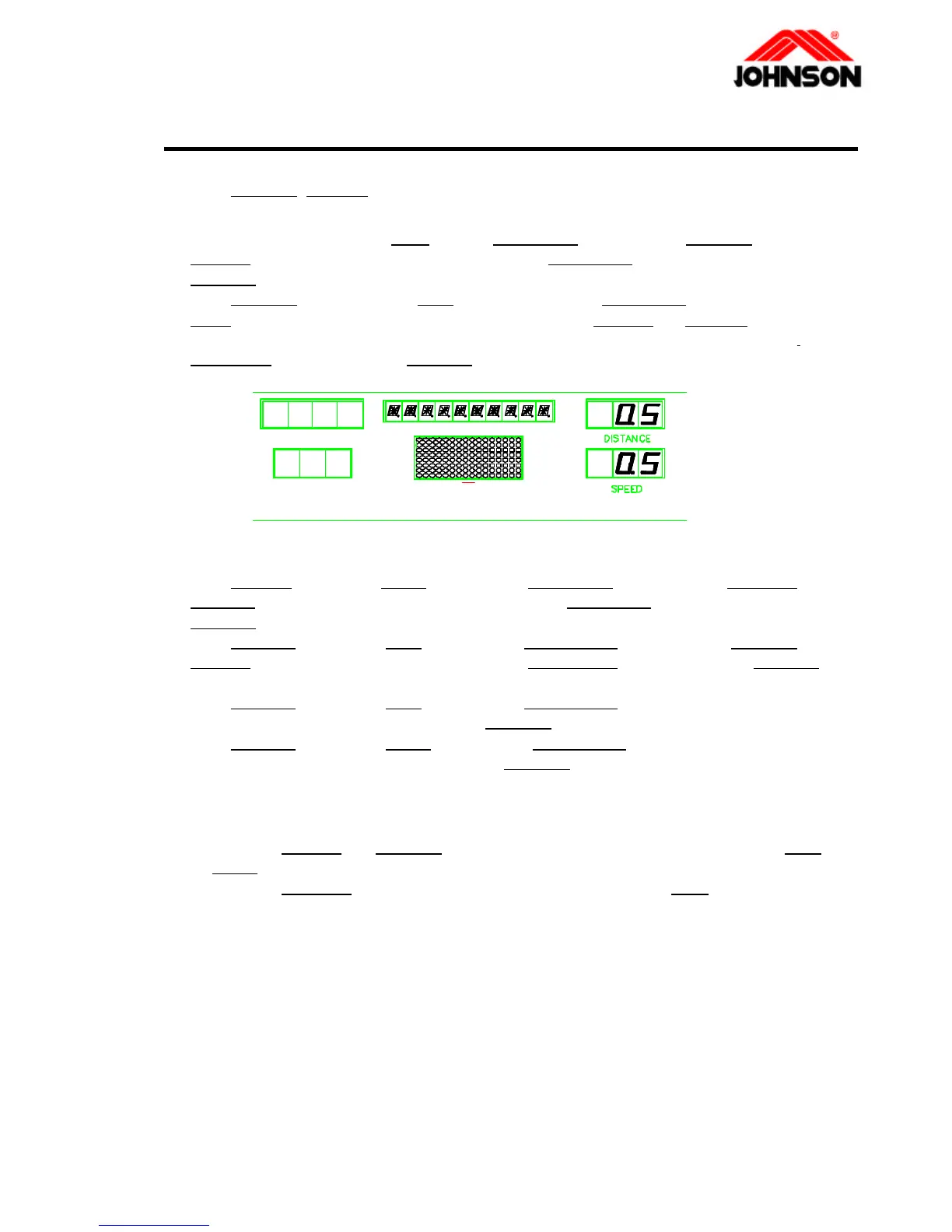
key for setting the
“P0”
parameter (refer to
“DISTANCE’ window”
). Press
“FAST”
OR
‘SLOW’
key to
adjust speed When the speed display
0.5mile(0.8km)
on
“SPEED” window
then press
“SELECT’
key to store. Press
“STOP”
key for next parameter setting
4
Follow the
step 3 for
setting the
“P1”(12mph, 20kph)
and
“P2”(6mph, 10kph).
5
Press
“FAST”
key to reach
“P7”
address, press
“SELECT”
key. Then press
“SLOW”
or
“FAST”
key to adjust the values to
"99"
. Press the
“SELECT”
key to store. Press
“STOP”
key for next parameter setting
6
Press
“FAST”
key to reach
“P8”
address, press
“SELECT”
key. Then press
“SLOW”
or
“FAST”
key to input your weight. Press the
“SELECT”
key to store. Press
“STOP”
key for next parameter setting
7
Press
“FAST”
key to reach
“P9”
address, press
“SELECT”
key. Then you can see the
total running hours of the treadmill. Press
“STOP”
key for next parameter setting
8
Press
“FAST”
key to reach
“P10”
address, press
“SELECT”
key. Then you can see the
total running distance of the treadmill. Press
“STOP”
key for next parameter setting
9
Press the Safety Key to finish.
u Remark:
1
Holding the
“FAST”
and
“SLOW”
key about 5 seconds to reset the accumulated in
“P9”
or
“P10”
of engineering mode
2
Holding the
“START”
key about 5 seconds to reset the P0 P1 P2 in
“P7”
of engineering
mode.
u Define the parameters:
P0 ….Min. Speed P1 ….Max. Speed P2 ….Mid. Speed
P3 ….None P4 ….None P5 ….None
P6 ….Unite mode P7 ….Max. Time P8 ….User Weight
P9 ….Total RunningTime P10...Total Running Distance
4-4 Revision: 1.0 Date: 2001-06-01



 To Next Page