17-29 Section 17 Adjusting and Setting up Equipment (for Services)
1
2
3
4
5
6
7
8
9
10
11
12
13
14
15
16
17
18
20
21
22
23
24
25
APP A
APP B
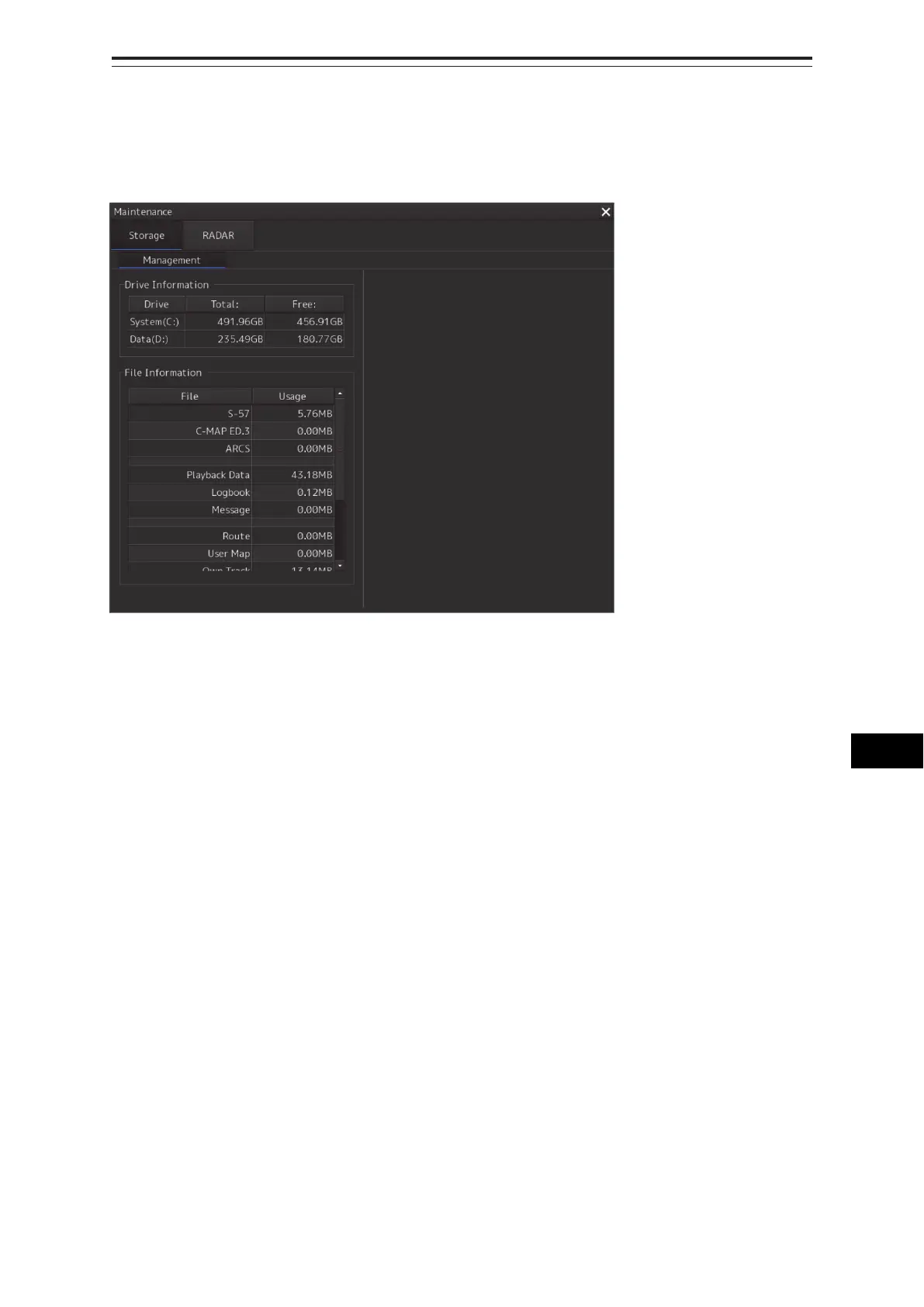
17.4.2 Managing storage
When you select [Storage] in the first classification pane and [Management] in the second
classification pane, the [Management] dialog is displayed in the edit/result pane.
The total storage capacity and free space on each of the drives (C and D) are displayed in the [Drive
Information] list. The capacity of each of the files stored on the drives is displayed in the [File
Information] list. The files managed by File Manager are applicable.



 To Next Page