16
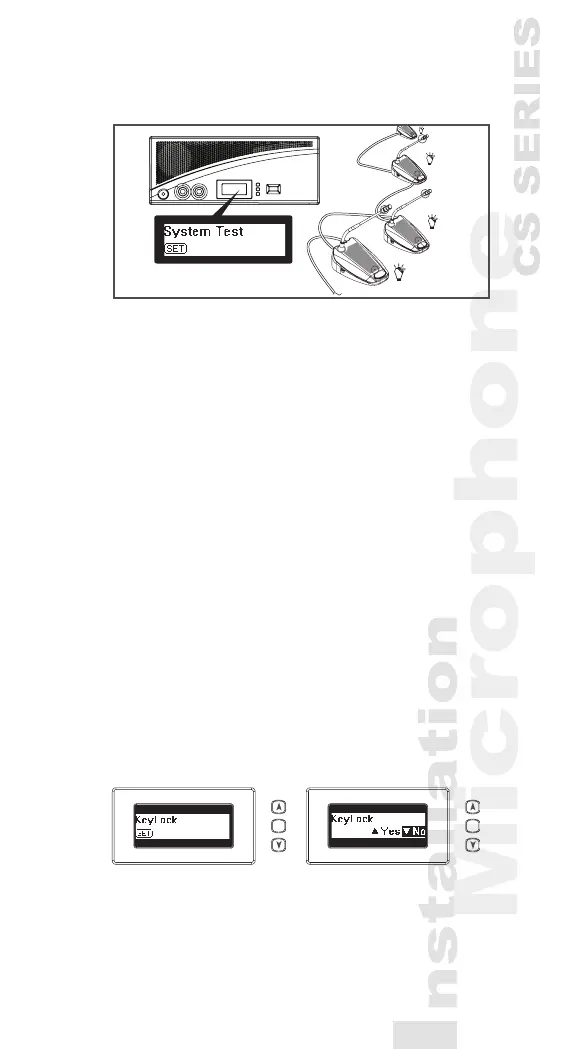
3) All connected chairman and delegate units will light
up.
5.2 Date | Time Setting
1) Pressing the “Set” button over 1.5 seconds, the
Date | Set area on the LCD Display will ash and
show “Set”.
2) Press “Up” or “Down” button to choose “Set Date
Time” on the Mode Status area of the LCD Display.
3) Press “Set”, The “Year” will ash, press “Up” or
“Down” button to select.
4) Repeat the action 3) to set up “Month” ,“Date”,
“Hour”, and “Minute.
5) Press the “Set” button to save the settings.
5.3 Key Lock
1) Pressing the “Set” button over 1.5 seconds, the
Date | Set area on the LCD Display will ash and
show “Set”.
2) Press “Up” or “Down” button to choose “KeyLock”
on the Mode Status area of the LCD Display.
3) All buttons will be deactivated.
4) Repeat above action again to unlock..
3...25
SET SET
*CS-1CU



 To Next Page