21
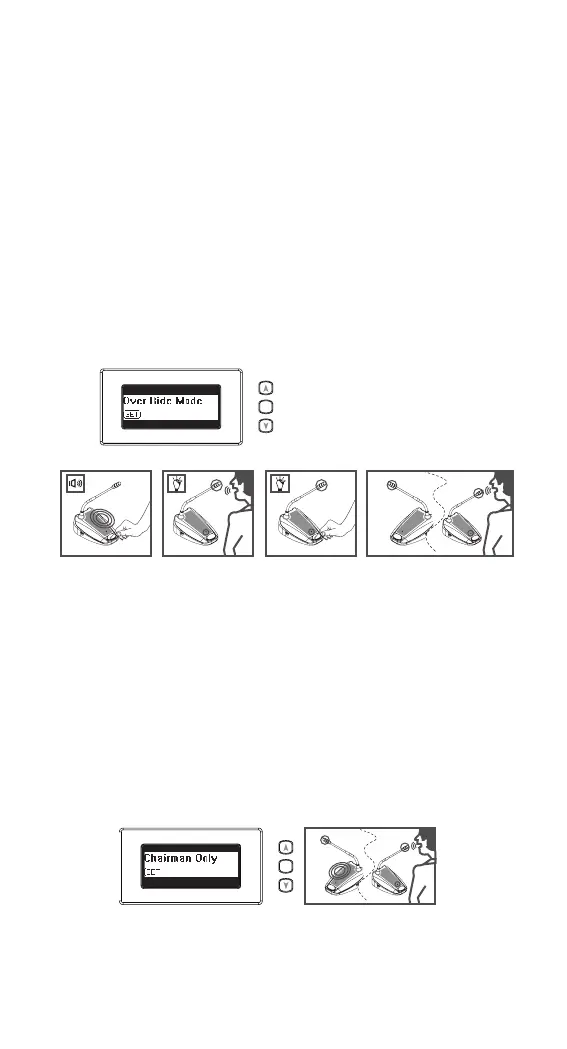
5.12 Override mode
1) Selecting the “Override mode” as the 5.10 proce-
dures.
Under “Override mode”, the system only allow one
delegate unit be activated. Press the microphone ON/
OFF push-button on one delegate unit will deactivate
the previous active delegate unit, and activate its own
microphone
5.13 Chairman only mode
1) Selecting the “Chairman only mode” as the 5.10
proc dures.
Under “Chairman only mode”, the system only allow
chairman units be activated. All delegate units will
be deactivated.
AA BA B
SET
SET
AB



 To Next Page