– 26 –
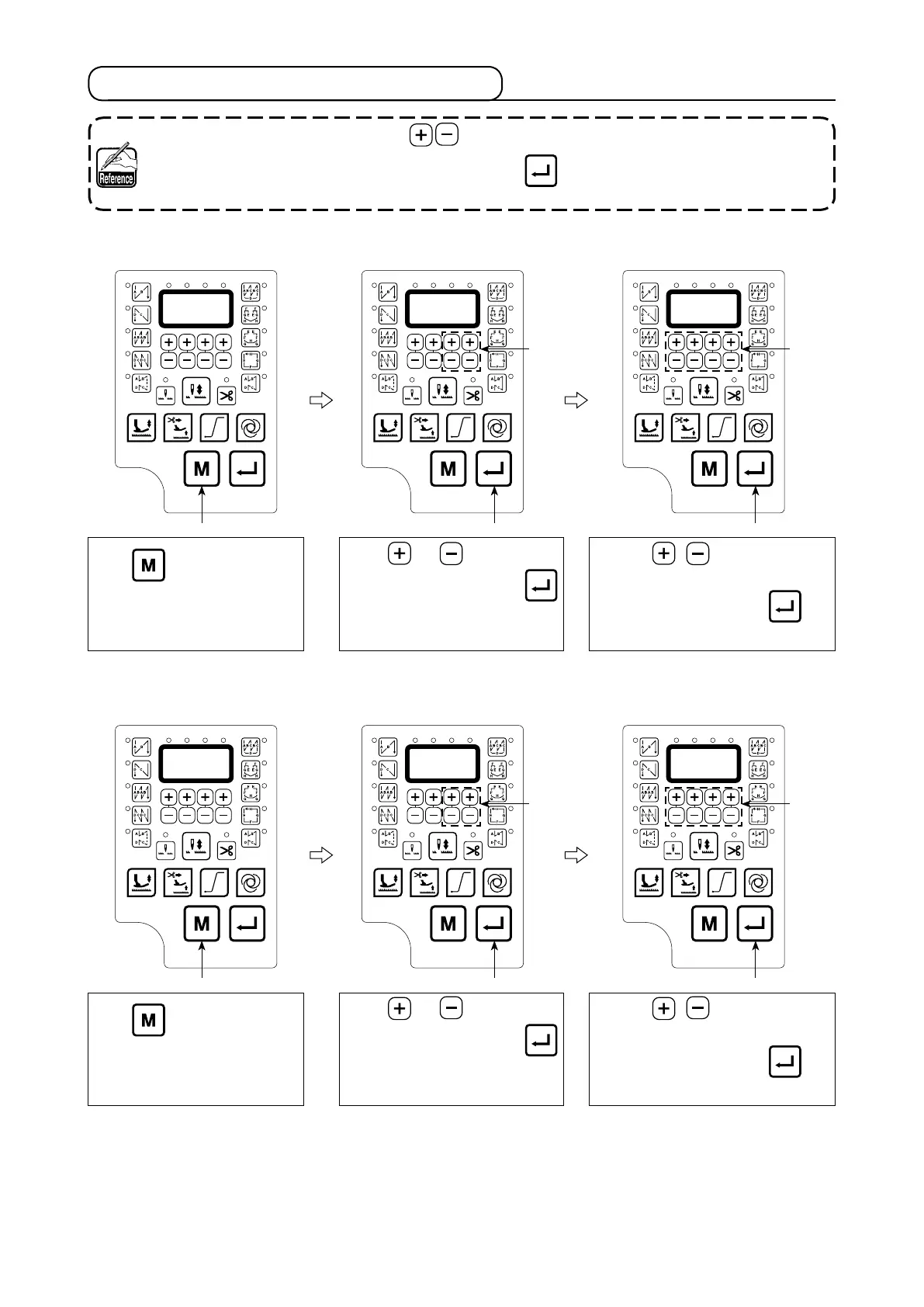
Press Key to enter Tech-
nician Parameter
Press or key
to get
parameter code P01 press
to enter [parameter value]
①
Press , key
to adjust
the Maximum Sewing Speed
②
After adjustment press key
to save value.
(2)
How to set
【
Start Back-Tacking Speed
】
Press Key to enter Tech-
nician Parameter
Press or key
to get
parameter code P04 press
to enter [parameter value]
①
Press ,
key to adjust
the Start Back-Tacking Speed
②
After adjustment press key
to save value.
7. Details of setting of the main functions
(1) How to set
【
Maximum Sewing Speed
】
1. In following parameter operation key, it will display corresponding speed value.
2. In following function, after value changed, press key to save the value, otherwise they
will lost after turning power off.


 To Next Page
 Loading...