Manual operation
30
7.4. Safety installations, warning functions
Check the safety installations at least twice a year! (See page 17)
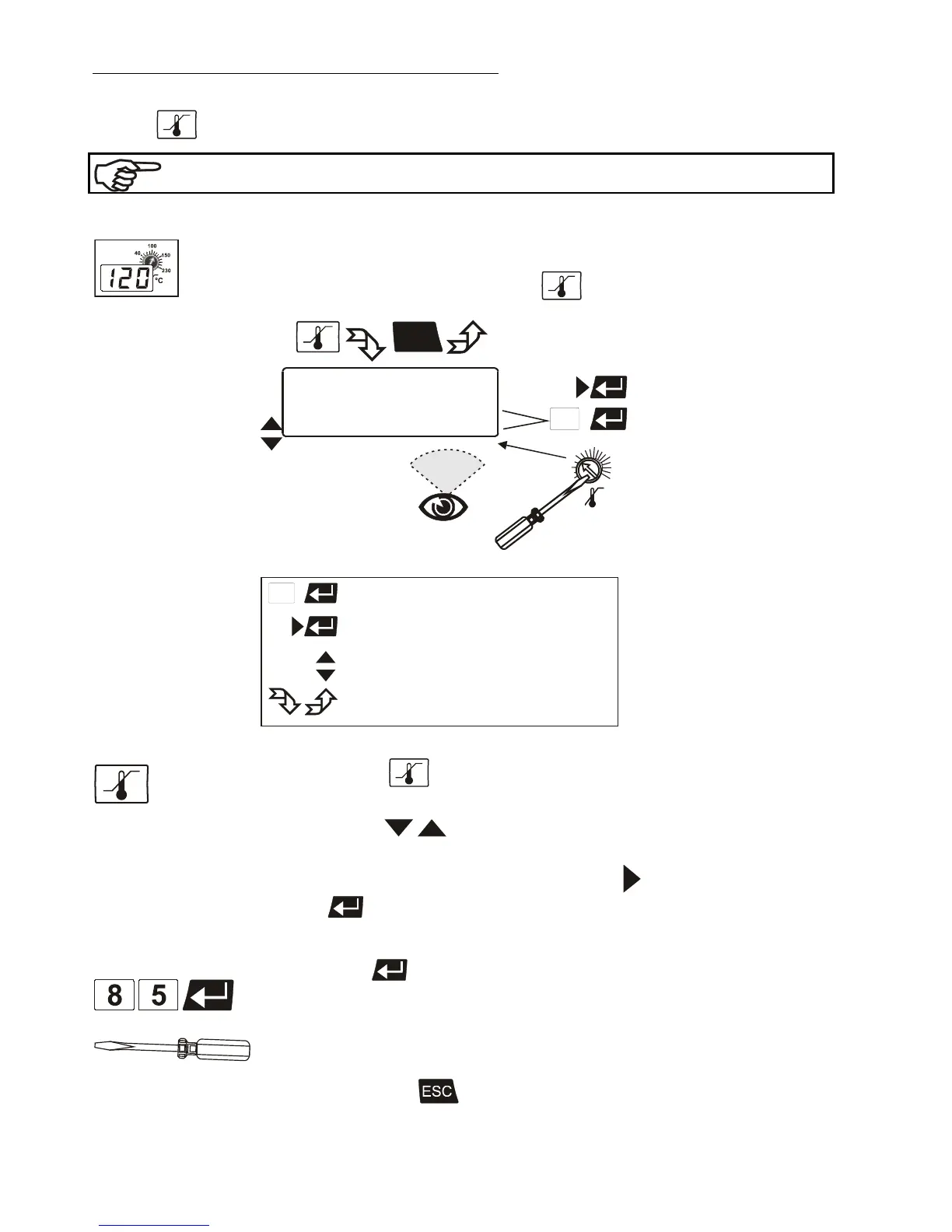
7.4.1. Excess temperature protection
Settings for the excess temperature protection according to IEC 61010-2-010
and for the high and low temperature warning functions are made
in a menu that is called up with the key
.
>Warn-Type: Warning /Alarm
Press the key
The LCD DIALOG-DISPLAY shows the valid settings (see example above).
Use the keys to select the menu item.
Settings:
Warn-Type: Select the parameter with the key
and press
enter
(warning or alarm).
OverTemp and SubTemp: Use the numeral keypad to enter the value and
press enter
.
SafeTemp: Set the new cut-out value using a screwdriver via the LCD
DIALOG-DISPLAY. (Example: 50 °C)
The value remains visible on the LCD DIALOG-DISPLAY for about 10
seconds, or press
to update the display immediately.








 To Next Page