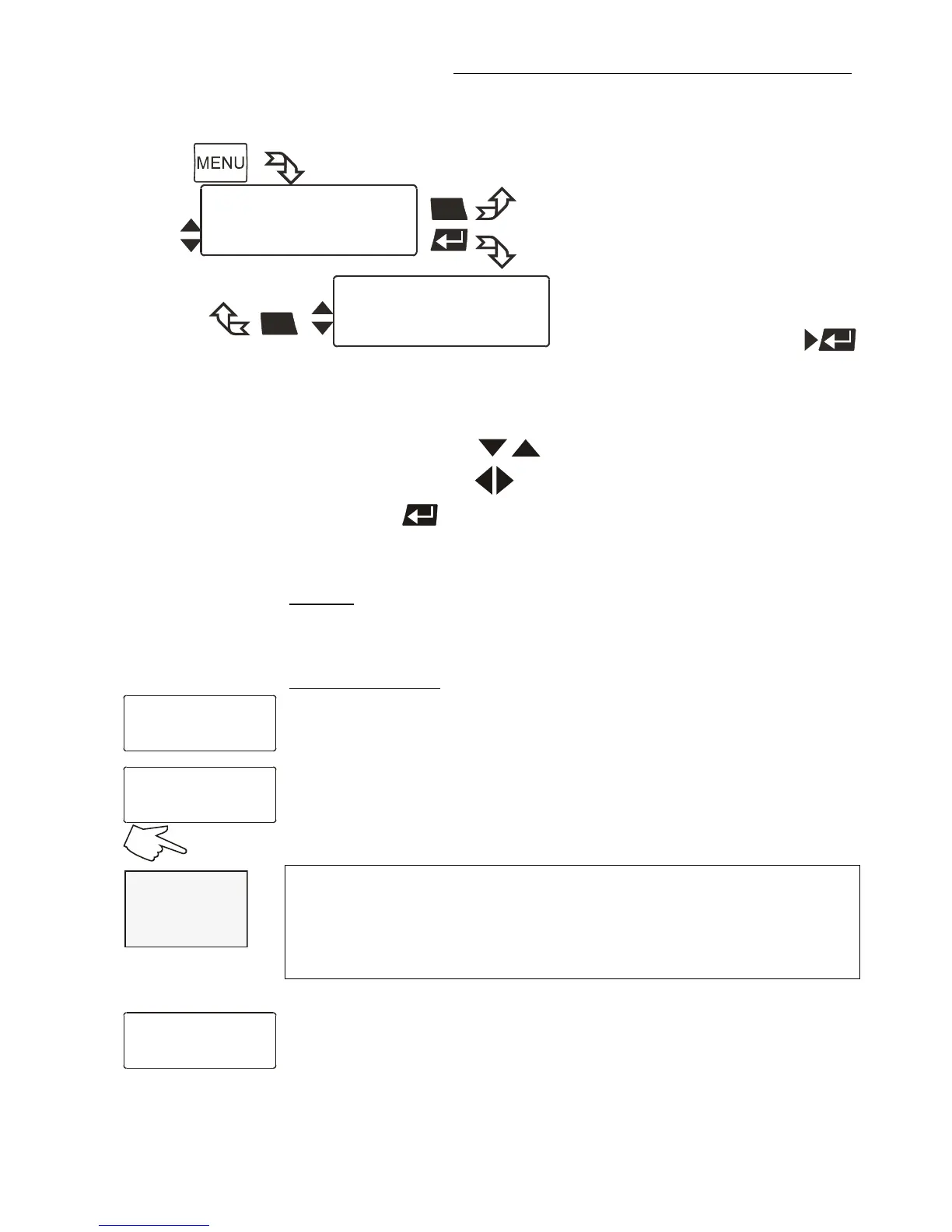
Use the up/down keys to select the desired menu item.
2. Use the left/right keys to select the parameter (parameter blinks).
3. Press enter to store the new parameter.
selected mode is indicated in line 1 on the LCD DIALOG-DISPLAY.
Possible parameters:
keypad – Setpoint setting via keypad or via the integrated programmer.
(factory setting)
RS232 or RS485 - Setpoint setting via the serial RS232/RS485 interface
through a PC or superordinated data system.
In the header of the VFD COMFORT-DISPLAY an „
R“ illuminates.
It indicates that remote control mode is set.
RS232 or RS485: see menu > Serial interface < page 61.
Important:
Connect the Cryo-Compact Circulator to a PC using an interface cable.
Check the interface parameters of both interfaces (on Cryo-Compact
Circulator and PC) and make sure they match.
(see 11.1. on page 71 )
ext.Pt100 – Setpoint setting via the analog socket „ext. Pt100“ using an
external temperature sensor or an appropriate voltage/current source.








 To Next Page