Manual operation
24
6. Manual operation
6.1. Switching on
ACTUAL
SET
Ø Ø
Ø Ø
Turn on the mains power switch (1.).
An illuminated switch indicates the unit is on.
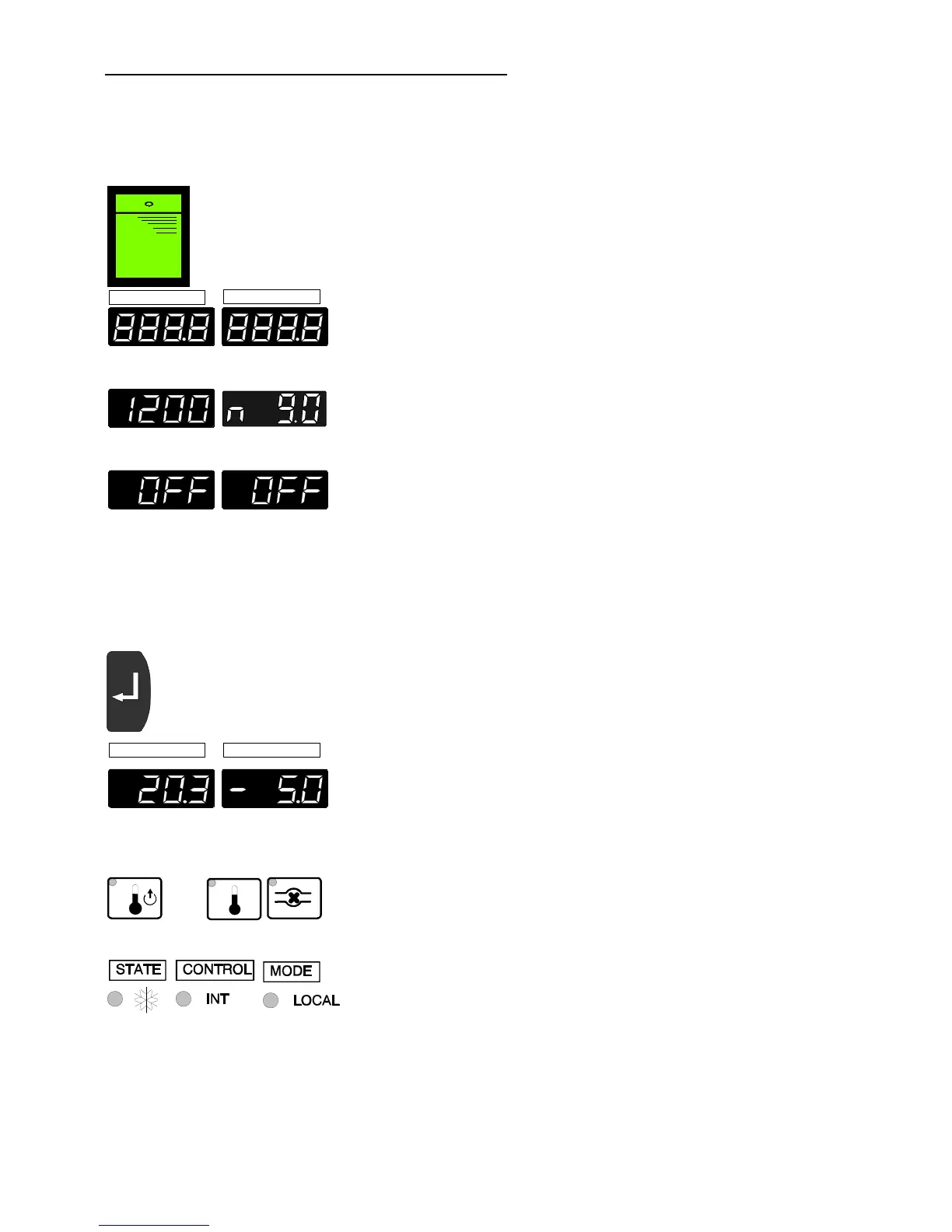
The unit performs a self-test. All segments of the
4-digit MULTI-DISPLAY (LED 1 + LED 2) and all
indicator lights will illuminate.
Then the model designation and software version
appear on the MULTI-DISPLAY for about 3 seconds
(Example: FC"1200", "n 9.0").
The display "OFF" indicates the recirculating cooler is
ready to operate (rOFF - see page 36).
6.2. Start
ACTUAL
SET
Actual value Setpoint
• Press the Enter key (5.4) for about 2 seconds.
The MULTI-DISPLAY (LED 1) indicates the actual
feed temperature (example: 20.3 °C).
The MULTI-DISPLAY (LED 2) indicates the setpoint
for the bath temperature
(example: -5.0 °C).
The indicator lights signal the actual operating mode.
- Display Feed temperature (A)
- Display Setpoint bath temperature (E)
- Circulating pump On (J)
- Status Cooling on 7
- Control Internal temperature control
- Mode Keypad control mode


 To Next Page