Remote control
36
9. Remote control
9.1. Communication with a PC or data system
ACTUAL
SET
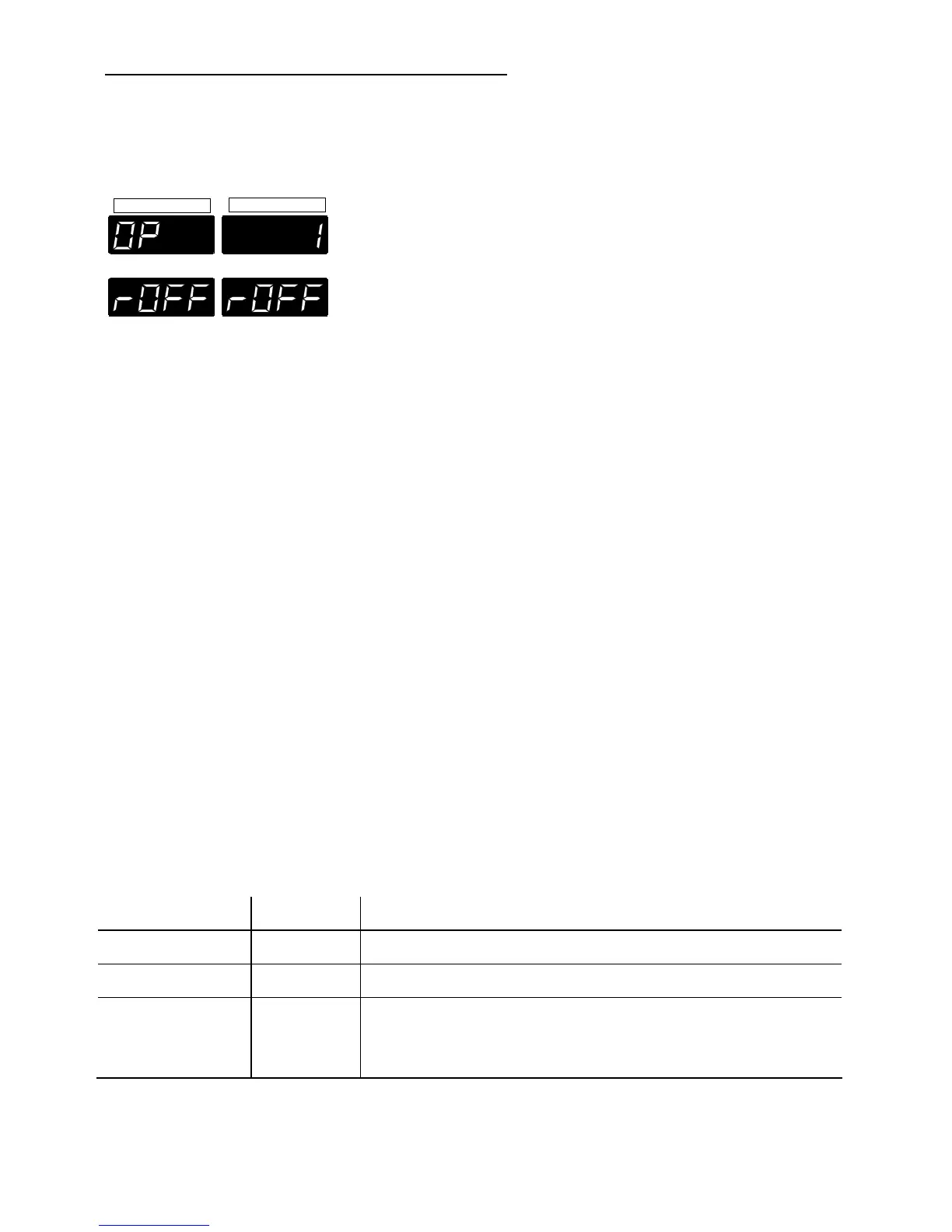
For remote control, under the menu item OP
(Operating mode) set the parameter to 1.
The message "rOFF" appears on the display.
In general, the computer (master) sends commands
to the recirculating cooler (slave). The recirculating
cooler sends data (including error messages) only
when the computer asks for it.
A transfer sequence consists of:
• command
• space (
⇔
; Hex: 20)
• parameter (the character separating
• decimals in a group is the period)
• end of file (↵; Hex: 0D)
The commands are divided into in or out commands.
in commands: asking for parameters to be
displayed
out commands: setting parameters
)
The out commands are valid only in remote control
mode.
Examples:
• Command to set the setpoint to 5.5 °C:
out_sp_00
⇔
5.5↵
• Command to ask for the setpoint:
in_sp_00↵
• Response from the recirculating cooler:
↵
9.2. List of commands
Command Parameter Response of recirculating cooler
version no Number of software version
status no Status message (see below)
out_mode_04
out_mode_04
in_mode_04
0
1
no
Set control mode via PC
Set control mode via programmer input (O)
Ask for actual control mode


 To Next Page