Shaking Water Baths
23
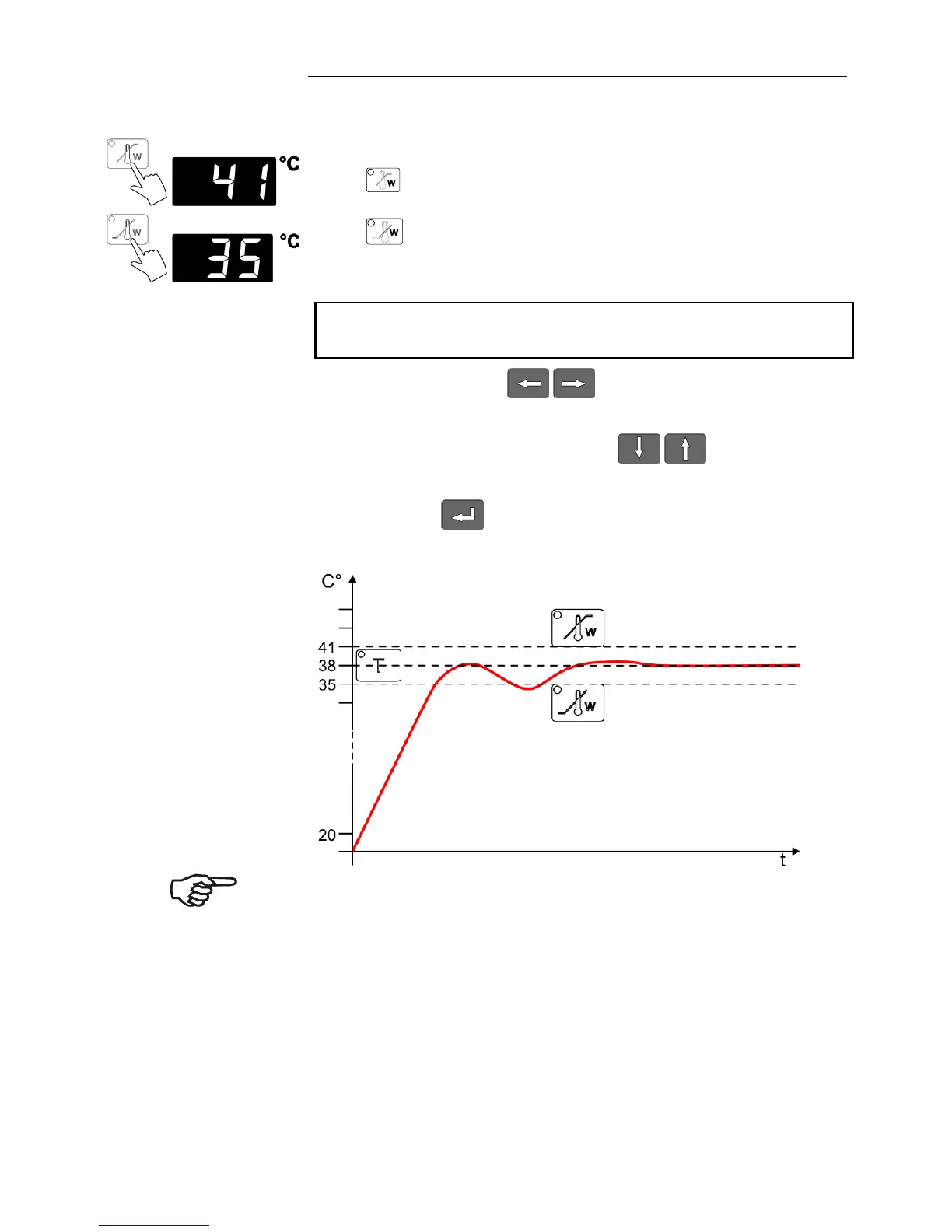
Display and adjustment of over-/undertemperature:
Press the key
(example: 41 °C)
or
(example: 35 °C).
The indicator light blinks and the value previously set appears
on the MULTI-DISPLAY (LED).
If no further key is pressed the display will return to show the
actual bath temperature after approx. 8 seconds.
Use the cursor keys to move left or right on the
display until the numeral you wish to change is blinking.
Use the increase/decrease arrows to change the
selected numeral (0, 1, 2, 3, ... 9).
Press enter to store the selected value
Note:
The warning functions will be activated only after the bath
temperature has remained for at least 3 seconds within the
adjusted threshold values after the equipment is switched on.







 To Next Page