Shaking Water Baths
27
8.2. Circulator pump on/off
Only shaking water bath SW23 feature a circulator pump.
The pump can be set to on and off at the menu level.
At working temperatures > 80 C the pump will switch off
automatically
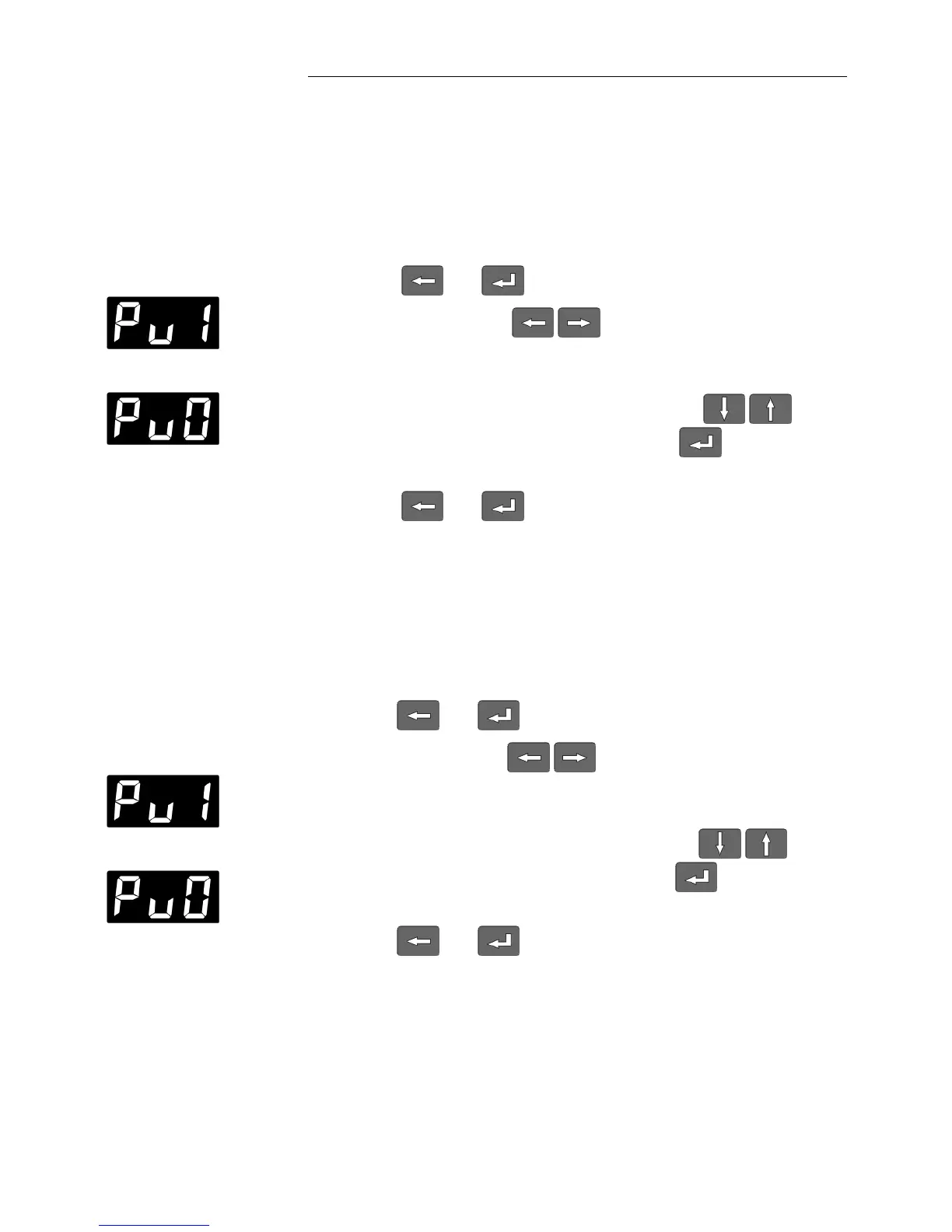
1. Press and at the same time.
2. Use the cursor keys to select the menu option
PUMP
(example: „Pu1“ = Pump ON )
3. Select the alternative state with the edit keys and
confirm the selection with the ENTER key (example:
„Pu0“ = Pump OFF).
4. Press and at the same time.
8.3. Temperature indication in °C or °F
The working temperature can be displayed in the MULTI-DISPLAY
(LED) in C or F as desired.
1. Press and at the same time.
2. Use the cursor keys to select the menu option
„temperature display“
(example: „t C“ = temperature display in C).
3. Select the alternative state with the edit keys and
confirm the selection with the ENTER key . The display
now shows „t F“ = temperature display in F.
4. Press and at the same time.
Switchover to the selected display mode takes place automatically
upon leaving the menu level.







 To Next Page