9
2 Installation - Electrical Connection
2.3 Installation
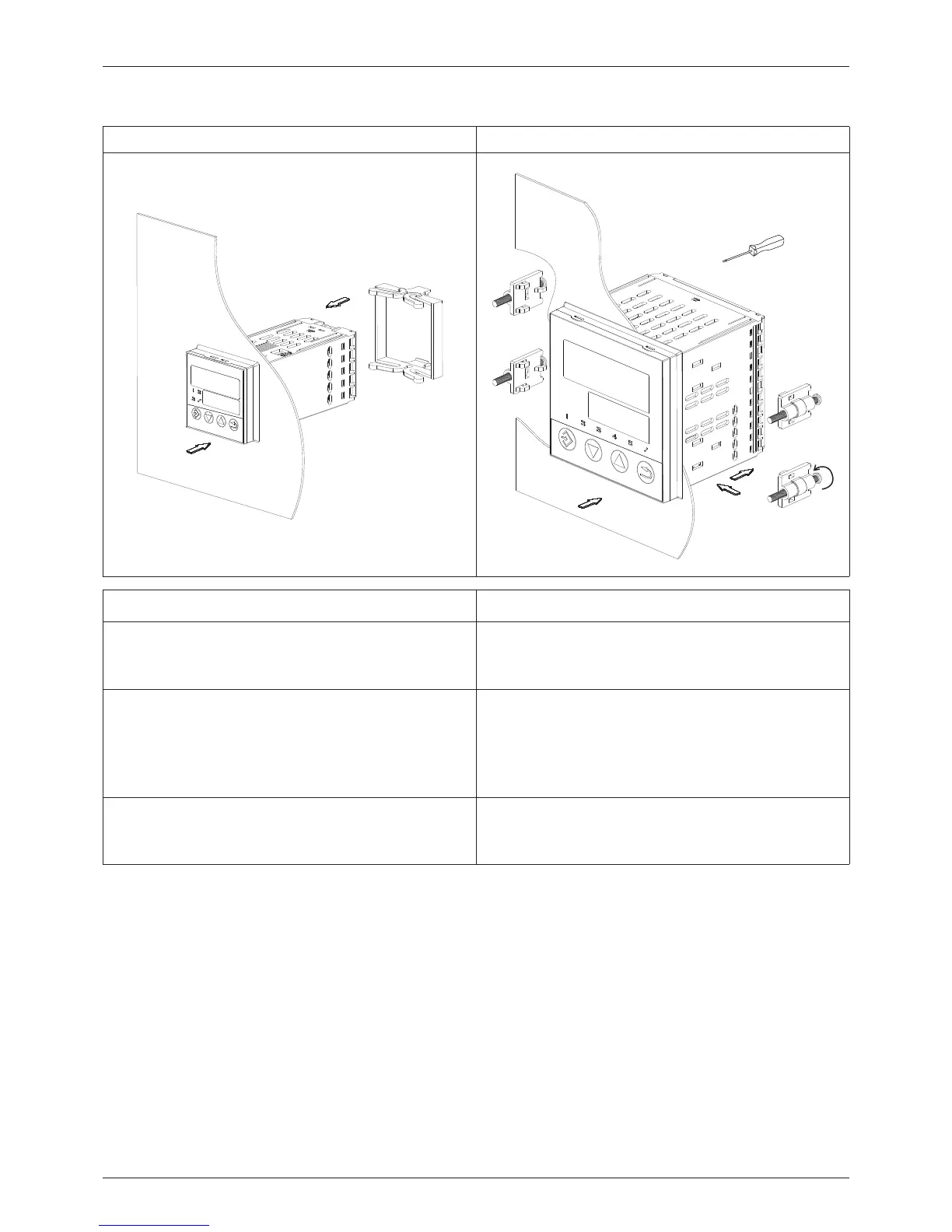
LC100 LC200 and LC300
Installation of LC100 Installation of LC200 and LC300
1. Insert the device from the front into the
panel cut-out and ensure that the seal is
correctly positioned.
1. Insert the device from the front into the
panel cut-out and ensure that the seal is
correctly positioned.
2. Push the fastening frame from the panel
rear onto the device and press the
springs against the panel rear until the
lugs engage in their slots and it is
sufficiently fastened.
2. Slide the mounting brackets from the
panel rear into the lateral openings and
push to the rear against the stop.
3. Place the mounting brackets against the
panel rear, and tighten evenly with a
screwdriver.



 To Next Page