Table 37: Beacon Funconality on the Status LEDs on the RJ-45, SFP, and SFP+ Network Ports
LED Color State Descripon
Status LEDs on all the ports Green Blinking, irrespecve of the
mode the ports are
operang in.
Helps idenfy the
switch.
Status LED on the applicable port Helps idenfy the port.
LEDs on the QSFP28 Ports
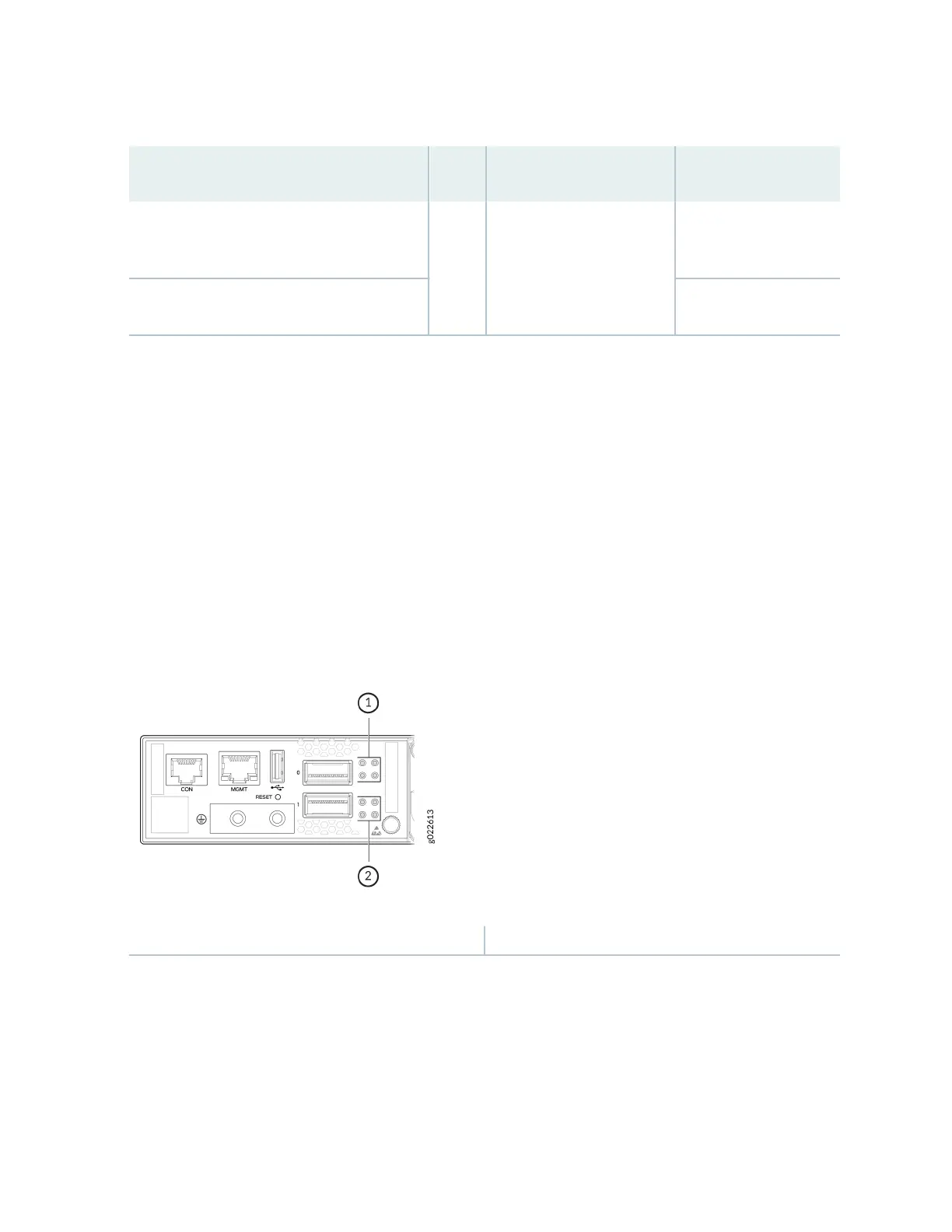
Figure 52 on page 72 and Figure 53 on page 73 show the LEDs for the QSFP28 ports on EX4400
switch models except the EX4400-24X model. The top le LEDs are lit green when the ports operate as
Virtual Chassis ports (VCPs).
Figure 54 on page 73 and Figure 55 on page 74 show the LEDs for the QSFP28 ports on the
EX4400-24X model. The LEDs on the extreme le hand side are lit green when the ports operate as
VCPs. Table 38 on page 74 describes the LED when the ports are congured as network ports.
Figure 52: LEDs for the QSFP28 Ports on EX4400 Switch Models Except the EX4400-24X Model
1—
LEDs for the upper port
2—
LEDs for the lower port
72














 To Next Page