65
3. WLAN Access Point Window
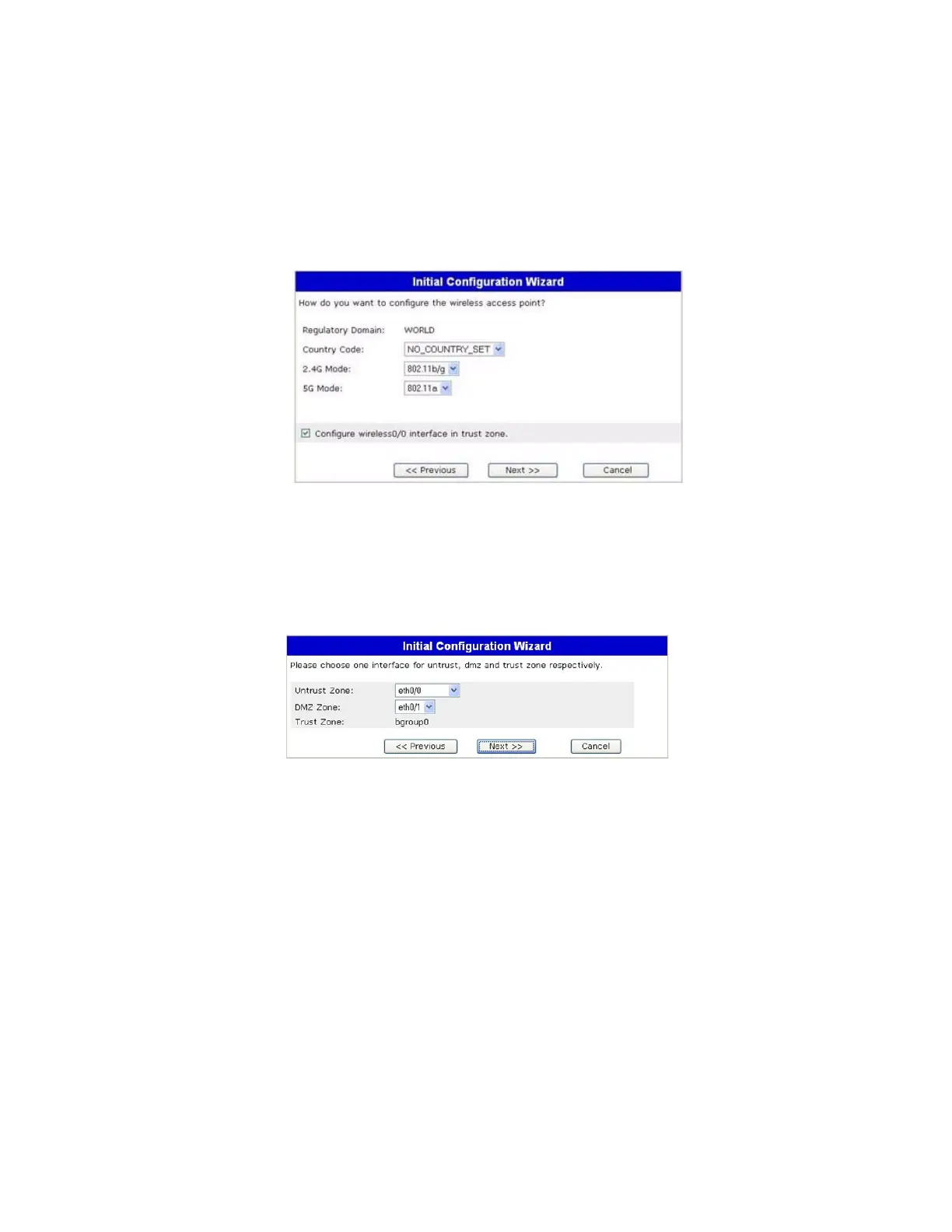
If you are using the device in the WORLD or ETSI regulatory domain, you must
choose a country code. Select the appropriate options, then click Next.
Figure 26: Wireless Access Point Country Code Window
4. Physical Interface Window
On the interface-to-zone bindings screen, you set the interface to which you want to
bind the Untrust security zone. Bgroup0 is prebound to the Trust security zone.
Eth0/1 is bound to the DMZ security zone but is optional.
Figure 27: Physical Interface Window
After binding an interface to a zone, you can configure the interface. The
configuration windows that are displayed after this point depend on which
mini-PIMs are installed in your security device. To continue configuring your device
with the ICW, click Next.



 To Next Page