EasyManua.ls Logo

JVC CA-S200 - Clock Setting; Setting the REC (Recording) Timer

JVC CA-S200
27 pages
Print Icon
To Next Page IconTo Next Page
To Previous Page IconTo Previous Page
Loading...
Four
Timers:
eREC
DAILY
«SLEEP
«AUTO
POWER
OFF
IMPORTANT!
Set
your
clock!
1
CLOCK
ADJ.
MINUTE
3.
RS
Recording
when
you’re
not
there
REC
TIMER
(FSA
How
to
Set
the
Clock
and
Use
the
Timers
The
timers
let
you
control
recording
and
playing
functions
automatically.
With
the
CA-S200
they
are
particularly
easy
to
set
and
use.
Four
types
of
timers
are
available:
Q
REC
(Recording)
Timer—unattended
recording
of
radio
broadcasts.
You
can
set
the
starting
time
and
recording
duration.
GQ
DAILY
Timer—Wake
up
to
music
from
any
source.
Q
SLEEP
Timer—Fall
asleep
and
have
your
CA-S200
turn
off
automatically
after
a
certain
Q
length
of
time.
AUTO
POWER
OFF—Automatically
turns
off
the
Unit
when
the
CD
or
tape
finishes.
Clock
Setting
The
timers
depend
on
the
clock:
if
the
clock
is
right,
the
timers
will
work
like
you
expect,
but
if
the
time
is
incorrect
on
the
clock
then
the
timers
will
also
be
incorrect.
Notice:
The
clock
must
be
set,
or
the
timers
cannot
be
set!
So,
let’s
set
the
clock
first.
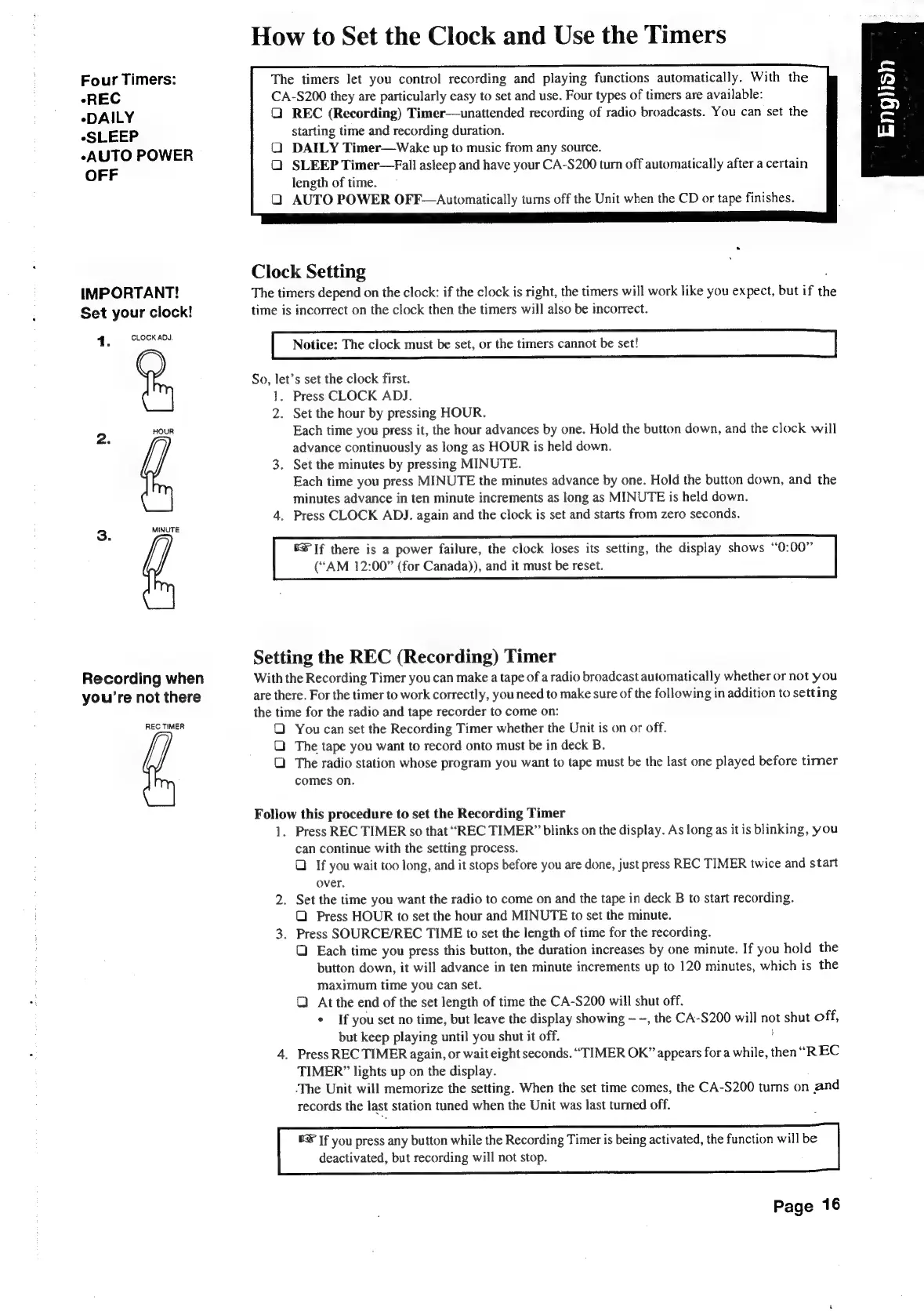
1.
Press
CLOCK
ADJ.
2.
Set
the
hour
by
pressing
HOUR.
Each
time
you
press
it,
the
hour
advances
by
one.
Hold
the
button
down,
and
the
clock
will
advance
continuously
as
long
as
HOUR
is
held
down.
3.
Set
the
minutes
by
pressing
MINUTE.
Each
time
you
press
MINUTE
the
minutes
advance
by
one.
Hold
the
button
down,
and
the
minutes
advance
in
ten
minute
increments
as
long
as
MINUTE
is
held
down.
4.
Press
CLOCK
ADJ.
again
and
the
clock
is
set
and
starts
from
zero
seconds,
0S
If
there
is
a
power
failure,
the
clock
loses
its
setting,
the
display
shows
“0:00”
(“AM
12:00”
(for
Canada)),
and
it
must
be
reset.
Setting
the
REC
(Recording)
Timer
With
the
Recording
Timer
you
can
make
a
tape
of
a
radio
broadcast
automatically
whether
or
not
you
are
there.
For
the
timer
to
work
correctly,
you
need
to
make
sure
of
the
following
in
addition
to
setting
the
time
for
the
radio
and
tape
recorder
to
come
on:
QO
You
can
set
the
Recording
Timer
whether
the
Unit
is
on
or
off.
Q
The
tape
you
want
to
record
onto
must
be
in
deck
B.
The
radio
station
whose
program
you
want
to
tape
must
be
the
last
one
played
before
timer
comes
on.
Follow
this
procedure
to
set
the
Recording
Timer
1.
Press
REC
TIMER
so
that
“REC
TIMER”
blinks
on
the
display.
As
long
as
it
is
blinking,
you
can
continue
with
the
setting
process.
Q
If
you
wait
too
long,
and
it
stops
before
you
are
done,
just
press
REC
TIMER
twice
and
start
over.
2.
Set
the
time
you
want
the
radio
to
come
on
and
the
tape
in
deck
B
to
start
recording.
Q
Press
HOUR
to
set
the
hour
and
MINUTE
to
set
the
minute.
3.
Press
SOURCE/REC
TIME
to
set
the
length
of
time
for the
recording.
Q
Each
time
you
press
this
button,
the
duration
increases
by
one
minute.
If
you
hold
the
button
down,
it
will
advance
in
ten
minute
increments
up
to
120
minutes,
which
is
the
maximum
time
you
can
set.
Q
At
the
end
of
the
set
length
of
time
the
CA-S200
will
shut
off.
+
If
you
set
no
time,
but
leave
the
display
showing
-,
the
CA-S200
will
not
shut
off,
but
keep
playing
until
you
shut
it
off.
:
4.
Press
REC
TIMER
again,
or
wait
eight
seconds.
“TIMER
OK”
appears
for
a
while,
then
“REC
TIMER”
lights
up
on
the
display.
The
Unit
will
memorize
the
setting.
When
the
set
time
comes,
the
CA-S200
turns
on
and
records
the
last
station
tuned
when
the
Unit
was
last
turned
off.
8&
If
you
press
any
button
while
the
Recording
Timer
is
being
activated,
the
function
will
be
deactivated,
but
recording
will
not
stop.
Page
16

Table of Contents

Related product manuals