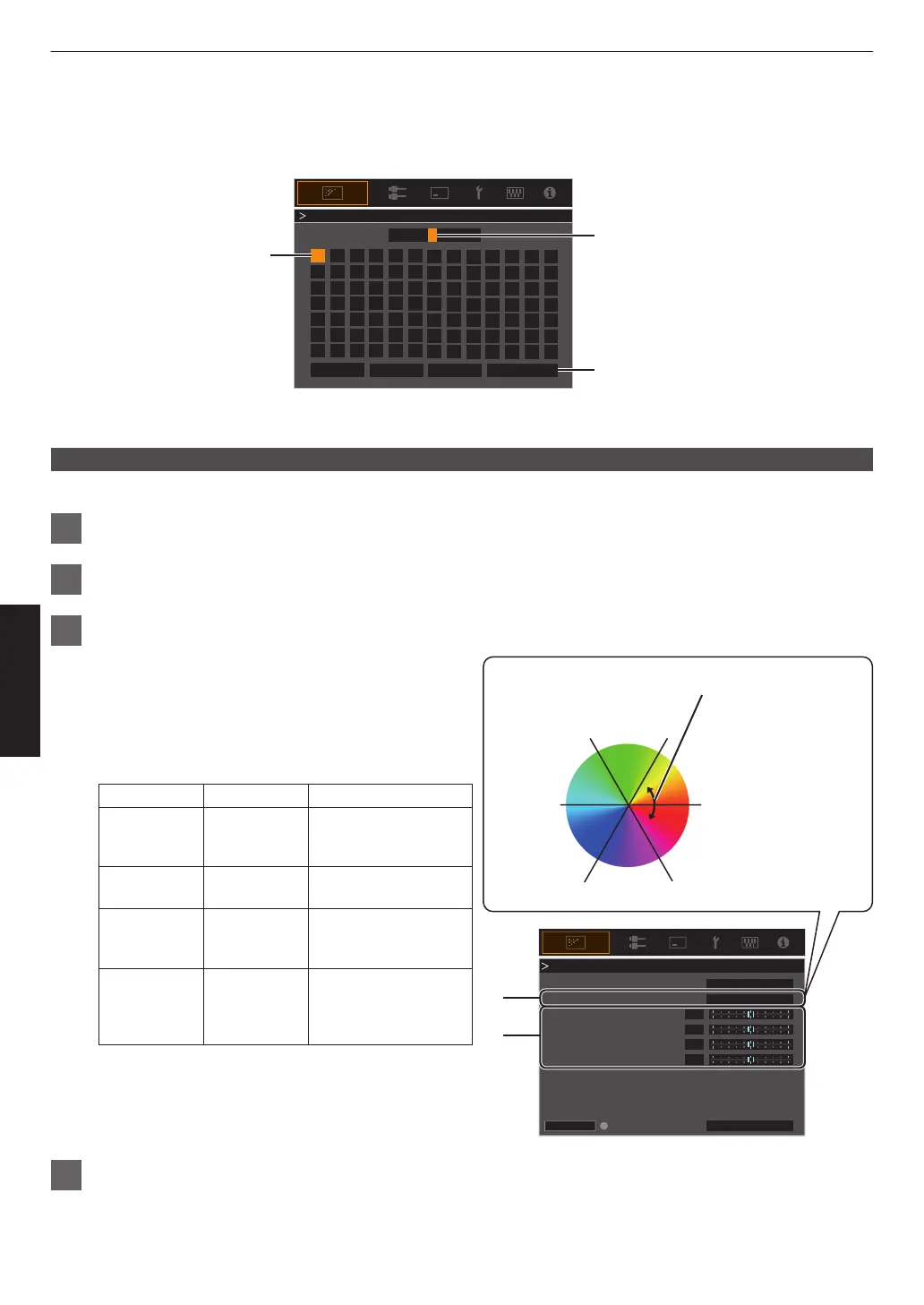
User Name Edit
You can edit the “User 1” to “User 6” names in the Picture mode.
0
Characters that are usable include alphabets (upper or lower case), numeric characters, and symbols.
0
Enter not more than 10 characters.
User 1
}
?
.
y
l
Y
L
{
=
,
x
k
X
K
]
/
0
w
j
W
J
[
-
9
v
i
V
I
>
+
8
y
h
U
H
<
*
7
t
g
T
G
)
&
6
s
f
S
F
(
%
5
r
e
R
E
~
$
4
q
d
Q
D
|
#
3
p
c
P
C
;
"
2
o
b
O
B
\
^
z
M
Z
m
@
:
!
1
n
a
N
A
Name
After entry is complete, select
“OK” and press the [OK] button
Selection Cursor
Input Cursor
OKAll ClearClear
User Name Edit
Space
Color Management
Each of the colors is adjustable according to the user’s preference.
1
Select the “Picture Adjust” " “Color Management”
menu, and press the [OK] button.
2
Set “Color Management” to “On”, and press the [OK] button
3
Adjust to the preferred color
A
Select “Color Selection”, and press the H I
keys to
select the color to adjust
0
For color adjustment, select the color from the
following: “Red”, “Yellow”, “Green”, “Cyan”, “Blue”,
“Magenta”.
B
Adjust the selected color
Item
Setting Range
Description
Axis Position -30 to 30 Fine-tune the position
of the central axis of
the selected color.
Hue -30 to 30 Adjusts the hue (color
tone).
Saturation -30 to 30 Adjusts the color
saturation (vividness).
-30 (dull) to +30 (vivid)
Brightness -30 to 30 Adjusts the
brightness.
-30 (dark) to +30
(bright)
0
Selecting “Reset” resets all the adjustment data.
0
Pressing
the
[HIDE] button on the remote control
enables you to check the image before
adjustment. Press the [HIDE] button again to
return to the adjustment screen.
4
Press the [MENU] button to exit
0
0
0
0
HIDE
A
B
MagentaBlue
Cyan
Green Yellow
Red
Clockwise rotation: -
Counterclockwise rotation: +
Axis Position (Image)
Adjustable range when
Red is selected: ± 30°
with Red as the center
Red
On
Before
Brightness
Saturation
Hue
Axis Position
Color Selection
Color Management
Reset
Color Management
30
Adjust/Set



 To Next Page
 Loading...









