EasyManua.ls Logo

JVC KD·A60S - Page 11

JVC KD·A60S
57 pages
Print Icon
To Next Page IconTo Next Page
To Previous Page IconTo Previous Page
Loading...
:
Randomly
plays
all
tracks
:
MP3/WMA:
Randomly
plays
all
tracks
of
current
folder,
then
tracks
of
next
folders
[Turn]
-+
[Press]
[Turn]
-+
[Press]
[Hold]
I
REPEAT
-.
RANDOM
I
To
cancel
repeat
play
or
random
play,
select
"RPT
OFF"
or
"RND
OFF."
To
return
to
the
previous
menu,
press
BACK.
3
2
1
:·'[8:.
TRACK
RPT
:
Repeats
current
track
Ai!';!
FOLDER
RPT
:
MP3/WMA:
Repeats
current
folder
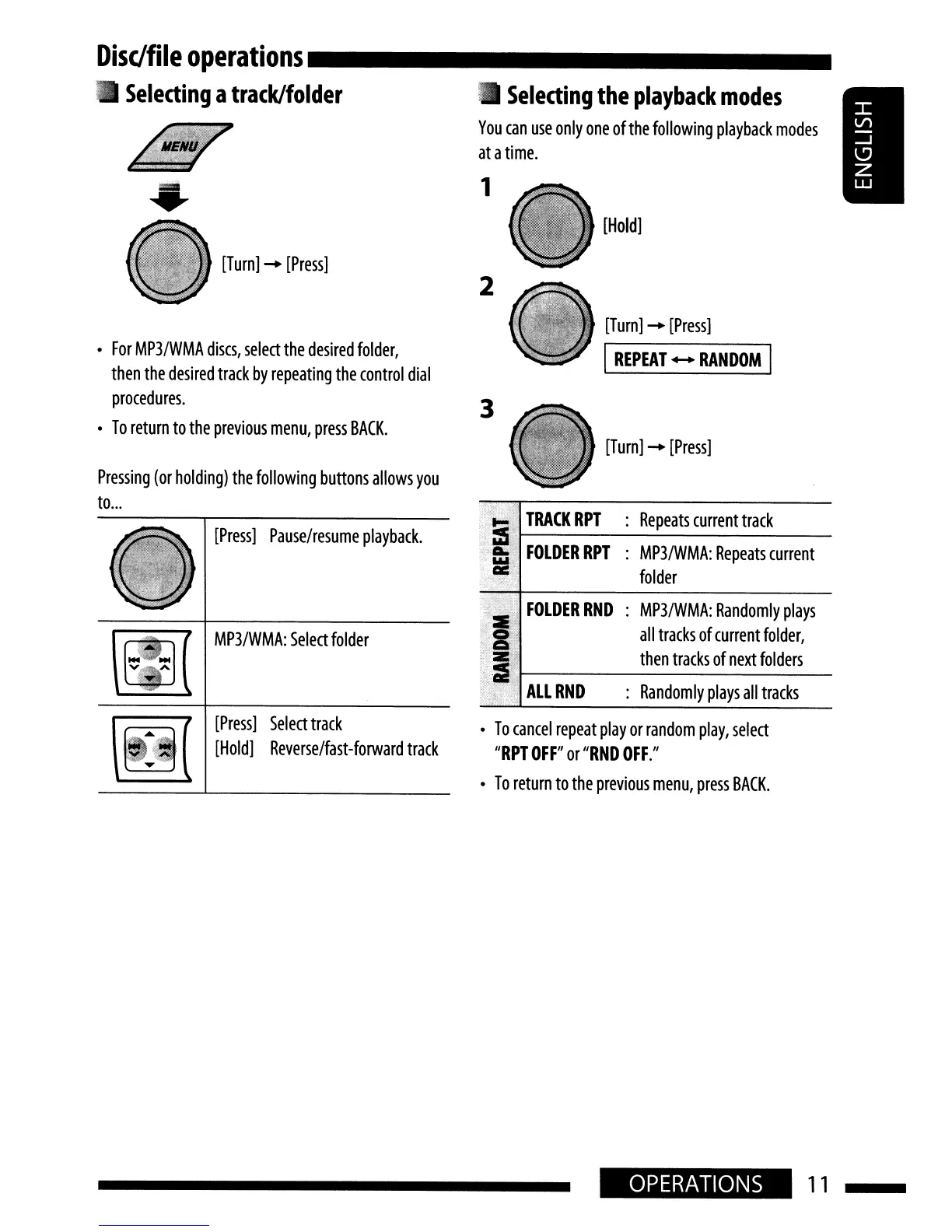
Selecting
the
playback
modes
You
can
use
only
one
of
the
following
playback
modes
at
a
time.
[Turn]
-+
[Press]
[Press]
Select
track
[Hold]
Reverse/fast-forward
track
MP3/WMA:
Select
folder
[Press]
Pause/resume
playback.
mr
·-·······
NO
NO
v A
'"
Pressing
(or
holding)
the
following
buttons
allows
you
to
...
For
MP3/WMA
discs,
select
the
desired
folder,
then
the
desired
track
by
repeating
the
control
dial
procedures.
To
return
to
the
previous
menu,
press
BACK.
Disc/file
operations
_
Selecting
a
track/folder
OPERATIONS
11

Related product manuals