EasyManua.ls Logo

JVC KD·A60S - Listening to the Ipod;Iphone; When Connected with the USB Cable; Selecting Atrack from the Menu

JVC KD·A60S
57 pages
Print Icon
To Next Page IconTo Next Page
To Previous Page IconTo Previous Page
Loading...
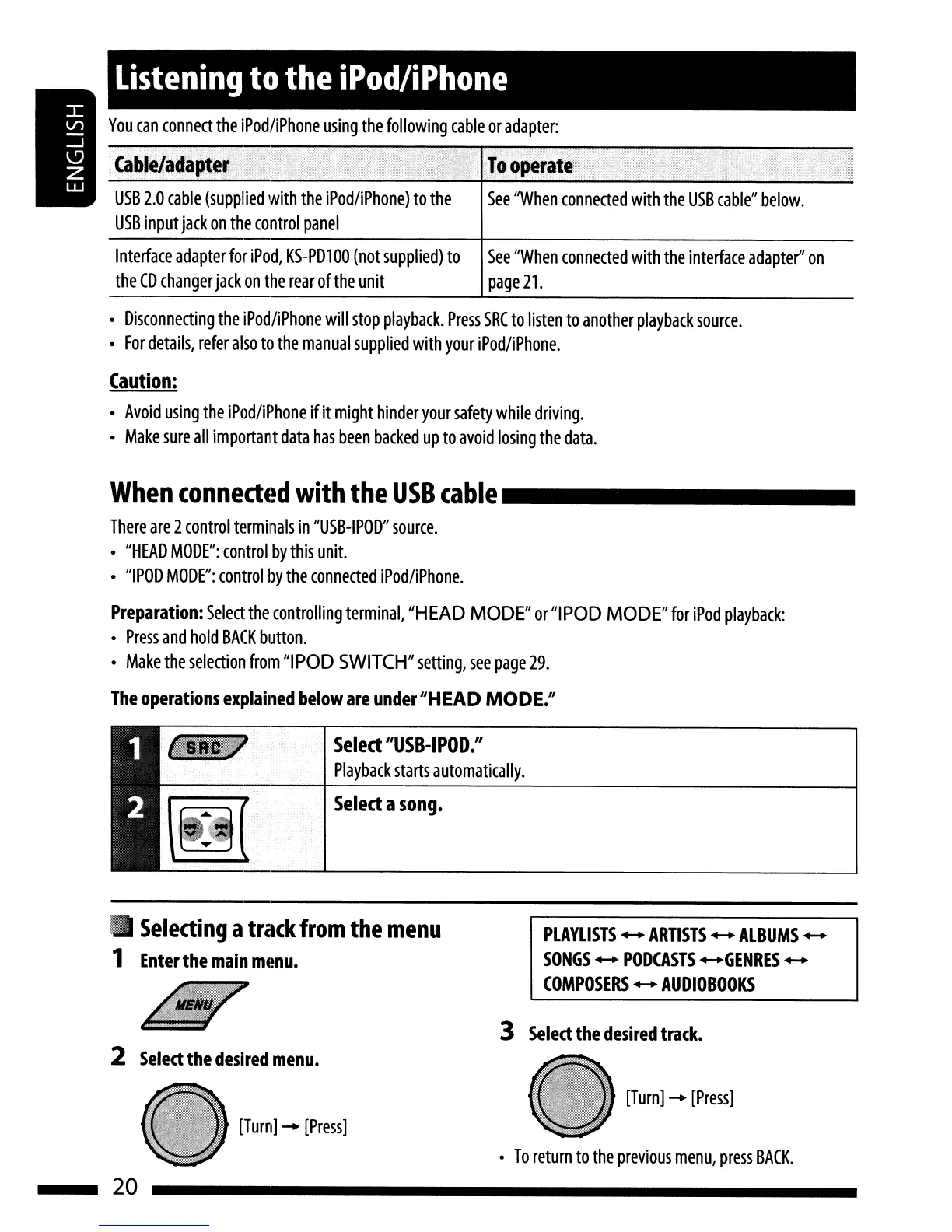
You
can
connect
the
iPod/iPhone
using
the
following
cable
or
adapter:
See
"When
connected
with
the
USB
cable"
below.
USB
2.0
cable
(supplied
with
the
iPod/iPhone)
to
the
USB
input
jack
on
the
control
panel
Listening
to
the
iPod/iPhone
Interface
adapter
for
iPod,
KS-PD100
(not
supplied)
to
the
CD
changer
jack
on
the
rear
of
the
unit
See
"When
connected
with
the
interface
adapter"
on
page
21.
Disconnecting
the
iPod/iPhone
will
stop
playback.
Press
SRC
to
listen
to
another
playback
source.
For
details,
refer
also
to
the
manual
supplied
with
your
iPod/iPhone.
Caution:
Avoid
using
the
iPod/iPhone
if
it
might
hinder
your
safety
while
driving.
Make
sure
all
important
data
has
been
backed
up
to
avoid
losing
the
data.
When
connected
with
the
USB
cable
_
There
are
2
control
terminals
in
"USB-IPOD"
source.
"HEAD
MODE":
control
by
this
unit.
"IPOD
MODE":
control
by
the
connected
iPod/iPhone.
Preparation:
Select
the
controlling
terminal,
"H
EAD
MODE"
or
"I
POD
MODE"
for
iPod
playback:
Press
and
hold
BACK
button.
Make
the
selection
from
"IPOD
SWITCH"
setting,
see
page
29.
The
operations
explained
below
are
under
"HEAD MODE."
..
Select
"USB-I
POD."
Playback
starts
automatically.
Select
a
song.
2
Select
the
desired
menu.
Selecting
a
track
from
the
menu
1
Enter
the
main
menu.
[Turn]
-
[Press]
PLAYLISTS
-
ARTISTS
-
ALBUMS
-
SONGS
-
PODCASTS
-GENRES
-
COMPOSERS
-
AUDIO
BOOKS
To
return
to
the
previous
menu,
press
BACK.
3
Select
the
desired
track.
[Turn]
-
[Press]
20

Related product manuals