EasyManua.ls Logo

JVC KD·A60S - Playing Afile on a USB Device; Turn on the Power

JVC KD·A60S
57 pages
Print Icon
To Next Page IconTo Next Page
To Previous Page IconTo Previous Page
Loading...
Playing
a
file
on
a
USB
device
_
This
unit
can
play
MP3/WMA
files
stored
on
a
USB
mass
storage
class
device.
You
can
connect
a
USB
mass
storage
class
device
such
as
a
USB
memory,
Digital
Audio
Player,
portable
HDD,
etc.
to
the
unit.
You
can
also
connect
an
Apple
iPod/iPhone
to
the
USB
input
jack.
For
details
of
the
operations,
see
pages
20
-
22.
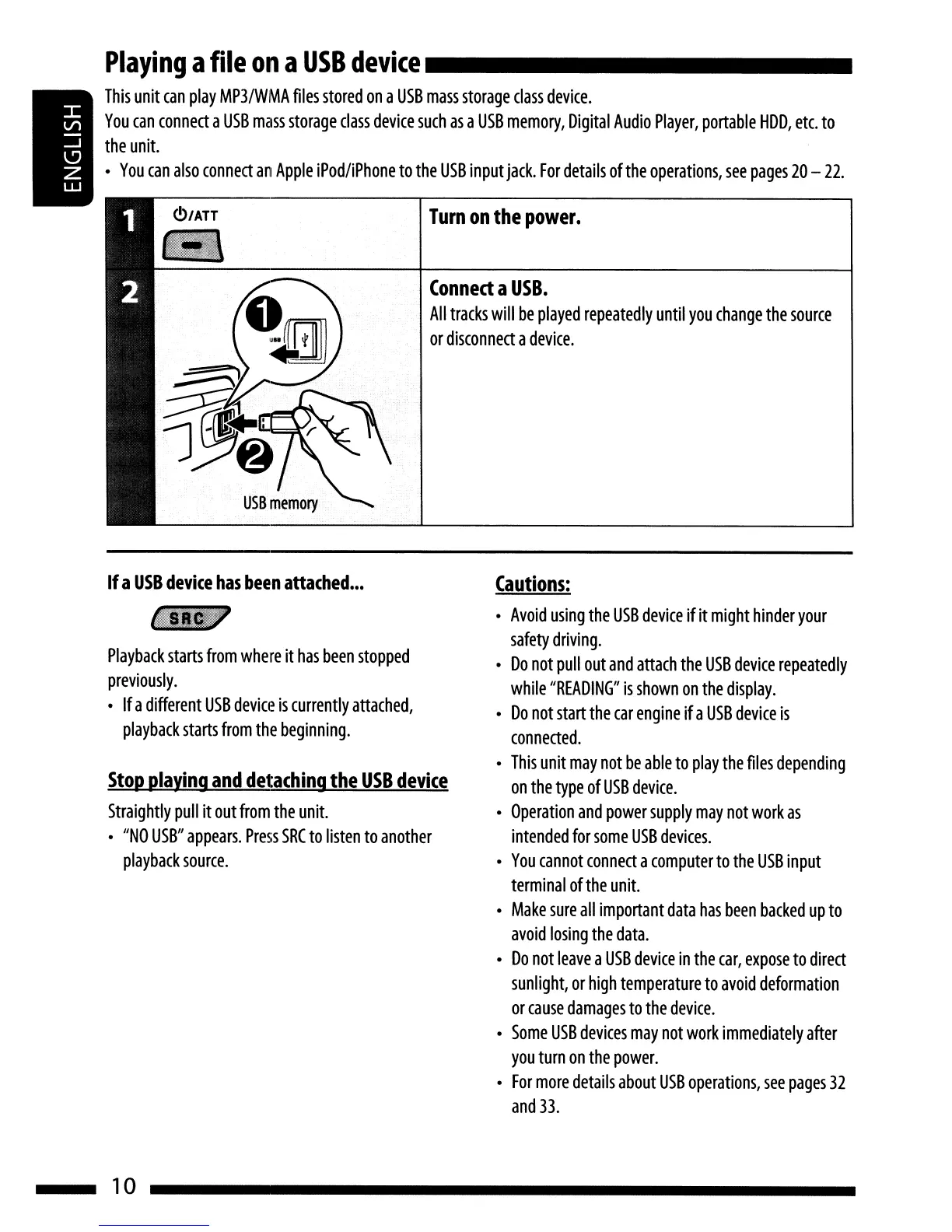
Turn
on
the
power.
Conned
a
USB.
All
tracks
will
be
played
repeatedly
until
you
change
the
source
or
disconnect
a
device.
If
a
USB
device
has
been
attached
•••
Playback
starts
from
where
it
has
been
stopped
previously.
Ifa
different
USB
device
is
currently
attached,
playback
starts
from
the
beginning.
Stop
playing
and
detaching
the
USB
device
Straightly
pull
it
out
from
the
unit.
"NO
USB"
appears.
Press
SRC
to
listen
to
another
playback
source.
10
Cautions:
Avoid
using
the
USB
device
ifit
might
hinder
your
safety
driving.
Do
not
pull
out
and
attach
the
USB
device
repeatedly
while
"READING"
is
shown
on
the
display.
Do
not
start
the
car
engine
ifa
USB
device
is
connected.
This
unit
may
not
be
able
to
play
the
files
depending
on
the
type
of
USB
device.
Operation
and
power
supply
may
not
work
as
intended
for
some
USB
devices.
You
cannot
connect
a
computer
to
the
USB
input
terminal
of
the
unit.
Make
sure
all
important
data
has
been
backed
up
to
avoid
losing
the
data.
Do
not
leave
a
USB
device
in
the
car,
expose
to
direct
sunlight,
or
high
temperature
to
avoid
deformation
or
cause
damages
to
the
device.
Some
USB
devices
may
not
work
immediately
after
you
turn
on
the
power.
For
more
details
about
USB
operations,
see
pages
32
and
33.

Related product manuals