EasyManua.ls Logo

JVC KD·A60S - Using the Bluetooth Audio Player; Bluetooth Information

JVC KD·A60S
57 pages
Print Icon
To Next Page IconTo Next Page
To Previous Page IconTo Previous Page
Loading...
Using
the
Bluetooth
audio
player
_
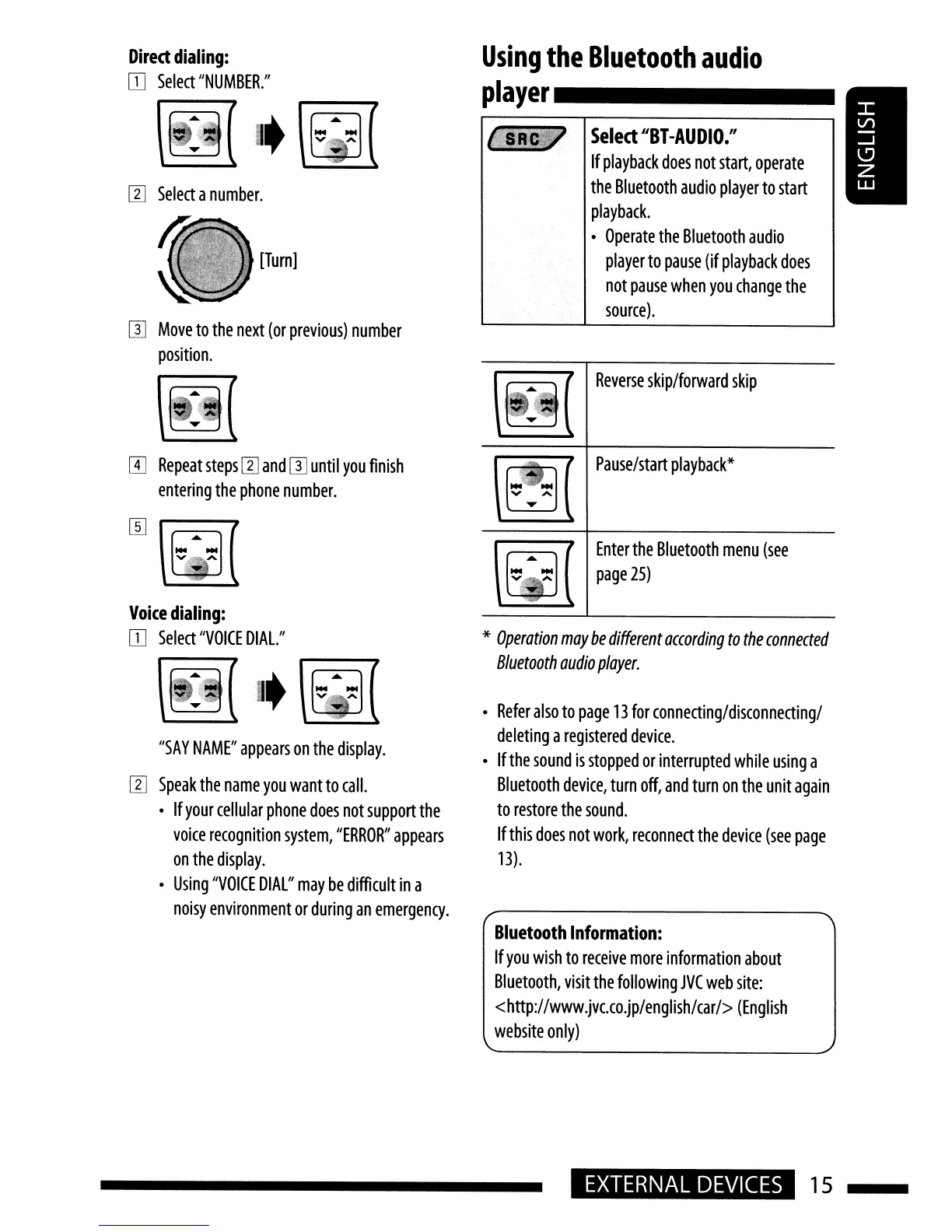
Reverse
skip/forward
skip
Select
"Bl
-AUDIO."
If
playback
does
not
start,
operate
the
Bluetooth
audio
player
to
start
playback.
Operate
the
Bluetooth
audio
player
to
pause
(if
playback
does
not
pause
when
you
change
the
source).
[Turn]
[]]
Move
to
the
next
(or
previous)
number
position.
Direct
dialing:
OJ
Select
"NUMBER."
~I.~
I1J
Select
a
number.
rn
Repeat
steps
I1J
and
[l]
until
you
finish
entering
the
phone
number.
Voice
dialing:
OJ
Select
"VOICE
DIAL."
"SAY
NAME"
appears
on
the
display.
I1J
Speak
the
name
you
want
to
call.
If
your
cellular
phone
does
not
support
the
voice
recognition
system,
"ERROR"
appears
on
the
display.
Using
"VOICE
DIAL"
may
be
difficult
in
a
noisy
environment
or
during
an
emergency.
Pause/start
playback*
\
[.........
] (
Enterthe
Bluetooth
menu
(see
~
~
page
25)
.':'f
*
Operation
may
be
different
according
to
the
connected
Bluetooth
audio
player.
Refer
also
to
page
13
for
connecting/disconnecting/
deleting
a
registered
device.
If
the
sound
is
stopped
or
interrupted
while
using
a
Bluetooth
device,
turn
off,
and
turn
on
the
unit
again
to
restore
the
sound.
If
this
does
not
work,
reconnect
the
device
(see
page
13).
Bluetooth
Information:
If
you
wish
to
receive
more
information
about
Bluetooth,
visit
the
following
JVC
web
site:
<http://www.jVc.co.jp/english/car/>
(English
website
only)
EXTERNAL
DEVICES
15

Related product manuals