EasyManua.ls Logo

JVC KD·A60S - Listening to the Other External Components

JVC KD·A60S
57 pages
Print Icon
To Next Page IconTo Next Page
To Previous Page IconTo Previous Page
Loading...
Pressing
(or
holding)
the
following
buttons
allows
you
to
...
Pause/resume
playback
[Press]
Select
track
[Hold]
Reverse/fast-forward
track
Selecting
the
playback
modes
See
page
21
for
operations.
"ALBUM
RND"
functions
only
if
you
select"
ALL"
for
"ALBUMS"
in
the
main
menu.
Listening
to
the
other
external
components
You
can
connect
an
external
component
to:
EXT
INPUT:
CD
changer
jack
on
the
rear
of
this
unit
using
the
following
adapters
(not
supplied):
-
KS-U57:
For
connecting
the
component
with
pin
jacks
-
KS-U58:
For
connecting
the
component
with
stereo
mini
jack
Preparation:
Make
sure
"EXT
INPUT'
is
selected
in
the
"SRC
SELECT'
-
"EXT
IN"
setting,
see
page
29
.
AUX
IN:
AUX
(auxiliary)
input
jack
on
the
control
panel.
Preparation:
Make
sure
"AUX ON"
is
selected
in
the
"SRC
SELEG" - "AUX IN"
setting,
see
page
29.
Select
"EXT
INPUT"
or
"AUX
IN/'
Turn
on
the
connected
component
and
start
playing
the
source.
Adjust
the
volume.
[Turn]
Adjust
the
sound
as
you
want
(see
pages
23
and
24).
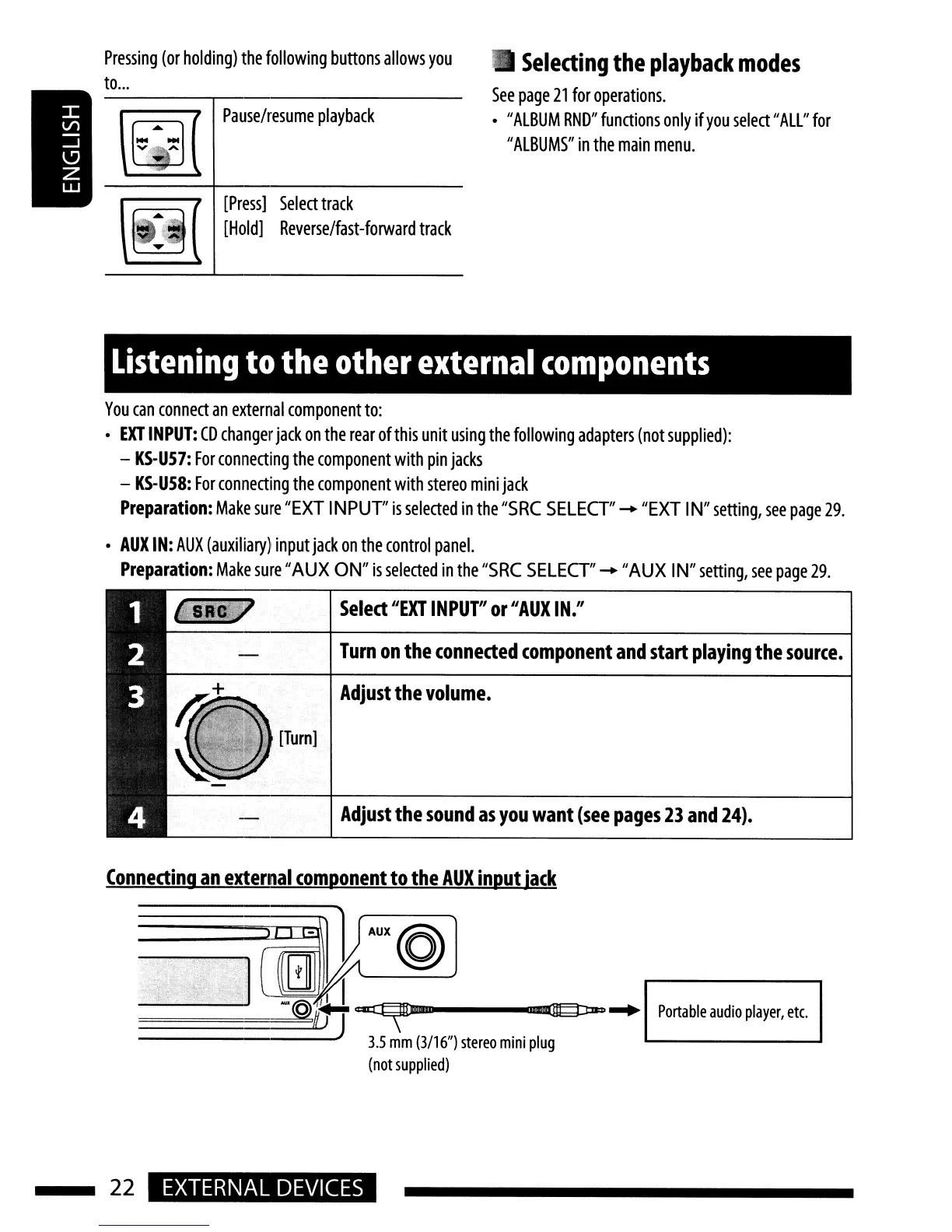
Connecting
an
external
component
to
the
AUX
input
jack
cz:u::r:~_----m(JIdJ:B3l""
Portable
audio
player,
etc.
3.5
mm
(3/16")
stereo
mini
plug
(not
supplied)
22
EXTERNAL
DEVICES

Related product manuals