
 To Next PageTo Next Page
 Need help?
Do you have a question about the JVC RX-DP20VBK and is the answer not in the manual?
Covers risks of electric shock, fire, and exposure to rain or moisture.
Highlights that the standby switch does not disconnect mains.
Advises using two persons for unpacking and moving the unit.
Instruction to match plug blade to slot for shock prevention.
Statement on compliance with Class B digital apparatus noise limits.
Statement on compliance with RSS-210 for remote control RF emissions.
Thanks for purchasing and advice to read manual for optimal performance.
Highlights THX Ultra2, Dolby Digital EX, DTS-ES, K2 Technology, and other audio enhancements.
Details multi-room capability and COMPU LINK remote control systems.
Guidance on power cord safety, wet hands, and unplugging.
Instructions for proper ventilation to prevent overheating.
Covers avoiding metallic objects, water, and unit disassembly.
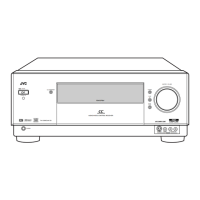
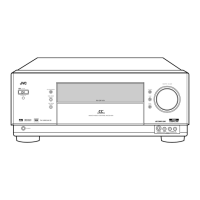
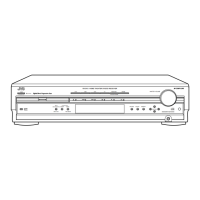
Identifies and labels all buttons and terminals on the front panel.
Details the meaning of various indicators on the receiver's display.
Lists and describes the function of each button on the remote control.
Explains the indicators and display functions of the remote control.
General preparation steps including checking accessories and location.
Instructions for connecting FM and AM antennas for optimal reception.
Step-by-step guide for assembling and connecting the AM loop antenna.
Guidelines for connecting various speaker types and impedance considerations.
Provides a typical diagram and guidelines for ideal speaker placement in Zone 1.
Details recommended placement for front, center, surround speakers.
Explains the functionality and usage of the FRONT 2/ZONE 2 speaker terminals.
Guide to connecting a subwoofer and using the receiver as a pre-amplifier.
Instructions for connecting audio sources like turntables, CD players, and recorders via analog inputs.
Details for connecting cassette decks, MD recorders, and CD recorders.
Guide for connecting external 7.1 channel audio sources.
Instructions for connecting video cameras and using digital input terminals.
Details on connecting coaxial and optical digital sources.
Guidance on connecting digital output devices for recording.
Steps for installing the RF rod antenna for improved remote control range.
Instructions for setting up the IR signal transmitter for component control.
Steps for connecting the AC power cord safely.
Guide for inserting batteries into the remote control.
Details necessary connections and concept for Zone 2 operation.
Explains two methods for connecting speakers to Zone 2.
Instructions for turning the unit on, off, and into standby mode.
Explains how to read speaker activation and incoming signal indicators.
Steps to turn on/off the unit and activate Zone 2 operations.
Guide for manually tuning FM and AM stations using tuning buttons.
Lists all available settings categorized into Setup Menu (1) and (2).
Covers speaker settings, channel levels, distance, subwoofer, and THX setup.
Details digital I/O, video inputs, Zone 2 usage, and display settings.
Explains how to use unit and remote buttons for menu navigation.
Guides setting speaker sizes, subwoofer presence, and crossover frequencies.
Covers surround back speaker count and channel level adjustments.
Adjusts for boundary gain effects with THX Ultra2 subwoofers.
Compensates for enhanced subwoofer sounds due to room acoustics.
Registers the placement of surround back speakers for THX modes.
Explains how to navigate the Adjustment Menu using unit and remote buttons.
Lists the main adjustment menus: PEQ, Midnight Mode, and Effect Adjust.
Allows detailed adjustment of bass, mid, and treble frequencies and levels.
Enables powerful sound at low volume by adjusting dynamic range.
Covers adjustments for effect level, room size, liveness, and wall type.
Explains how surround sound creates a theater-like audio experience.
Overview of available THX and Surround modes for immersive audio.
Details the THX system and its multi-channel audio reproduction capabilities.
Describes Dolby Digital, Dolby Digital EX, Pro Logic, and Pro Logic II formats.
Details DTS, DTS-ES, DTS Neo:6, and DTS 96/24 audio formats.
Explains the Dual Mono format for independent channel playback.
Guide to activating 7.1-channel reproduction for enhanced surround sound.
Explains how to maintain consistent volume levels for dialog.
Steps to activate DVD MULTI and EXT 7.1CH playback modes.
Details connections and basic functions for COMPU LINK system.
Covers displaying disc info, searching CDs by performer, title, and genre.
Guide for manually inputting disc titles and other information.
Details the necessary connections for the TEXT COMPU LINK system.
Explains the functions available through the TEXT COMPU LINK system.
Instructions to show disc information (title, artist) on the TV screen.
Enables simple playback of connected video devices via remote.
How to operate connected JVC audio components using the remote.
Details operations for THX, Surround, DSP, volume, and other sound settings.
Instructions for operating the CD player in Zone 2.
Instructions for operating the CD recorder in Zone 2.
Instructions for operating the cassette deck in Zone 2.
Instructions for operating the MD recorder in Zone 2.
How to operate the VCR connected to the unit in Zone 2.
How to operate the DVD player connected in Zone 2.
Instructions for operating the TV connected to the receiver.
Procedure to change remote signal codes for non-JVC equipment.
Instructions for setting TV manufacturer codes for remote control.
Highlights the buttons on the remote that can store signals.
Detailed steps for learning and storing remote control signals.
Addresses issues with Zone 1/Zone 2 operations, sound, and button functionality.
Solutions for issues related to EXES7.1, SURRBACK, and expected surround effects.
Addresses problems like hissing, buzzing, cracking noise, and weak signals during FM/AM reception.
Covers problems like overload, standby lamp issues, and remote control malfunction.
Details amplifier power ratings, input sensitivity, and output levels.
Covers signal-to-noise ratio, frequency response, and phono equalization.
Details video signal characteristics, sync, and S/N ratio.
Provides tuning ranges, sensitivity, and general unit dimensions/power.


 General