Filename [SR-VS30E_1a-EN.fm]
Masterpage:Left
16
EN
Page 16 February 1, 2002 3:34 pm
INITIAL SETTINGS (cont.)
Language
This recorder offers you the choice to view on-screen
messages in 10 different languages. Though Auto Set Up
selects the language automatically (
墌
pg. 15), you can
change the language setting manually as required.
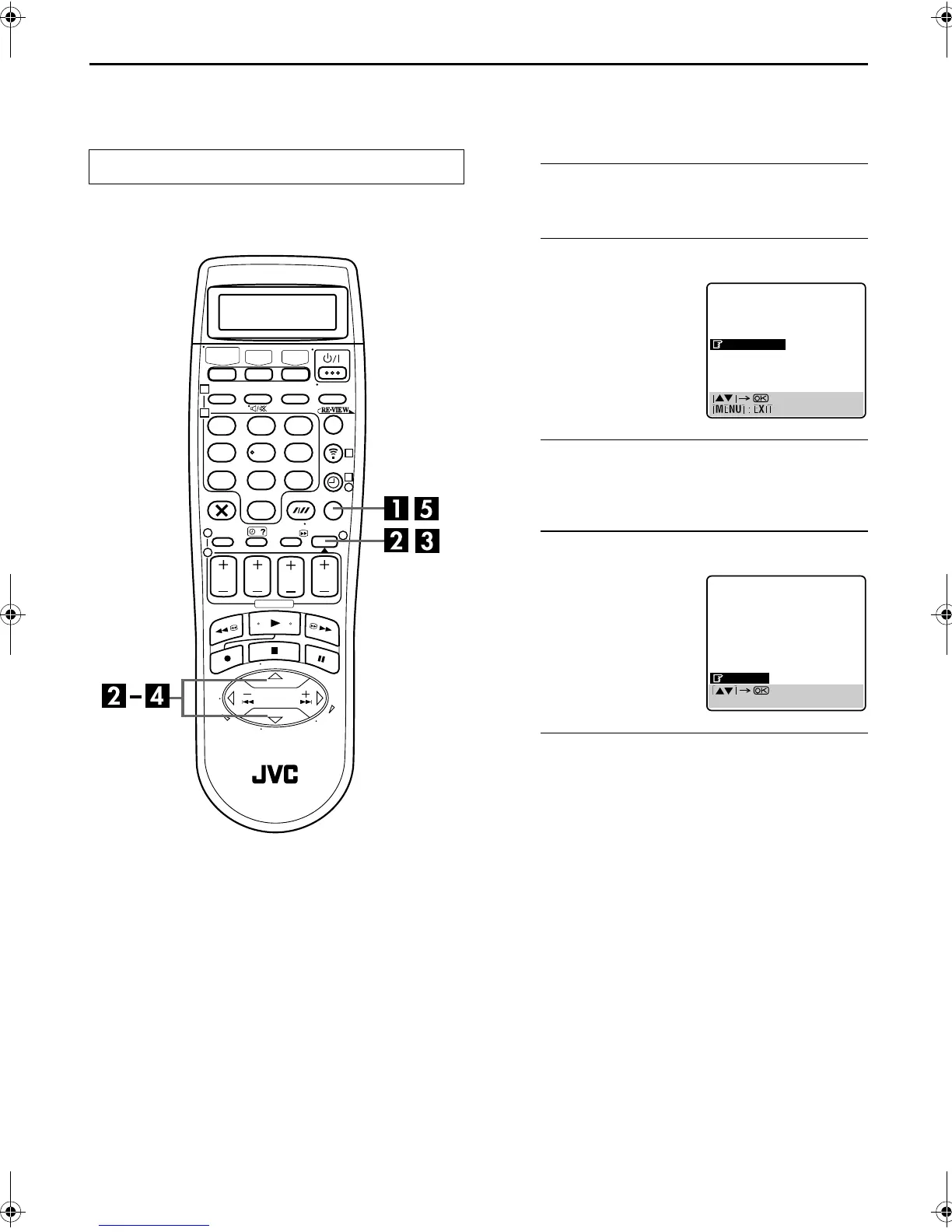
A
Access the Main Menu screen.
Press
MENU
.
B
Access the Country Set screen.
C
Select your country.
Press
rt
to move the highlight bar (pointer) to your
country’s name, then press
OK
or
e
.
D
Select the language.
E
Return to the normal screen.
Press
MENU
.
Turn on the TV and select the AV mode.
123
456
789
1
2
1
2
3
0
3
4
4
Press
rt
to move the
highlight bar (pointer) to
“AUTO CH SET”, then press
OK
or
e
.
Press
rt
to move the
highlight bar (pointer) to the
language of your choice.
● You do not have to press
OK
;
pressing
OK
enters AUTO SET/
T-V LINK screen.
MAIN MENU
MODE SET
VHS MODE SET
DV MODE SET
AUTO CH SET
MANUAL CH SET
OUTPUT/INPUT SET
INITIAL SET
DANSK
SUOMI
NORSK
SVENSKA
NEDERLANDS
CASTELLANO
ITALIANO
FRANCAIS
DEUTSCH
ENGLISH
[MENU] : EXIT
SR-VS30E_1-EN.book Page 16 Friday, February 1, 2002 3:35 PM



 To Next Page