Filename [SR-VS30E_3-EN.fm]
Masterpage:Left
54
EN
Page 54 February 1, 2002 3:27 pm
EDITING (cont.)
Audio Dubbing
VHS Audio Dubbing
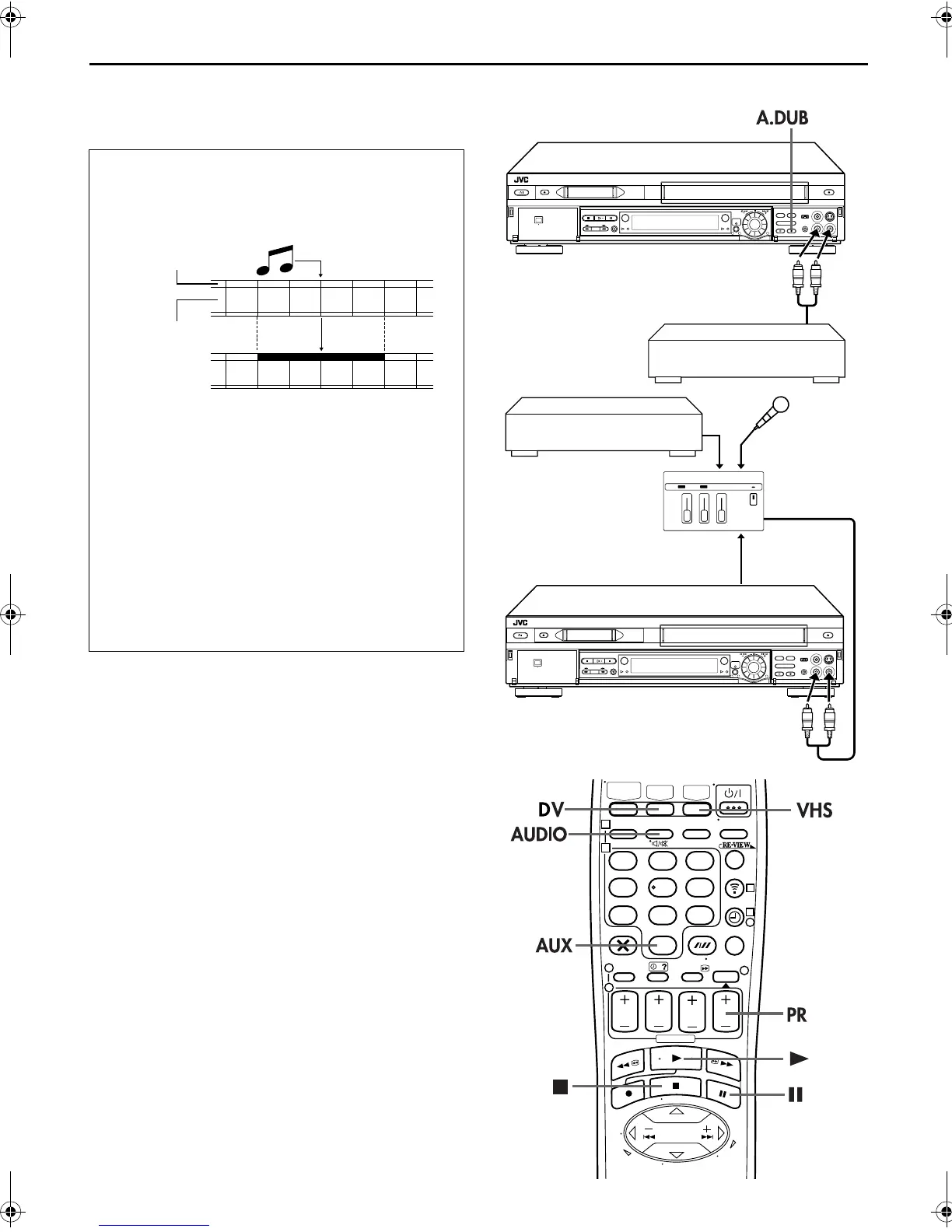
Audio Dubbing replaces the normal audio sound of a
previously recorded tape with a new soundtrack.
DV Audio Dubbing
This function lets you record new audio, without
erasing the original audio, on a DV tape that was
recorded with “SOUND MODE” set to “12BIT”
(
墌
pg. 73).
ATTENTION:
You cannot perform Audio Dubbing on a tape that was
recorded with “SOUND MODE” set to “16BIT” (
墌
pg. 73),
on a tape that was recorded at the “LP” speed, or on a blank
tape.
Normal audio track
Video/Hi-Fi audio
track
Pre-recorded tape
Audio-dubbed tape
1
32
1
32
CD player, etc.
Your recorder
CD player, etc.
Mixer output
Audio mixer
Original sound
AUDIO OUT
Your recorder
123
456
789
1
2
1
2
3
0
3
4
4
SR-VS30E_1-EN.book Page 54 Friday, February 1, 2002 3:35 PM



 To Next Page