Masterpage:Right-NoTitle0
EN
67
Filename [SR-VS30E_3-EN.fm]
Page 67 February 1, 2002 3:27 pm
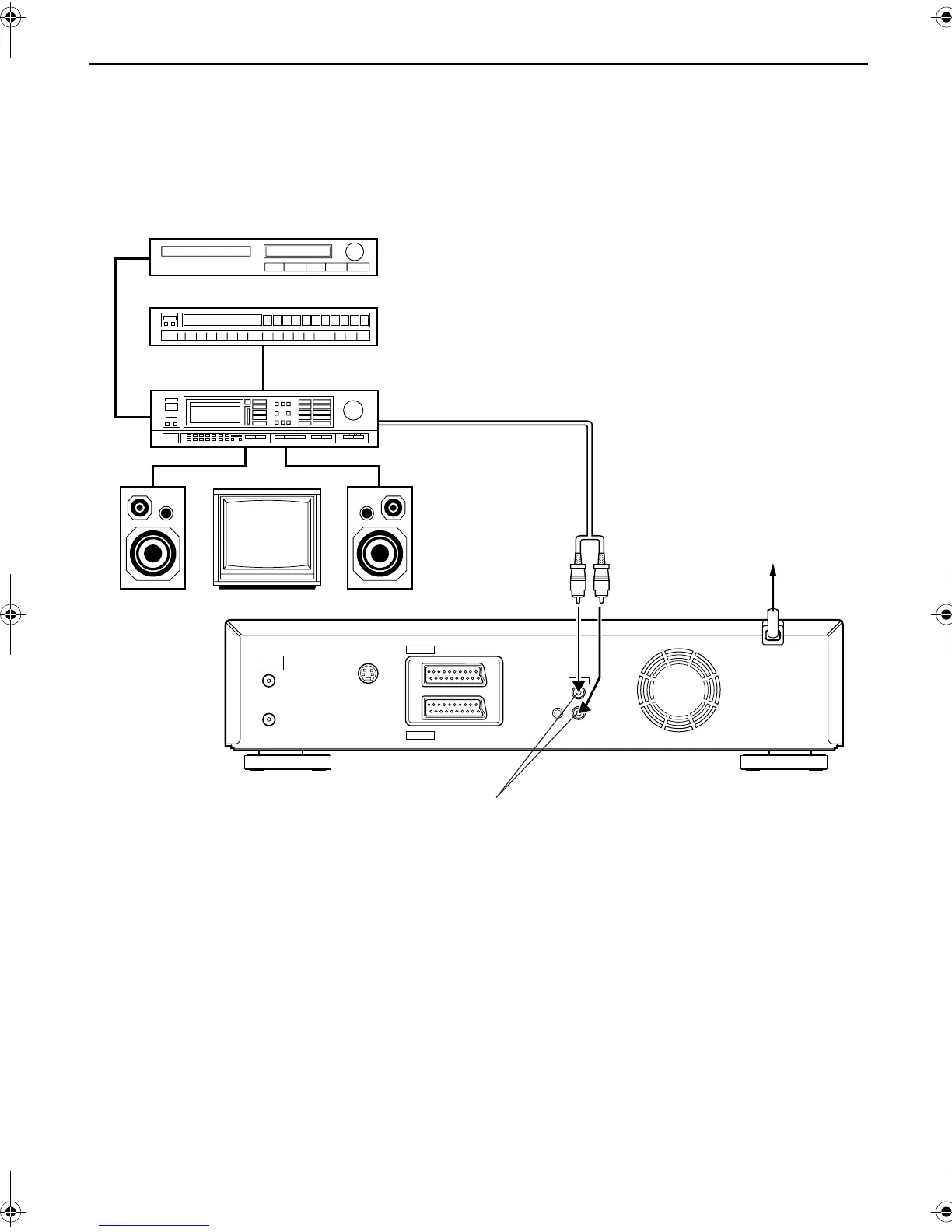
Connecting/Using A Stereo System
These instructions enable you to connect your video recorder to your Hi-Fi stereo system (if you have one) and listen to
the soundtrack through the stereo.
Make connections.
Connect the AUDIO OUT L and R connectors on your
video recorder to the AUX IN or TAPE MONITOR
connectors on your stereo system’s receiver or amplifier.
NOTE:
When listening to sound through the connected stereo system,
turn the TV’s volume down completely.
CAUTIONS:
●
This recorder has a dynamic range of more than 80 dB with
regards to its Hi-Fi audio capability. It is recommended that
you check the maximum level if you are going to listen to the
Hi-Fi audio signals through a stereo amplifier. A sudden surge
in the input level to the speakers may damage them.
●
Some speakers and televisions are specially shielded to
prevent television interference. If both are of the non-shielded
type, do not place the speakers adjacent to the TV set as this
can adversely affect the video playback picture.
S
OUT
SORTIE
ANTENNA
ANTENNE
IN
ENTREE
OUT
SORTIE
AUDIO
L
R
SAT CONTROL
CONTROLEUR SAT
OUT
SORTIE
AV2 (L-2)
IN/DECODER
ENTREE/DECODEUR
AV1 (L-1)
IN/OUT
ENTREE/SORTIE
I
I
I
I
I
I
I
I
I
I
I
I
I
I
I
I
I
I
I
I
I
I
I
I
I
I
I
I
I
I
I
I
I
I
I
I
I
I
I
I
I
I
I
FM tuner
CD player
Stereo amplifier
AUX IN or TAPE MONITOR
Audio cable
(not provided)
Speaker Television Speaker
Mains outlet
Back of recorder
AUDIO OUT
SR-VS30E_1-EN.book Page 67 Friday, February 1, 2002 3:35 PM



 To Next Page