Filename [SR-VS30E_2-EN.fm]
Masterpage:Left
38
EN
Page 38 February 1, 2002 3:23 pm
TIMER RECORDING (cont.)
Express Timer
Programming
If you do not know the S
HOW
V
IEW
number for the programme
you wish to record, use the following procedure to set your
recorder to timer-record the programme.
A
Turn on the recorder.
Press
1
.
B
Load a cassette.
Insert a VHS (or S-VHS) cassette with the record safety
tab intact.
OR
Insert a Mini DV cassette with the erase protection switch
set to “REC”.
C
Select the deck.
Press
VHS
or
DV
.
D
Access the S
HOW
V
IEW
screen.
Press
PROG
.
E
Access the Programme screen.
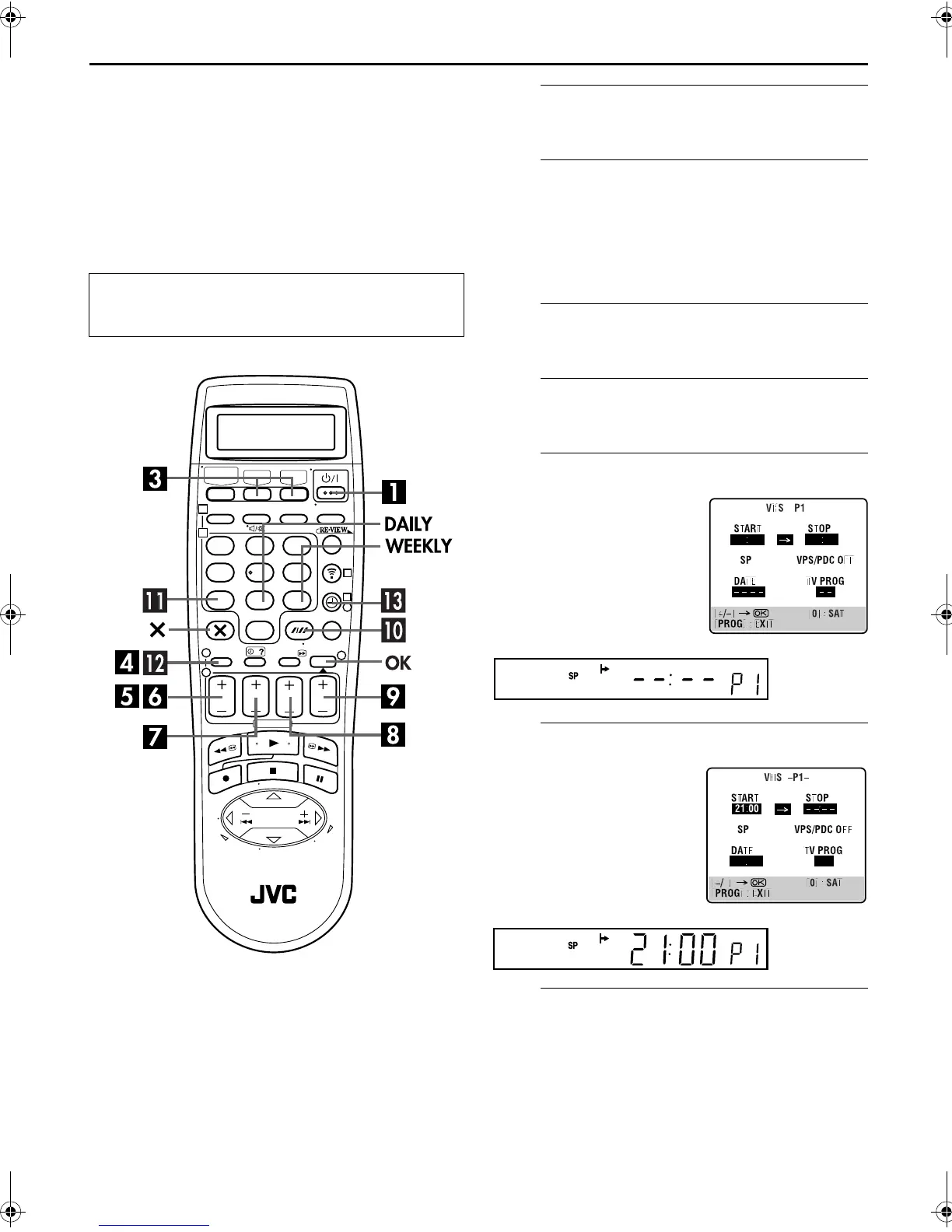
The front display panel looks like this:
F
Enter the programme start time.
The front display panel looks like this:
G
Enter the programme stop time.
Press
STOP+/–
to enter the time you want recording to
stop.
● Press and hold
STOP+/–
to move in 30-minute increments, or
press and release repeatedly to move 1 minute at a time.
Before performing Express Timer Programming:
● Make sure that the recorder’s built-in clock is set properly.
● Turn on the TV and select the AV mode.
123
456
789
1
2
1
2
3
0
3
4
4
Press
START+/–
. (If you’re
just starting out, “P1”
appears.)
Press
START+/–
to enter the
time you want recording to
start.
● Press and hold
START+/–
to
move in 30-minute
increments, or press and
release repeatedly to move 1
minute at a time.
SR-VS30E_1-EN.book Page 38 Friday, February 1, 2002 3:35 PM



 To Next Page