Masterpage:Right-NoTitle0
EN
27
Filename [SR-VS30E_1a-EN.fm]
Page 27 February 1, 2002 3:34 pm
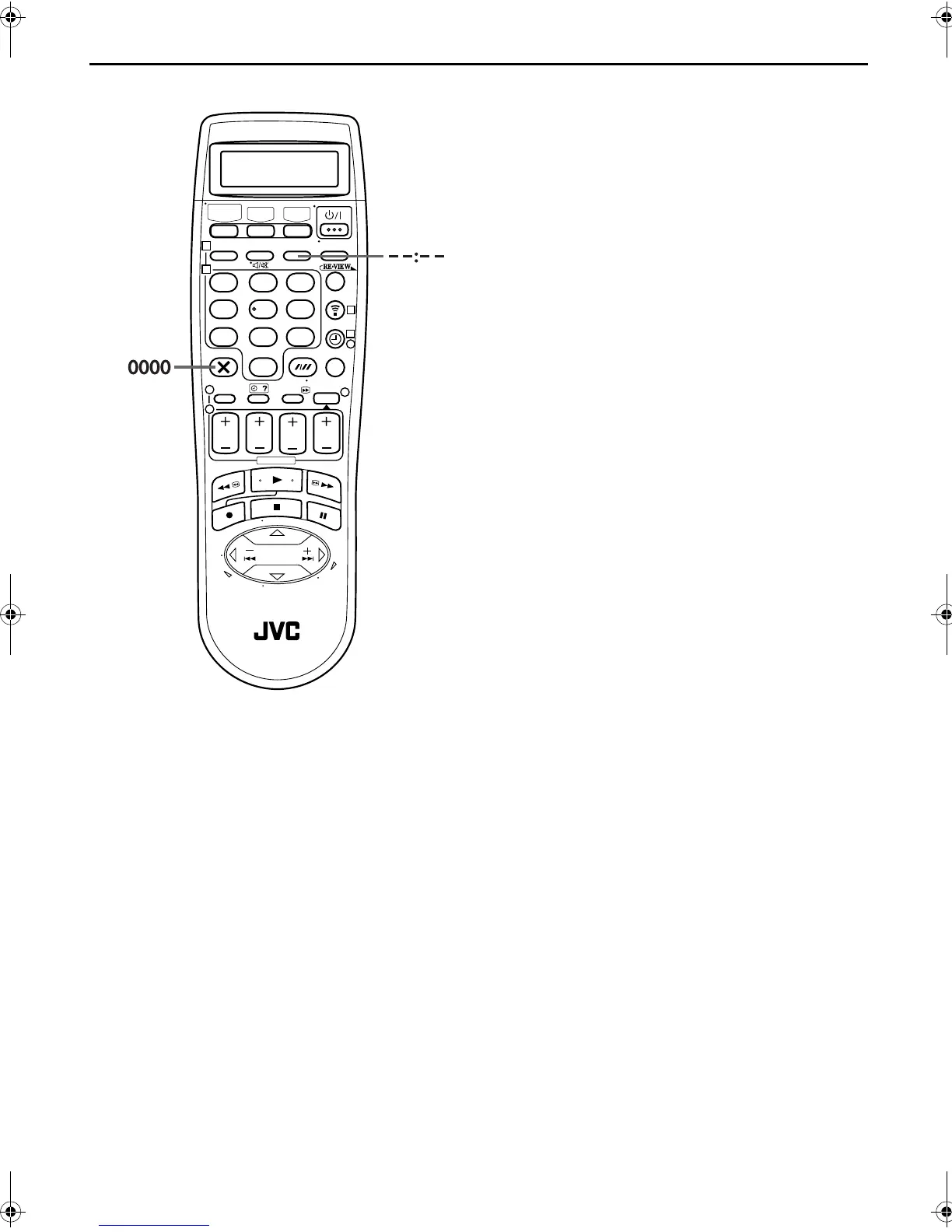
Elapsed Recording Time Indication
1
Set the counter display.
Press – –:– – until a counter reading appears on the front
display panel.
2
Reset the counter.
Press
0000
before starting recording or playback.
● The counter is reset to “0:00:00” and shows the exact elapsed
time as the tape runs. You can check the exact time of a
recording or playback.
Tape Remaining Time
Press – –:– – until the time remaining on the tape appears
on the front display panel.
● The front display panel shows the tape remaining time with
“
y
” displayed.
● By pressing the – –:– – button, you can change the display to
show the counter reading, channel position*, clock time or
tape remaining time.
* Channel position is not displayed during playback.
NOTE:
Depending on the type of tape being used, the tape remaining
time reading may not appear right away, or is not correct.
“– –:– –” may sometimes appear, or the display may blink on
occasion.
123
456
789
1
2
1
2
3
0
3
4
4
SR-VS30E_1-EN.book Page 27 Friday, February 1, 2002 3:35 PM



 To Next Page