Masterpage:Right-NoTitle0
EN
53
Filename [SR-VS30E_3-EN.fm]
Page 53 February 1, 2002 3:27 pm
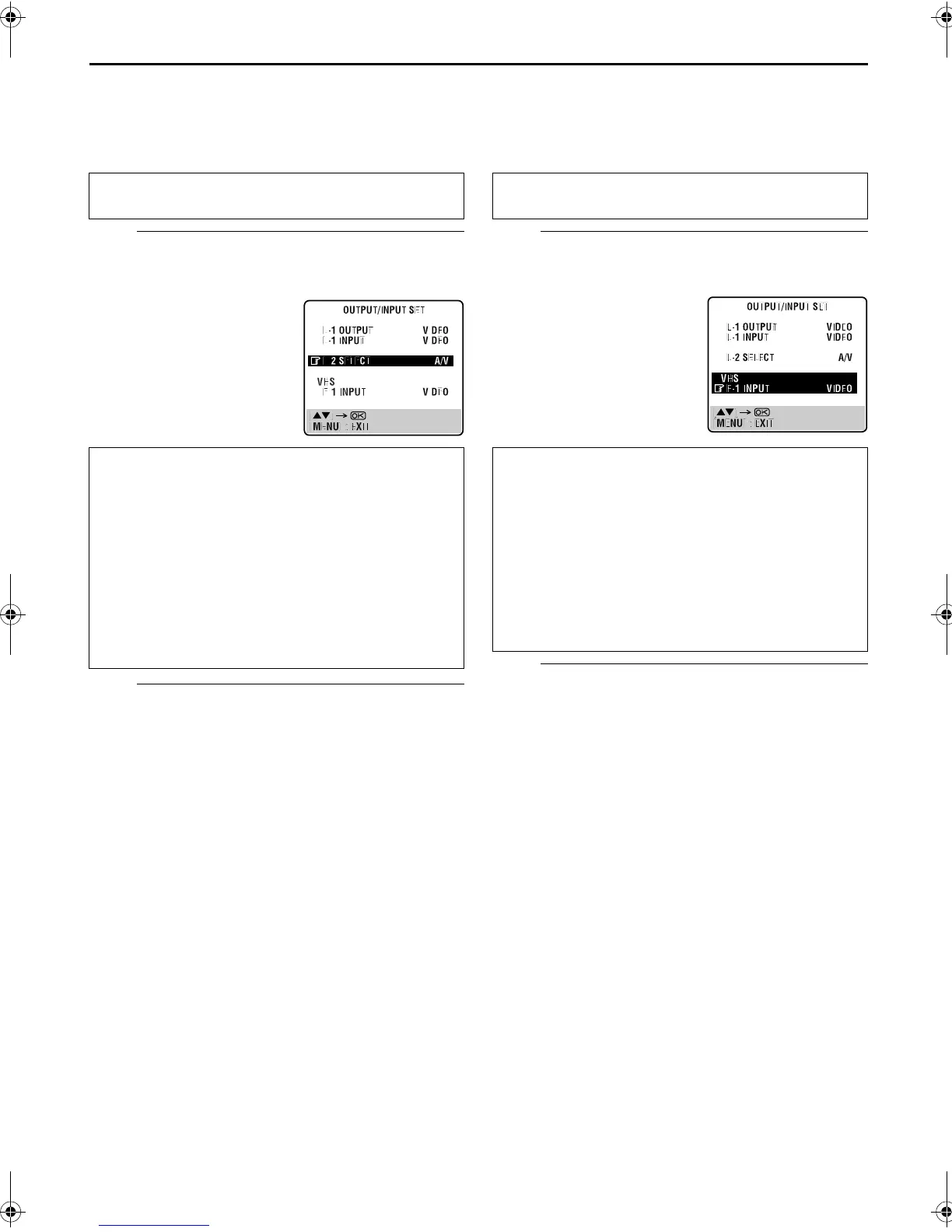
L-2 SELECT Setting
Set “L-2 SELECT” to the appropriate mode depending on the
type of appliance connected to the recorder’s AV2 (L-2) IN/
DECODER connector.
A
Select the input mode for the AV2 (L-2) IN/
DECODER connector.
B
Return to the normal screen.
Press
MENU
.
NOTES:
●
If you have a satellite receiver or a decoder connected to the
AV2 (L-2) IN/DECODER connector, be sure to set “L-2
SELECT” back to appropriate mode after editing.
●
If you are not connecting a satellite receiver or a decoder to
the AV2 (L-2) IN/DECODER connector, leave “L-2 SELECT” set
to “A/V”.
●
The default setting is “A/V”; if the recorder’s memory backup
has expired due to a power cut or because the AC was
removed from the recorder, “A/V” will be automatically
selected when the power is restored to the recorder. If you are
using a satellite receiver or a decoder, be sure to set “L-2
SELECT” back to appropriate mode.
●
When “L-2 SELECT” is set to “SAT”, “SAT” appears on TV
screen or front display panel instead of “L-2” or “L2”.
●
If “L-1 OUTPUT” is set to “S-VIDEO”, it is impossible to set
“L-2 SELECT” to “DECODER”.
VHS F-1 INPUT Setting
Set “VHS F-1 INPUT” to the appropriate mode depending on the
connector (VIDEO or S-VIDEO input connector) being used on
the front panel.
A
Select the input mode for the VIDEO/
S-VIDEO connector.
B
Return to the normal screen.
Press
MENU
.
Perform steps
1
and
2
of “L-1 OUTPUT and L-1 INPUT
Setting” on page 52.
Press
rt
to move the
highlight bar (pointer) to “L-2
SELECT”. Then, press
OK
or
e
to select the appropriate
setting.
* The default setting is
bold
in
the table below.
8
L-2 SELECT
A/V
: To use this recorder as the recording
deck with the player connected to
the AV2 (L-2) IN/DECODER
connector, or to use the satellite
receiver connected to the AV2 (L-2)
IN/DECODER connector.
DECODER
: To use a decoder connected to the
AV2 (L-2) IN/DECODER connector.
SAT
: To view a satellite programme with
the TV set while the recorder is
turned off. (
墌
pg. 64)
Perform steps
1
and
2
of “L-1 OUTPUT and L-1 INPUT
Setting” on page 52.
Press
rt
to move the
highlight bar (pointer) to
“VHS F-1 INPUT”. Then,
press
OK
or
e
to select the
appropriate setting.
* The default setting is
bold
in
the table below.
8
VHS F-1 INPUT
VIDEO
: If a connected appliance’s output is
compatible only with regular video
signals, set to “VIDEO”.
S-VIDEO
: If a connected appliance’s output is
compatible with Y/C signals, set to
“S-VIDEO”. You can obtain high-
quality S-VHS picture. (For
connection, be sure to use a 21-pin
SCART cable that is compatible with
the Y/C signal.)
SR-VS30E_1-EN.book Page 53 Friday, February 1, 2002 3:35 PM



 To Next Page