18
Continuity test
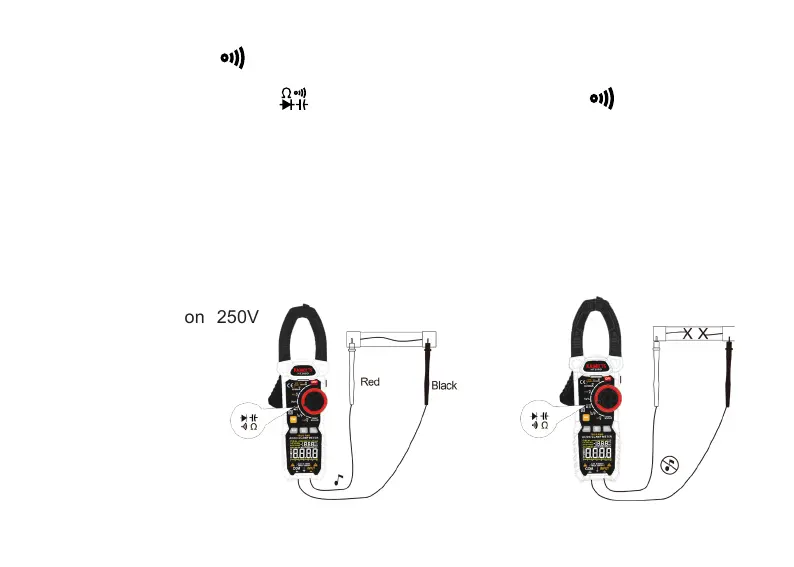
1� Turn the rotary switch to and press the “FUNC�” key until appears on the
display� The continuity test is now active�
2� Plug the black test lead into the COM socket and the red test lead into the INPUT
socket�
3� Connect the probes to the circuit or component under test�
4. If the resistance is <30 Ω, an acoustic signal sounds continuously and the orange
backlight lights up�
Note: When measuring resistance on a circuit, the measured value can be inuenced
by other circuits�
Test Voltage Approx� 1V
Overload protection
:
250V



 To Next Page