19
Diode test
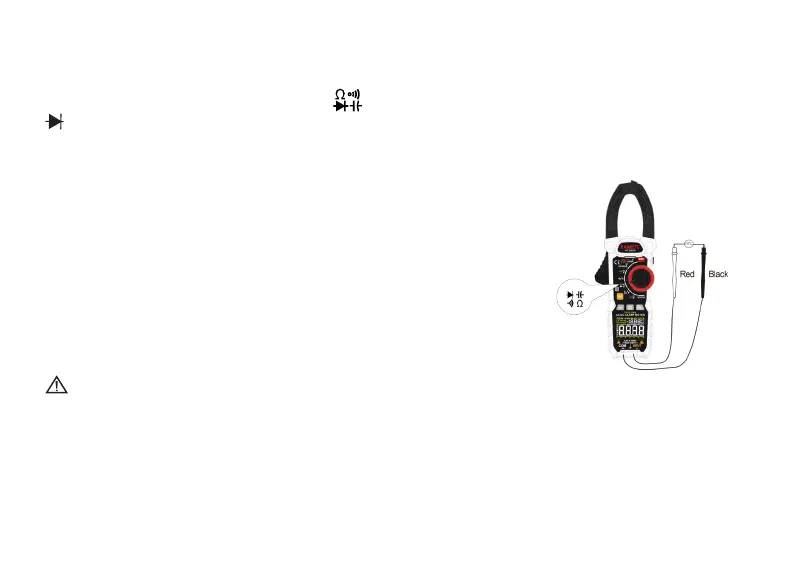
1� Turn the rotary function switch to , press the press the “FUNC�” key 2 times until
appears on the display�
2� Remove power from the circuit being tested�
3� Connect the black test lead to the COM terminal and the red test lead to the INPUT
terminal�
4� Connect the black test lead to the cathode side and the
red test lead to the anode side of the diode being tested�
5� Read forward bias voltage value on the LCD�
6� If the polarity of the test leads is the reverse of the diode
polarity, the LCD reading shows “OL”� This can be used for
distinguishing the anode side and cathode side of a diode�
Warning
To avoid electrical shock when testing diodes in a circuit, make sure the power to the
circuit is turned o and all capacitors are discharged.
Forward DC current is about 1�5mA,
Reverse DC voltage is about 3V
Overload protection: 250V



 To Next Page