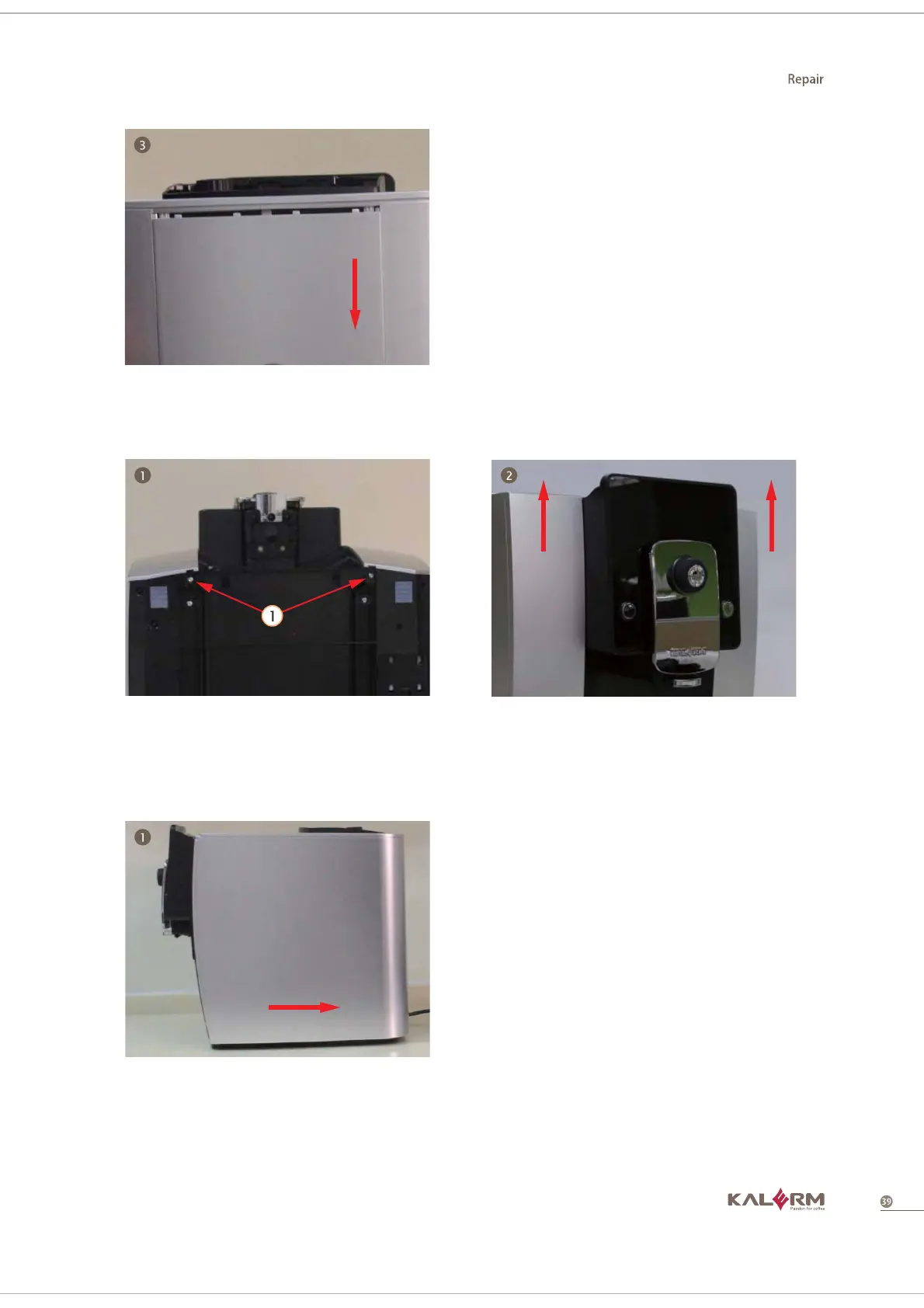
3. Take out back cover according
to the arrow direction
1. Disassemble the 2 screws from
the bottom
2. Take out front cover right and front
cover left separately according to the
direction of the arrow
4.2.1.3 Disassemble front cover right and front cover left
1. Take out right side section
according to the direction of the
arrow
4.2.1.4 Disassemble right cover



 To Next Page