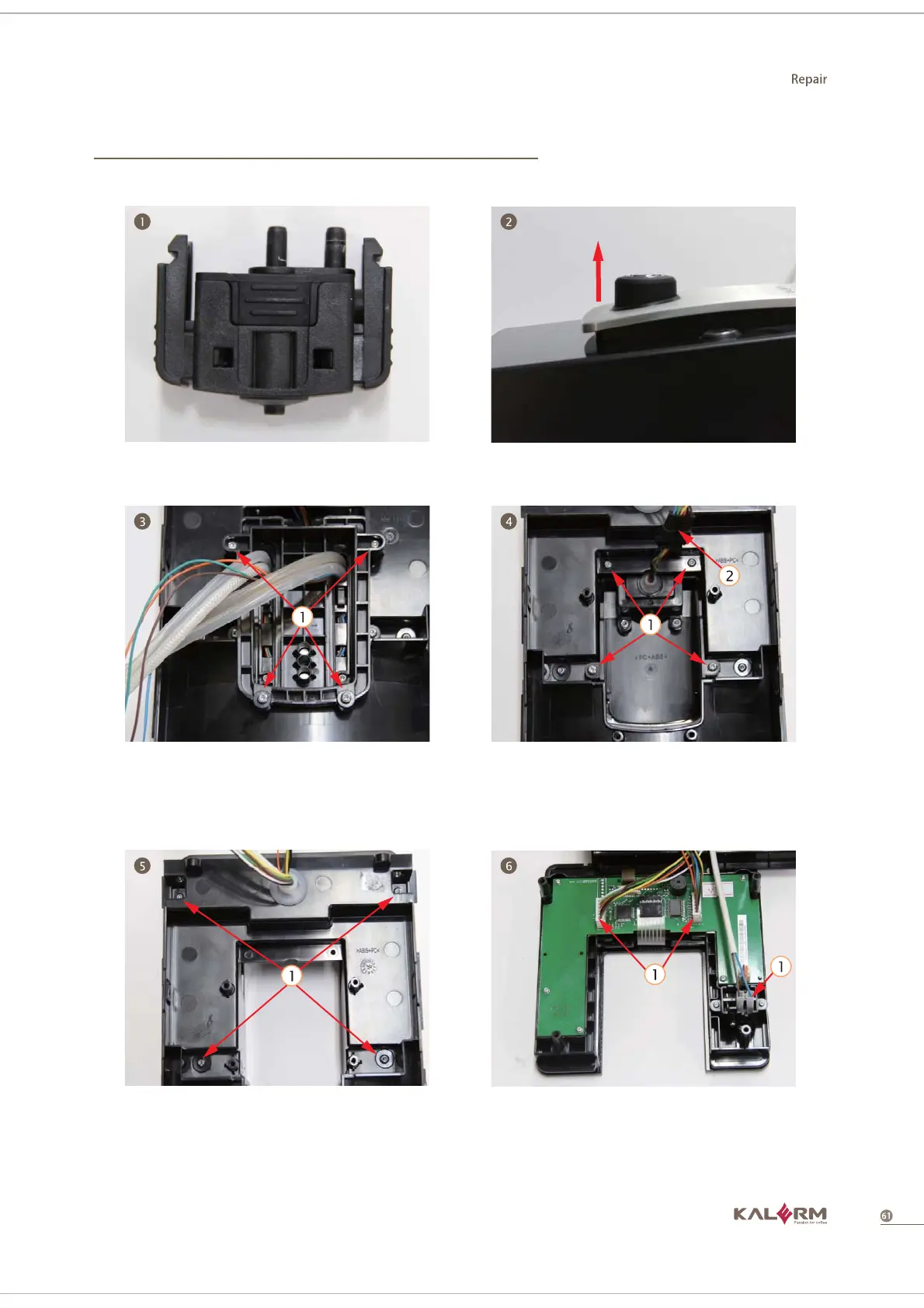
1. Take out foam rubber group 2. Pull out the rotary according to the
arrow direction
4.3.4 Control panel group
3. Disassemble 4 screws from the
backside of control panel
4. Pull out 4 screws from the backside
of the control panel, and pull out the
terminal, then take out the decorative
plate group
6. Pull out 2 terminals on HMI and the
terminal on the power switch and
take out the touch screen group



 To Next Page