MAXICAL
®
III5511-229 GB/98.06/Rev. B1
55
14.2 Replacing Back-up Cell
The internal back-up cell should be replaced after 8 years
operation, when MAXICAL
®
III is used in applications where the
correct time is essential.
Cut off the 230 V supply and remove all the plug in terminals on
MAXICAL
®
III’s back plate. Remove the back plate by unscrew-
ing the four screws (use a Torxbit no. T-20).
Draw the middle PCB approx 2 cm out and loosen the display
light plug (to the left of the transformer). The print can now be
drawn completely out of the cabinet.
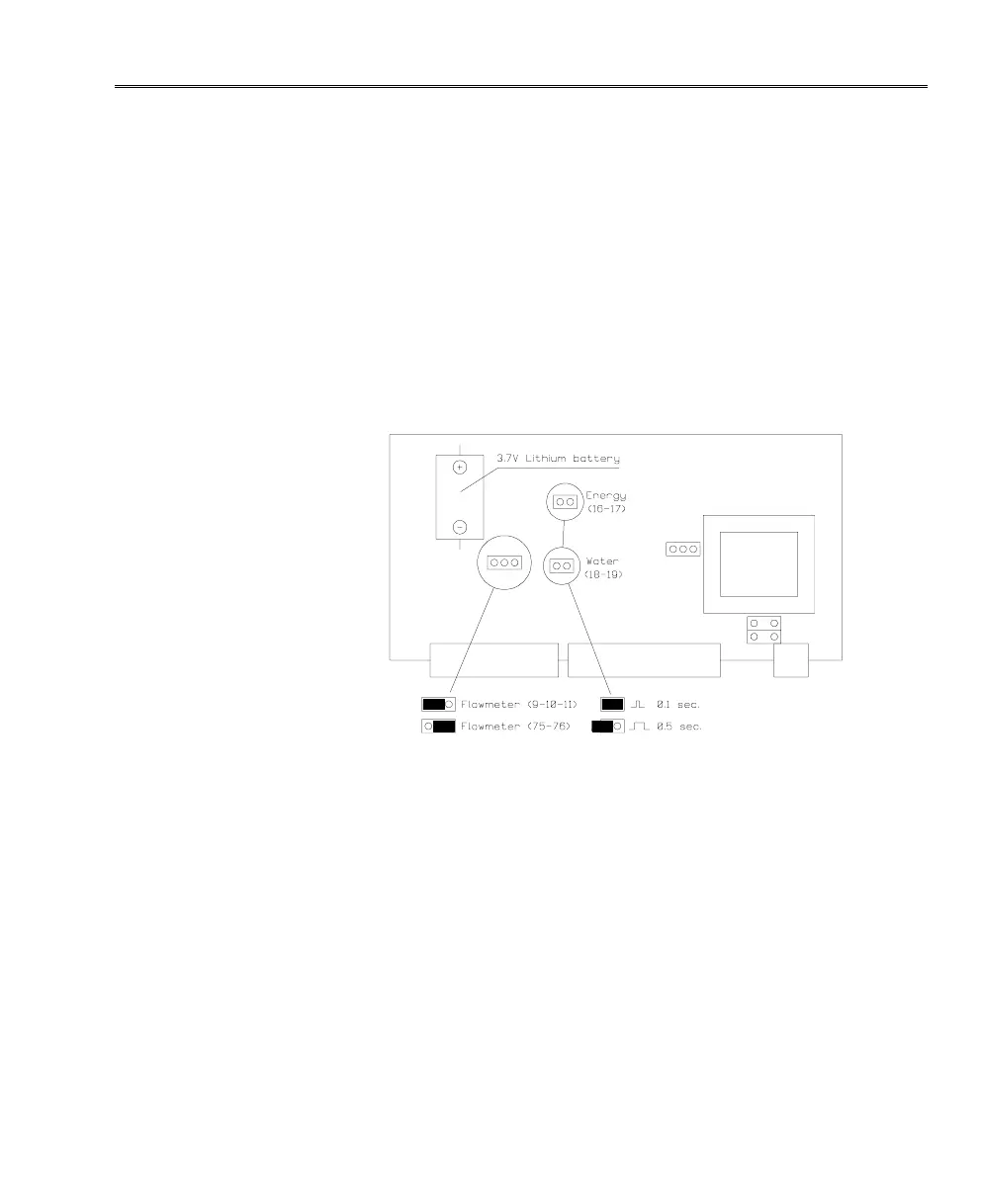
Use a soldering iron to remove the lithium cell and solder a new
one in place. Only original lithium cells (spare part no. 1606-047)
may be used.
Replace the PCB and reconnect the supply cable to the display
light.
Replace the back plate and MAXICAL
®
III is once again ready for
operation.
NB.:
Remember to reset MAXICAL
®
III’s internal clock subsequent to
replacing the back-up cell. The clock can be set via the program-
ming software, 66-99-210 or by means of Kamstrup’s hand-held
terminal, MULTITERM III.













 To Next Page