4K/60 2x1 Wall Plate Switcher & Extender Set
7
input source.
⑧ HDMI IN 1: Type-A HDMI port to connect a HDMI source.
⑨ HDMI IN 2 LED: The LED illuminates orange when the HDMI IN 2 port is
connected to a source device, and it will turn green once the device is selected as
input source.
⑩ HDMI IN 2: Type-A HDMI port to connect a HDMI source.
⑪ RESET: Press the recessed button to reboot this unit.
⑫ FIRMWARE: Micro-USB port for firmware upgrade.
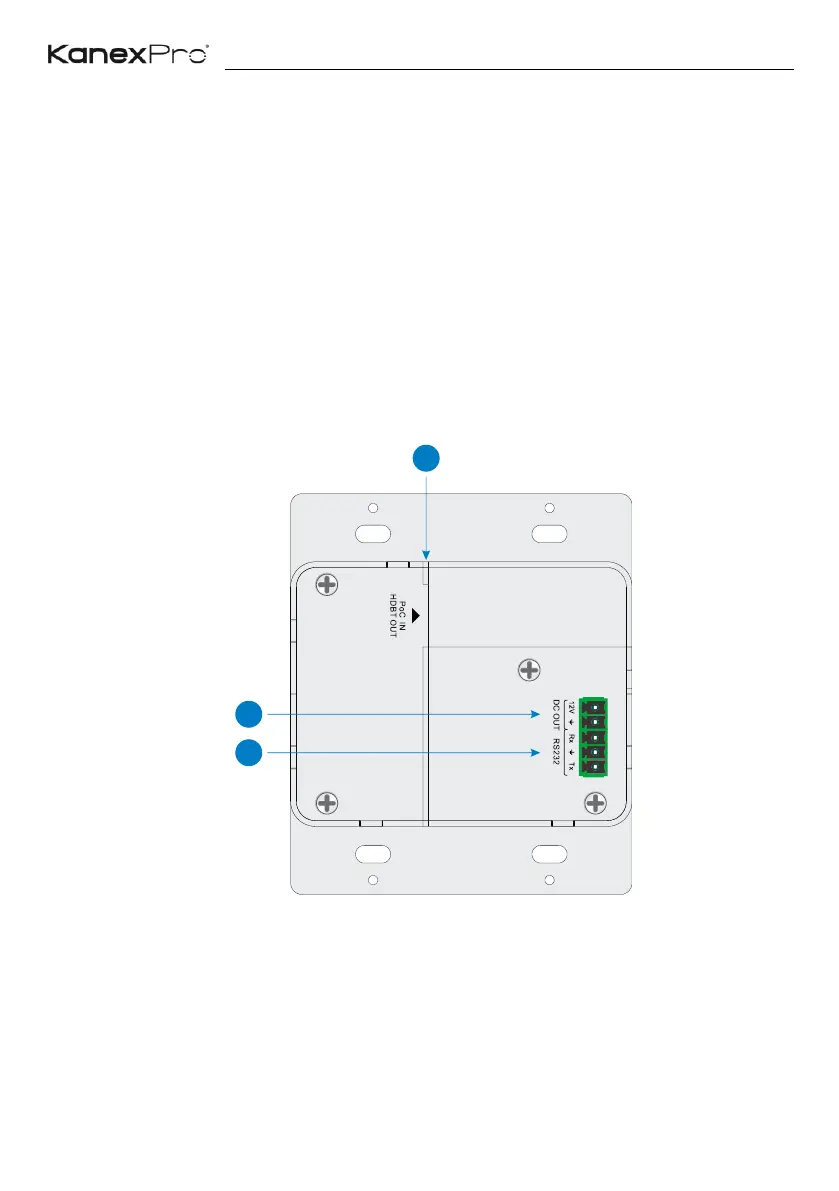
3.2 Transmitter Rear Panel
① HDBT OUT (PoC IN): RJ45 HDBaseT output port to connect to the HDBT IN port
of the receiver by a CATx cable. It supports 24V PoC to enable the transmitter can
be powered from receiver.
② DC OUT: 2-pin terminal block to connect a compatible device which needs to be
powered.


 To Next Page