33
How the Parts of Your Station are Connected
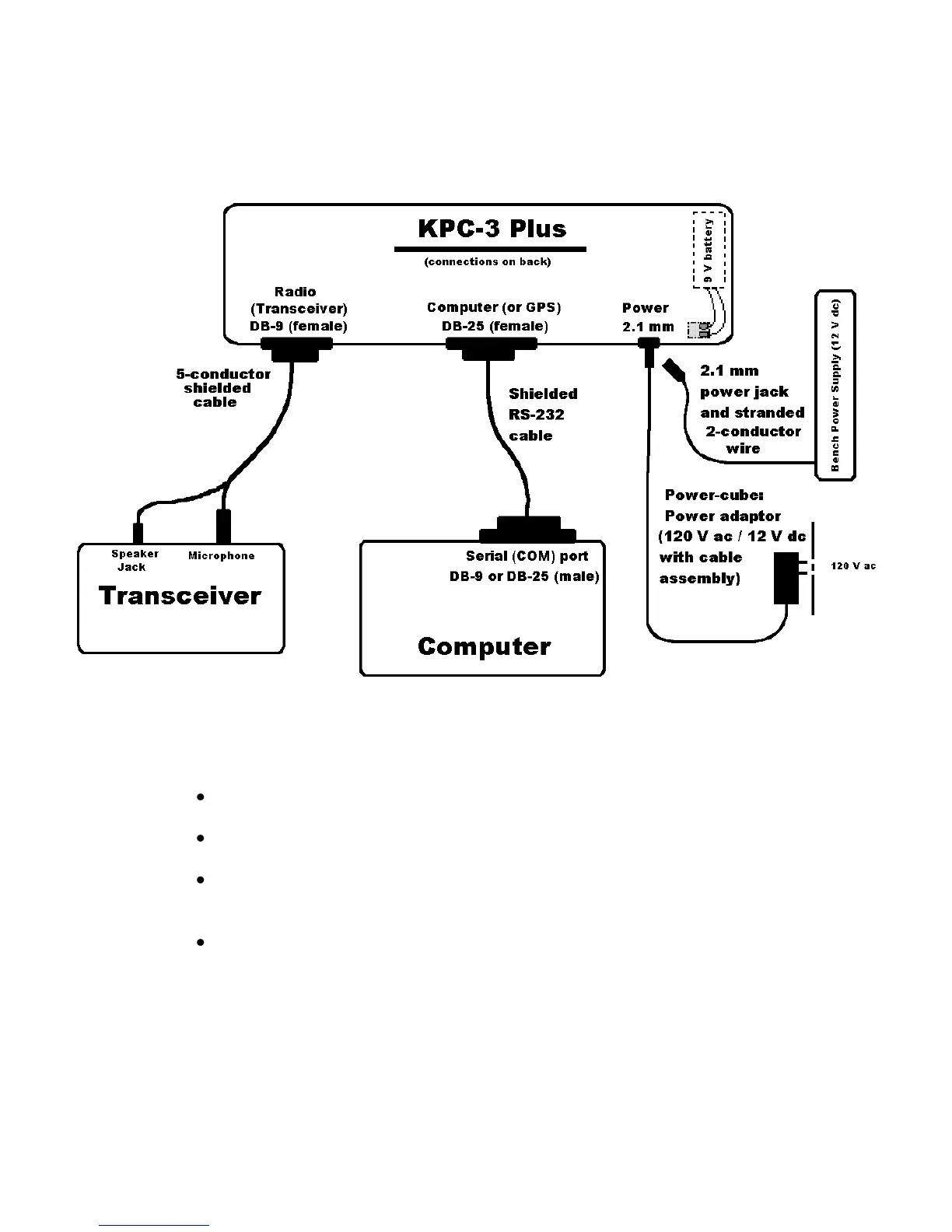
The following diagram shows how the components of your KPC-3 Plus packet radio
station will be connected and the kinds of connectors that will be used. As you
assemble your station, you may wish to refer to this diagram.
With this overview, we are now ready for step-by-step instructions for installing your
station, which we will do in the following order:
The three different ways you can power the KPC-3 Plus
The RS232 connection between your KPC-3 Plus and your computer
The cable assembly connecting your KPC-3 Plus to both the speaker jack and
the microphone of your transceiver
(Optional) The connection between the computer port on your KPC-3 Plus and a
GPS device
As we go through the steps of setting up your station, we will shift from hardware to
software issues and back, since your station needs to be set up both in terms of
hardware and software.



 To Next Page