55
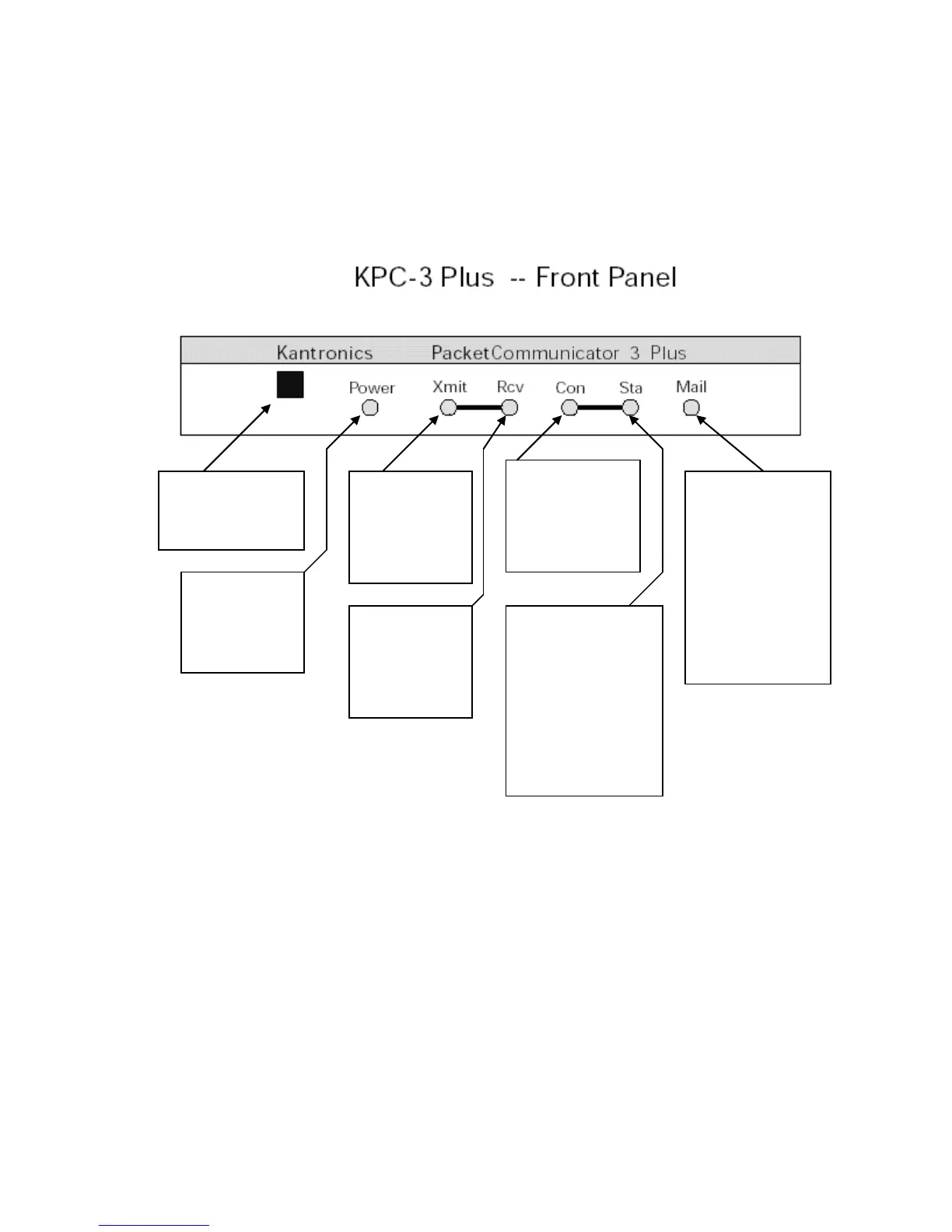
The Front Panel of the KPC-3 Plus
You have already used the POWER switch on the KPC-3 Plus to turn power on and off.
This is a good time to get familiar with all the indicators on the front panel of the KPC-3
Plus.
The following diagram shows the placement and function of the controls and indicators
on the front of your KPC-3 Plus, as well as a brief explanation of each:
Beginning a Packet Session
The steps involved in starting a session are covered in detail in the ―Installing your
KPC-3 Plus‖ chapter.
Start HyperTerminal, select the KPC-3 Plus icon, and turn on the KPC-3 Plus.
Once your initial setup is completed (including giving a CALLSIGN to your KPC-3 Plus
and setting other parameters as needed), the first thing you will see each time you start
Power switch
push in to turn power
ON, push in again to
turn power OFF
Power
Green LED is ON
when your TNC
is turned on and
receiving power
Transmit
Red LED is ON
when your TNC
is sending a
packet signal to
your transceiver
Receive
Green LED is ON
when your TNC
is receiving a
signal from your
transceiver
Connected
Green LED is ON
when your TNC has
a packet connection
on the current
stream
Status
Green LED is ON when
your TNC has at least
one unacknowledged
packet on the current
stream (i.e., a packet
that was transmitted to
another station has not
been acknowledged or
a packet is cued for
transmission
to another station)
Mail
Yellow LED is ON
when there is a
packet connection
to your TNC's
mailbox (i.e. , PBBS)
Yellow LED BLINKS
when there is
unread mail for you
in your PBBS and
there is currently no
packet connection
to your PBBS



 To Next Page