31
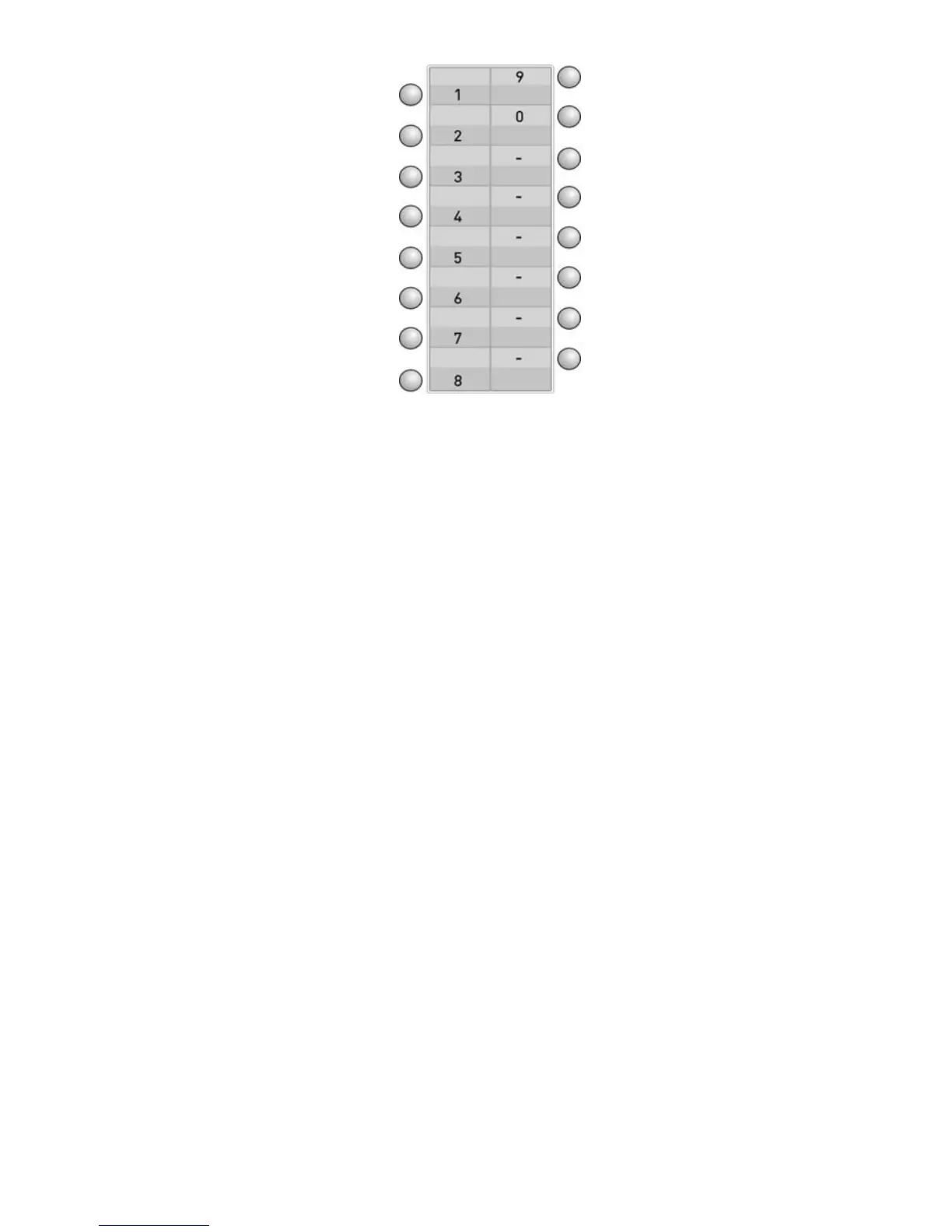
In the table above, numerical values of the programmable keys, which will be used for
entering the extension number that belongs to FT20 and which are valid only for this
case.
Example: If the number of the FT20 feature telephone set, which is determined by the
exchange is 1023, then the number 1023 is supposed be entered upon the message
“Telephone Number/ no=” that will appear on the display when the telephone is
attached to the system for the first time. As can be seen in the Table-1 as well, the
telephone number is typed by pressing each of the 1
st
key (numeral 1), the 10
th
key
(numeral 0), the 2
nd
key (numeral 2) and the 3
rd
key (numeral 3) once and the number
will have been assigned to the telephone after the confirmation through the “Connect”
key.
NOTE: When number of another extension of the exchange is entered to FT20, the
data line is activated; however, it does not function in parallel to the speech channels.
If the telephone set has previously been connected to the system and if it is connected
again after having been removed, then it gets ready for use automatically within 30
seconds. In that 30-second period, first the version information of FT20 appears on the
display, then the “Connecting/No:aaaa” message. After that message the telephone
would be ready for utilization. The entire LEDs of FT20 are turned on and off once for
testing during the start-up period. If the extension number that has previously been
defined for FT20 does not exist in the system, then the message “Enter correct
number” appears on the display and the user is expected to enter the extension
number again. In case the user fails to enter a new extension number, the message
“Connecting/No:aaaa” is displayed once every minute upon each attempt to connect to
the exchange. If the connection fails each time, then error tone is received together
with the incorrect number message. The user is kept on being prompted for a correct
extension number each time. That process is repeated until the FT20 user enters the
correct extension number. (Extension number entry is supposed to be done as
explained above.) In the event that the exchange is reset or is shut down and restarted
while the telephone has been connected to the exchange, the telephone first waits for
the system to start and display the version information of FT20 and then the message
“Connecting/No:aaaa”, while the system detects the entire installed cards (for 15 sec.),
then it establishes the connection with the exchange after that waiting period.



 To Next Page